


I've been working on a new startup idea for product managers who lead "teams of AI coders". I put that in quotes, because today AI coders like Cursor, Claude, and Phind aren't quite team members and require lots of hand holding from anyone driving them. But as we squint and look at our crystal ball it becomes pretty clear that agile squads of the future will have a mix of human and AI talent.
For this startup, SpecStory, I've had 60+ conversations with engineers, product managers, and product development leaders on topics ranging from rubber duck debugging to the challenges of mentoring junior team members in the age of GenAI. There's gold in these interviews, and I've been going back over them scanning for insights. But with Claude Artifacts, there's a new way to quickly synthesize this feedback. Let's walk through the analysis step-by-step.
All of my feedback notes and transcripts are stored in Google Drive, so step one was to download them all locally. Easy enough-- just right-click on the folder with all of these notes and choose Download.
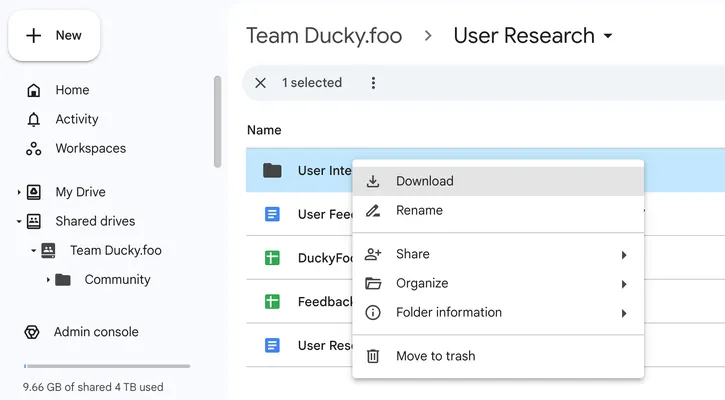
This downloads all these files as a single Zip, which was easy to extract. Looking inside the resulting folder, I see all the Google Docs have been downloaded as .docx files. I could try to feed all 60+ of these into Claude as context, but that seems unwieldy. Instead, let's just get the text out of all of these docs and put them into a single text file.
I have a basic understanding of Python so thought I'd write a little script to do the text extraction. But that would take too long... let's have Claude write it for us. This was my prompt:
python script to extract all the text from all the docx files in the current directory. Mac terminal.
In mostly got it right in the first shot, though I did have to clarify:
extract them all to a single long file
The last snag came when I followed this direction from Claude:
pip install python-docx
I got this error:
If you wish to install a Python library that isn't in Homebrew,
    use a virtual environment:
    python3 -m venv path/to/venv
    source path/to/venv/bin/activate
    python3 -m pip install xyz
But pasting it straight into Claude walked me through the steps of using a Python virtual environment. A minute later I was able to run the script, which produced a single text file of all the notes and transcripts from my user research interviews.
Starting a new Claude chat to clear the context, I dragged this file into the prompt and asked:
I'm building ducky.foo. It's a startup. We've pivoted a few times. But right now, our focus is on building a platform for product managers who lead hybrid human-AI engineering teams. Below is a large set of notes from many different conversations with engineers, product managers, and advisors.
Read through it and identify the problems and challenges people are facing.
Claude dutifully produced a bulleted list of 10 pain points. I knew there were more, so I followed up with:
What are some more challenges?
It gave me 15 more, for a total of 25 with some overlap and duplication. In one last step, I used Claude Artifacts to create a single doc by starting a new chat and prompting:
Pull together all of these pain points into a single artifact, organizing them better and removing duplicates.
And I pasted in the full set of 25 items that Claude had originally produced. The final output was very helpful, but lost one of the key points in the process so I asked it to add it back in and ended up with this artifact:
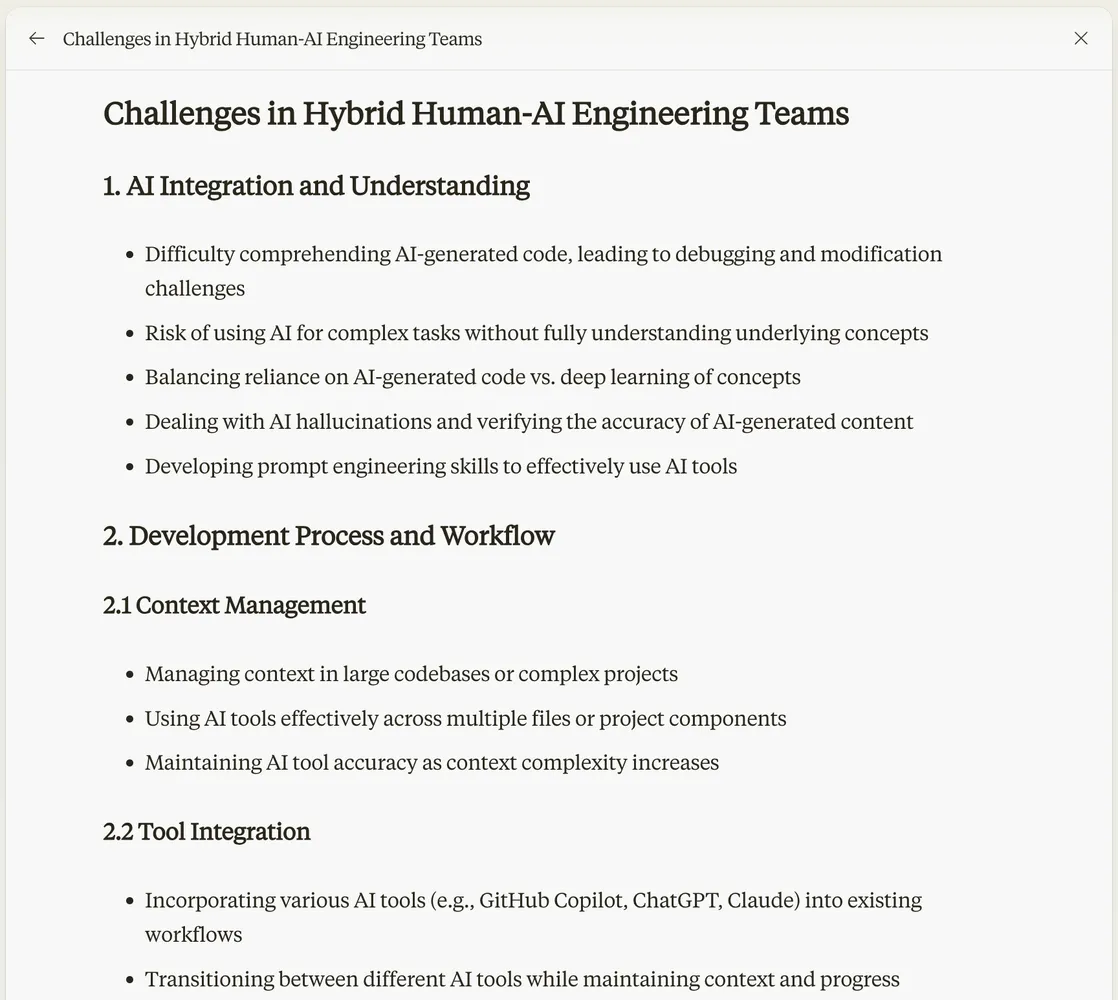
There was further editing, refinement, and especially prioritization that I needed to do, but this was a great starting point for that and was much faster to create than hand-synthesizing all the points of feedback.
Have you used Claude to help define or build out your app or project?
Newsletter
Get new posts in your inbox
Bring your team together to build better products. Fresh takes on remote collaboration and AI-driven development.