


Your agent worked fine on Monday. By Friday it's confidently building a feature your team cut on Tuesday, quoting a requirement nobody remembers approving. You didn't change the model. You changed nothing on purpose. You just kept feeding it more history, more tool output, more meeting notes, and somewhere in that pile the current decision got buried under an older one.
That's not a model problem you can wait out. It's a context problem, and you can fix it with deliberate choices about what your agent sees, in what form, and for how long.
Table of Contents
- What AI Agent Context Management Means
- Five Patterns Compared at a Glance
- Choosing by Size
- How to Build Durable State for Team Decisions
- An Example Workflow for a Collaborative Product Team
- Pitfalls and Metrics That Reveal Context Failure
- Memory Policy and Pre-Launch Checklist
What AI Agent Context Management Means
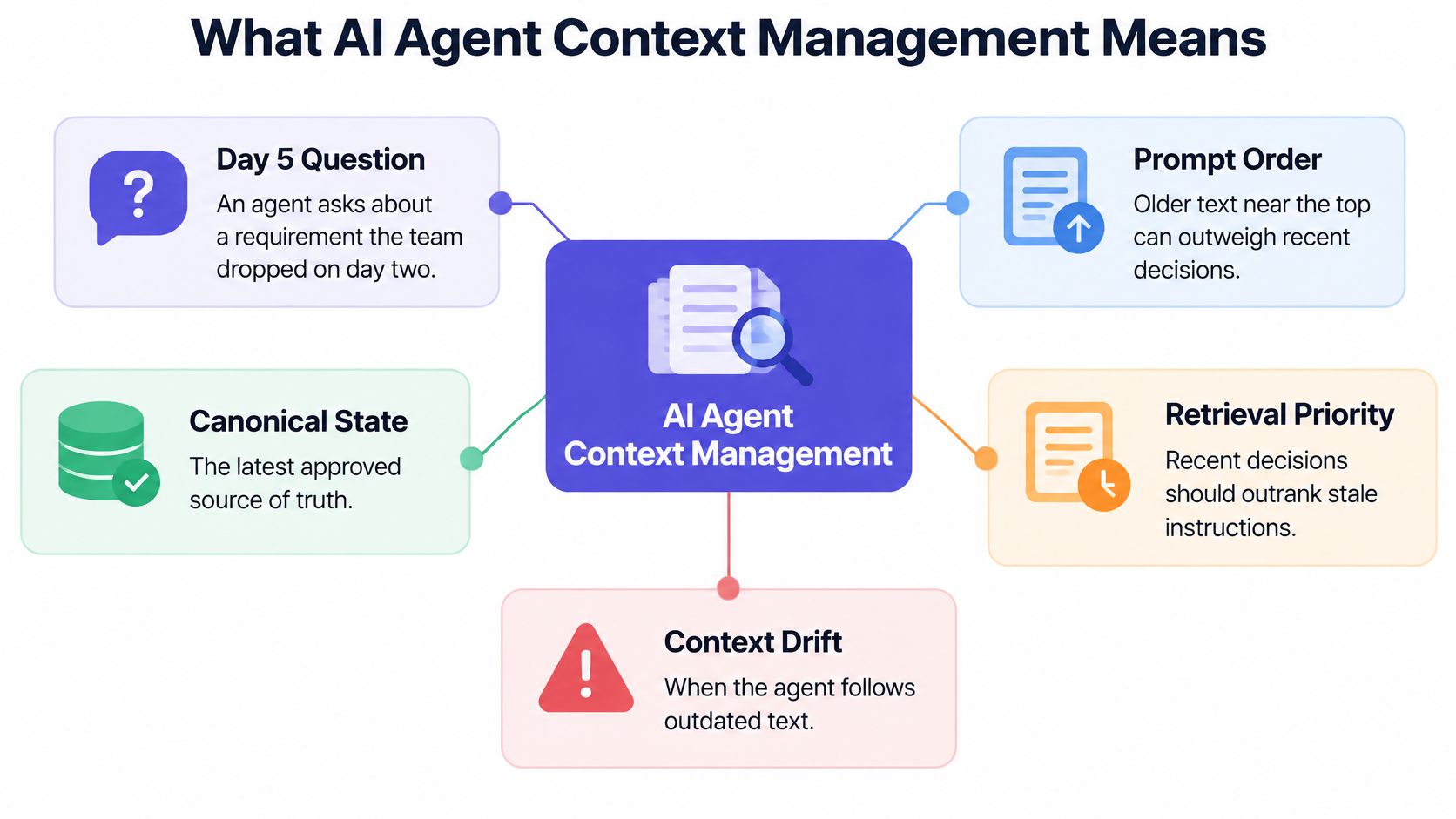
Say an agent is on day five of a product project. It asks a detailed question about a requirement the team dropped on day two. The dropped requirement sits near the top of its prompt in the original brief. The decision to drop it sits far below, in a short message from Tuesday afternoon. The agent isn't careless. It's working from a messy pile where prompt order outweighs recency.
Context is everything the model sees on a single turn. That includes system instructions, conversation history, retrieved documents, tool outputs, code, and any saved state you inject. AI agent context management is deciding what enters that window, in what form, how long it stays, and what gets removed.
A workbench, not a filing cabinet
Think of the context window as a workbench, not a filing cabinet. Only the tools and papers you're using today belong on it. Everything else gets stored, summarized, or cleared away, because a bench covered in last week's printouts slows down today's work.
More context isn't automatically better. The 2024 LongGenBench evaluation found that both API-based and open-source language models experienced performance degradation on long-context generation tasks, with declines ranging from 1.2% to 47.1% depending on the model and task. Gemini 1.5 Flash had the smallest degradation among the tested API models, while the Qwen2 series performed best among the open-source models.
That range matters for two reasons. First, a multi-step agent grows its working context after every observation and tool call, so clutter compounds fast. Second, the effect is model-dependent, so a setup that works on one model can fail when you switch models or lengthen the task.
Collaborative work raises the stakes further. When several people and several agents write to the same project, a decision from a meeting, a ticket, and a design doc can contradict each other. Good management answers three questions: which patterns hold context, how do you build them, and how do you tell whether they're working?
Five Patterns Compared at a Glance
| Pattern | What It Holds | Best For | Main Risk |
|---|---|---|---|
| Memory | Facts about a user or project kept across sessions | Standing preferences and team conventions | Stale or wrong facts persist |
| RAG (retrieval) | Documents searched on demand | Large, changing knowledge bases | Retrieves irrelevant or outdated passages |
| Context windowing | Recent turns and tool outputs that fit the token budget | Short, single-task runs | Drops early constraints silently |
| Session and state management | Goal, decisions, open questions and next action | Multi-step agents | State drifts from reality if not updated |
| Provenance | Source, timestamp, owner and status for each claim | Team decisions that must be audited | Adds write overhead to every update |
Memory holds what the agent has learned across sessions, such as a user's standing preferences or a team's naming conventions. It's convenient because nobody repeats themselves. Its risk is quiet persistence, where a fact that was true in March keeps steering work in June because nothing ever challenged it.
Retrieval-augmented generation, or RAG, searches a document store at query time and returns only passages matching the current question. Your agent doesn't carry the whole knowledge base, it fetches what's relevant. The catch is that retrieval matches similarity, not truth, so an outdated but well-worded passage can outrank the current one.
Context windowing keeps the most recent turns and tool outputs that fit the token budget and drops the rest. It's the default in most chat tools, and it's fine for short, single-task runs. The failure is silent: an early constraint scrolls off, and the agent proceeds as if it never existed.
The two patterns teams add too late
Session and state management keeps a small structured record of the goal, decisions, open questions, and next action, rewritten after each step. Instead of replaying a transcript, the agent reads a compact summary of where things stand. It only works if someone, human or agent, updates it after each meaningful step.
Provenance attaches a source link, timestamp, owner, and status to every durable claim. It adds a little write overhead to each update. In return, any decision can be traced, ranked against newer ones, and audited when someone asks why the agent did what it did.
Practical rule: Start with state and windowing. Add retrieval once your knowledge base outgrows the window, and add provenance as soon as decisions must be traced.
Most production agents combine two or three of these rather than picking one. The question isn't which pattern wins. It's which combination matches your task length, team size, and need for an audit trail.
Choosing by Size
Two popular rules both fail. "Include the entire history" fails when the history gets long. "Always retrieve" fails when the full context is small and retrieval fragments it. Size decides which approach wins, and the crossover is measurable.
| Context Setting | Measured Result | What It Means |
|---|---|---|
| 32,000 tokens | Long-context input 2.4 points better on average | Keeping the full context can win at this size |
| 128,000 tokens | RAG 3.68 points better on average | Retrieval wins at this size |
| About 8,000 tokens | Natural Questions saturates | Extra context adds little for this task |
| About 96,000 tokens | Databricks DocsQA still improving | Long context keeps helping on this task |
| About 128,000 tokens | FinanceBench still improving | Dense financial documents reward long context |
| Beyond 64,000 tokens | Only a limited group of recent models stays consistent | Test before relying on it |
A 2025 study comparing long-context processing with retrieval-augmented generation found long-context input performed 2.4 percentage points better on average at a 32,000-token context length, but retrieval-augmented generation performed 3.68 points better at 128,000 tokens. Performance often increased and then decreased as more context was added, and only a limited group of recent models maintained consistent accuracy beyond 64,000 tokens.
Task type moves the ceiling too. Natural Questions saturated at roughly 8,000 tokens, while Databricks DocsQA and FinanceBench continued improving until approximately 96,000 and 128,000 tokens, respectively. A short factual lookup stops benefiting early. Dense documents that reward cross-referencing keep benefiting much longer. Your workload sits somewhere on that spectrum, and guessing wrong costs accuracy either way.
A four step sizing test
- Measure one typical task. Count the tokens in a normal agent task in your project, history and tool output included.
- Write about twenty real questions. Use questions your agent must answer, not synthetic trivia.
- Run both ways. Try the full context, then run the same questions with retrieval only.
- Pick the smaller setting that keeps accuracy. Smaller means cheaper and faster on every future turn.
Say a small team keeps a weekly decision log. That log often fits comfortably in the window, so full context is simpler and works. A year of meeting transcripts doesn't fit, and replaying it would bury this week's decisions anyway, so retrieval over separately stored artifacts is the better design.
Don't ignore cost while chasing accuracy. Every extra token adds latency and spend on every single turn, not just once. A setting that's slightly less accurate on your test set can still be the better product choice if it's much faster and your state file carries the critical facts.
How to Build Durable State for Team Decisions
A transcript records what people said. Durable state records what the team decided, who decided it, and whether it still stands. Building it takes seven steps, and each one prevents a specific, common failure.
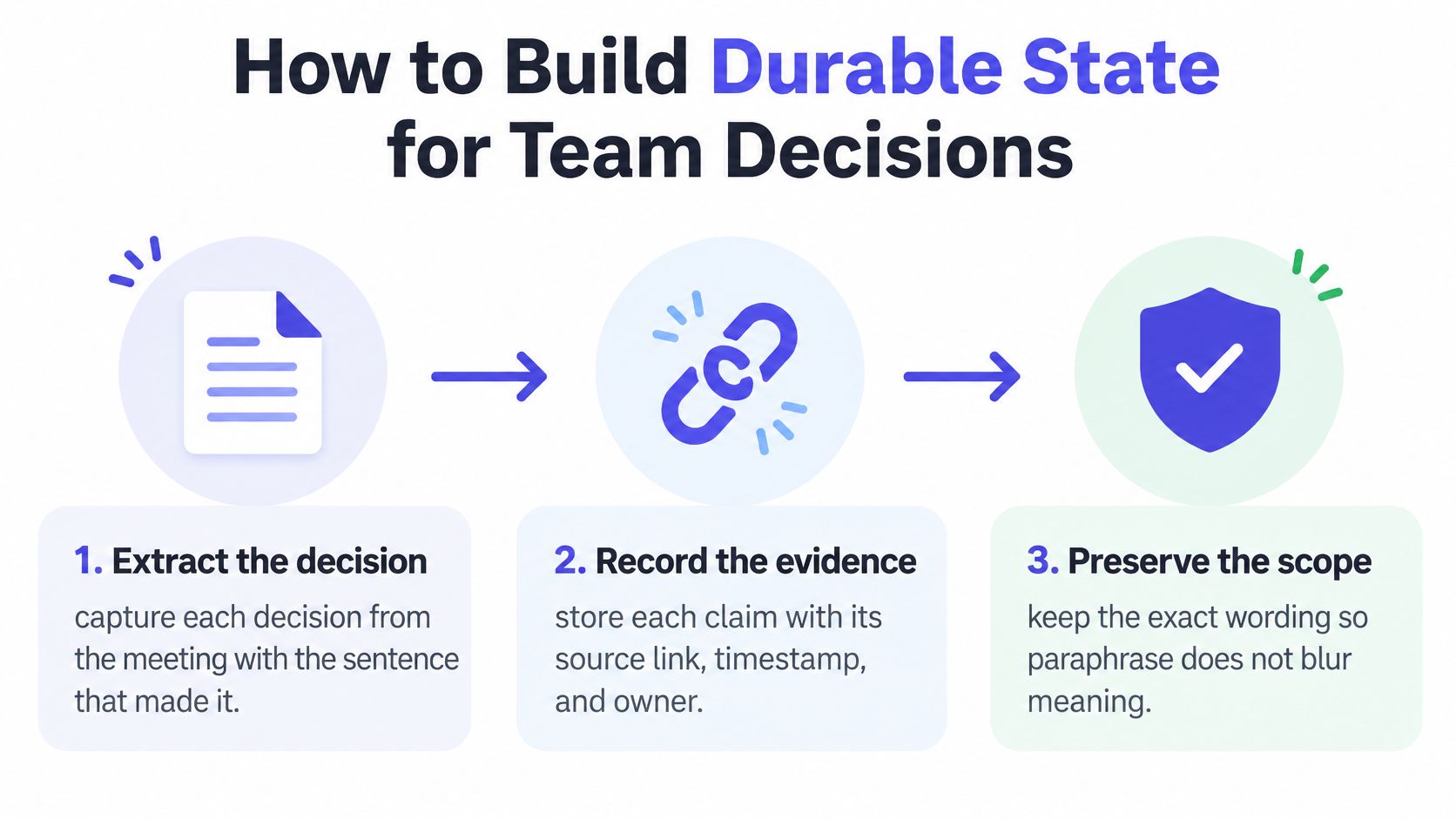
- Extract each decision with the sentence that made it. Pull the decision out of the meeting along with the exact wording, because paraphrase changes scope. "We'll trial it with beta users" becomes "launch it" after two rounds of summarizing.
- Record source link, timestamp, and owner for every claim. An undated decision can't be ranked against a newer one, and an ownerless one can't be questioned. Skipping timestamps is the slip that makes later conflicts impossible to resolve cleanly.
- Set a status for each item. Use proposed, decided, superseded, or disputed. Status is what lets an agent distinguish a settled fact from an idea someone floated, and it's the field teams most often leave blank.
- Keep open questions as separate entries. Don't bury them inside a summary paragraph where they'll never resurface. A standalone entry can be loaded into the next session and asked about directly.
- Store transcripts and design files as linked artifacts. Link to them from the state file instead of pasting them in. The state stays small enough to load every run, and the evidence stays one click away.
- Load canonical state plus task matches only. On each run, the agent gets the current state and only the items relevant to today's task. Loading everything recreates the cluttered workbench you're trying to avoid.
- Supersede, don't delete. When a decision changes, write a new record and mark the old one superseded. Deleting the old record removes the explanation a reviewer will ask for when the answer changes next week.
This is the same discipline behind an architecture decision record, applied continuously instead of only for big technical calls. The format doesn't need to be elaborate. It needs to be consistent enough that an agent can parse it the same way every time.
What healthy state looks like after a week
After a week of real work, a healthy state file is short. Every entry is dated and linked to its source. Open questions sit in a visible list, not scattered through prose. There are no duplicate decisions saying slightly different things, and superseded items point forward to what replaced them.
If your state file reads like meeting minutes, it's a transcript with extra steps. It should read like a ledger.
The test is simple. Hand the file to a new teammate, human or agent, with no other briefing. If they can state the goal, the current decisions, and the open questions in two minutes, the state is doing its job.
An Example Workflow for a Collaborative Product Team
Say a seed-stage team of five runs a product project: a product lead, a designer, two engineers, and one agent per person. They meet Monday morning to settle pricing and onboarding. The meeting is captured live, and decisions and open questions are extracted into a shared state file before anyone opens an editor.
The snapshot below shows the kind of session where that capture happens, with the team and their agents working from the same screen.

A product requirements draft is generated from that state, not from the full transcript, so it reflects decisions rather than everything that was discussed. The design agent then loads only the design decisions. The coding agent loads the approved requirement, the relevant files, and the sandbox context. Each output keeps a provenance link back to the meeting timestamp where the decision was made.
The workflow in motion looks like this:
The failure this prevents
On Tuesday the team replaces the pricing decision after a customer call. Without status tracking, the old pricing text reappears in the coding agent's prompt on Thursday because nothing marked it as replaced, and the agent implements the wrong tiers with full confidence. With the old record marked superseded and linked to the newer one, the agent loads the current pricing and can explain why it changed.
Integration matters as much as capture. IDEs, design tools, and terminals should read the same state through sync or a command-line interface rather than holding separate copies that drift apart. File-based sync keeps the team free to change editors without migrating their context. This kind of shared layer fits the broader pattern of an AI agents workflow where handoffs carry state instead of screenshots and summaries.
Scope each agent's access, too. A designer's agent doesn't need private notes from a founder-only conversation, and giving it access anyway is how restricted context leaks into shared outputs. SpecStory does not replace your AI tools; it wraps your existing tools and saves conversations automatically, and everything works exactly as before. A context layer should work the same way, wrapping the tools your team already uses rather than forcing everyone into a new one.
Pitfalls and Metrics That Reveal Context Failure
Recall alone doesn't prove your context system works. An agent can find a fact in a large prompt and still fail to update it, connect it across sessions, or drop it when it expires. MemoryAgentBench defines four distinct competencies, accurate retrieval, test-time learning, long-range understanding, and selective forgetting, because those skills fail independently. A broader AgentMemBench design evaluates approaches on retrieval quality, answer F1, faithfulness, memory footprint, and latency, which tells you these dimensions deserve separate measurement rather than a single score.
| Metric | What It Checks | Warning Sign |
|---|---|---|
| Recall at k | Whether the right memory is retrieved | Relevant items missing from the top results |
| Stale-decision rate | Share of answers based on superseded decisions | Any rise after a requirement changes |
| Faithfulness | Whether an answer matches its retrieved sources | Confident claims with no source |
| Contradiction detection | Whether conflicting decisions are surfaced | The agent picks one decision without saying so |
| Provenance coverage | Share of durable claims with source and owner | Gaps in source or owner fields |
| Memory footprint | Tokens of stored and retrieved context per run | Growth that is never pruned |
| Latency per turn | Time added by retrieval and summarization | Responses slow down as history grows |
| Privacy leakage | Whether deleted or restricted content resurfaces | Reconstruction from summaries or traces |
The pitfalls behind the numbers
- Keeping everything because storage is cheap. Storage is cheap, attention isn't, and every retained item competes for the window.
- Trusting a vector database as a complete solution. Retrieval finds similar text. It doesn't know which decision is authoritative.
- Summarizing away dissent and open questions. A tidy summary that erases disagreement makes the agent more confident and less correct.
- Resolving conflicts without flagging them. When two decisions clash, an agent that picks one without flagging the disagreement buries the conflict. Both decisions should surface so a person can choose.
- Letting stale memory persist with no expiry. Facts without review dates outlive the conditions that made them true.
- Assuming deleted content is gone. Summaries, embeddings, and tool traces can reconstruct what you removed from the source file.
Security belongs on this list as well. Context that arrives through inboxes and tool outputs can carry hostile instructions, so preventing prompt injection in agent inboxes is worth treating as a context quality issue, not a separate concern.
Test with a small question set that mixes current answers, superseded answers, and questions your record can't answer. Run it after every change to your context setup and score against the table. When the agent correctly declines an unanswerable question, that's the system working as intended, not failing.
Memory Policy and Pre-Launch Checklist
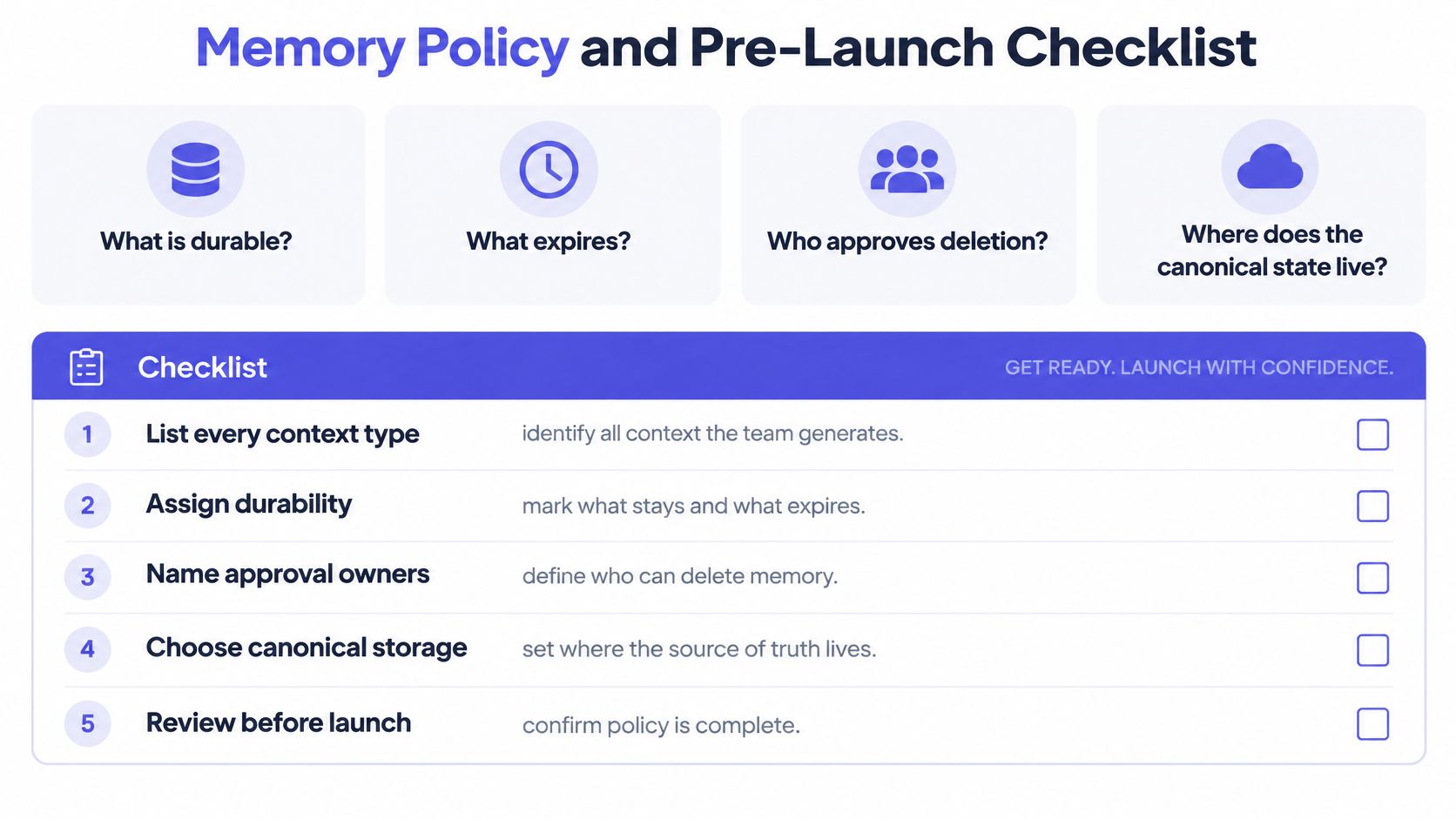
Tools don't settle the hardest questions. Policy does. Before your next agent run, your team should be able to answer four things plainly: what is durable, what expires, who approves deletion, and where the canonical state lives. If any answer is "we haven't decided," your agents are already deciding for you by default.
Five steps to a one page policy
- List every context type you generate. Meeting decisions, requirements, design rationale, transcripts, code references, support notes. You can't govern types you haven't named.
- Assign each type a lifecycle. Mark it durable, expiring, or transient. A pricing decision is durable until superseded. A debugging trace is transient and should vanish once the fix lands.
- Name one owner for promotion and deletion. One person approves turning transient discussion into durable memory, and approves deletion requests. Shared ownership here means no ownership.
- Choose one canonical state file per project. Every other artifact links to it. Two competing sources of truth guarantee drift, because agents will load whichever one retrieval surfaces first.
- Run your question set before live work. Fix any stale or conflicting answer before the agent touches real tasks, not after a wrong output reaches a customer.
These choices are the practical core of AI agent governance for a small team. You don't need a compliance department. You need named owners, written lifecycles, and a test you run.
The pre-launch checklist
Written
- Fields complete: Every durable claim carries source, timestamp, owner, and status.
- Sensitive material tagged: Customer data and credentials are excluded from shared memory by default.
- Review triggers set: Each requirement has an expiry date or an event that forces re-examination.
Retrieved
- Task-scoped loading: The agent loads only state relevant to the current task.
- Conflicts surfaced: Disagreements are shown to the user, never resolved without notice.
- Tool outputs cleared: Transient results are removed once their outcome is recorded in state.
Removed
- Deletion is complete: A deletion request removes raw files, summaries, embeddings, and cached traces, not just the source document.
- Deletion is verifiable: Someone can confirm the content no longer appears in retrieval results.
Finish with one budget check. Measure the context budget of a typical run and confirm it fits your model's window with room to spare for tool outputs you haven't seen yet. A run that starts near the limit will overflow mid-task, exactly when recovery is hardest.
A smaller, permissioned memory often beats an exhaustive one. It holds fewer stale instructions, leaks less, and produces fewer confident answers built on decisions the team already replaced.
Where the tooling supports it, this gets easier to sustain. Stoa connects live meetings, transcription, collaborative editing on local project context and shared sandboxed agents into one build surface, so capture and state live together instead of in separate apps. Context can be synced to your desktop with the stoa CLI and opened in Claude Code, Codex, VS Code, or any other tool, with no MCP required, which means the canonical state travels with each teammate.
Don't end by admiring the checklist. Write the one-page policy this week, put one name on it, and schedule the first test run on a specific date. Context you govern deliberately stays an asset. Context you accumulate by accident becomes the reason your agent builds last Tuesday's feature.
If your team's agents keep rebuilding decisions you already replaced, SpecStory, Inc. can help you turn live meetings, decisions, and open questions into durable, traceable context your existing tools can reuse. Visit us to see how Stoa keeps canonical state synced from the meeting room to each teammate's editor, so your next agent run starts from what your team decided.
Newsletter
Get new posts in your inbox
Bring your team together to build better products. Fresh takes on remote collaboration and AI-driven development.