


A teammate just pushed a commit that skipped the formatter, and the agent on the other machine ran a shell command nobody reviewed. You are staring at the same class of problem in two places: a Git repo and an automation that fires when something happens. How to apply command hooks starts with that shared pattern. A command hook is a shell command bound to a lifecycle event, not an adhesive strip on a wall. The event decides when the command runs and whether a bad result can stop the action.
Local hooks feel helpful until someone clones the repo fresh or passes --no-verify. Server hooks and CI do not share that weakness. The rest of this walkthrough covers picking the event, installing a Git hook, wiring the same idea into coding agents and frontend builds, splitting convenience from enforcement, locking down outbound calls, and rolling checks out without stalling the team.
Table of Contents
- Pick the Right Event Before You Write a Hook
- How to Set Up a Git Command Hook Step by Step
- How to Attach Command Hooks to Coding Agents and Frontend Builds
- Local, Server and CI Hooks Compared
- How to Secure Outbound Hooks in Automation Pipelines
- Roll Out Command Hooks Without Blocking Your Team
Pick the Right Event Before You Write a Hook
A command hook is a shell command bound to a lifecycle event. That event decides both the moment the command runs and whether a failure can stop the action. Pick too late and the bad change is already shared. Pick too early and you block work that a cheaper check never needed to see.
Use the table as the lookup, then attach the script to the narrowest row that matches the control.
| Event | Runs when | Can stop the action? | Typical use |
|---|---|---|---|
| pre-commit | Before a commit is created | Yes, nonzero exit | Formatting, lint and unit tests on changed files |
| commit-msg | After the message is written, before the commit | Yes, nonzero exit | Enforcing message structure |
| pre-push | Before commits leave the workstation | Yes, nonzero exit | Secret scans and slower checks |
| pre-receive | Server side, once per push before refs change | Yes, rejects the whole push | Organization-wide policy |
| update | Server side, once per branch or tag | Yes, rejects that ref | Branch-level rules |
| post-receive | Server side, after refs update | No, the action is complete | Notifications and deploy triggers |
| PreToolUse (Claude Code) | Before an agent runs a tool | Yes, blocks the tool call | Blocking risky shell commands |
| PostToolUse (Claude Code) | After an agent tool finishes | No | Formatting or linting edited files |
pre-commit is the right home for formatting, lint, and unit tests on changed files, because the commit does not exist yet. commit-msg only cares about the message text. pre-push is where secret scans and slower checks belong, still on the workstation, before data leaves. On the server, pre-receive can reject an entire push, and update can reject one branch or tag. post-receive runs after the refs move, so it can notify or trigger a deploy, but it cannot undo the push.
Claude Code uses the same split. PreToolUse runs before a tool call and can block it. PostToolUse runs after the tool finishes, which suits formatting files the agent just edited.
Practical rule: Attach the hook to the narrowest event that matches the control. A failed check on one commit is cheaper than a rejected push in front of the whole team.
How to Set Up a Git Command Hook Step by Step
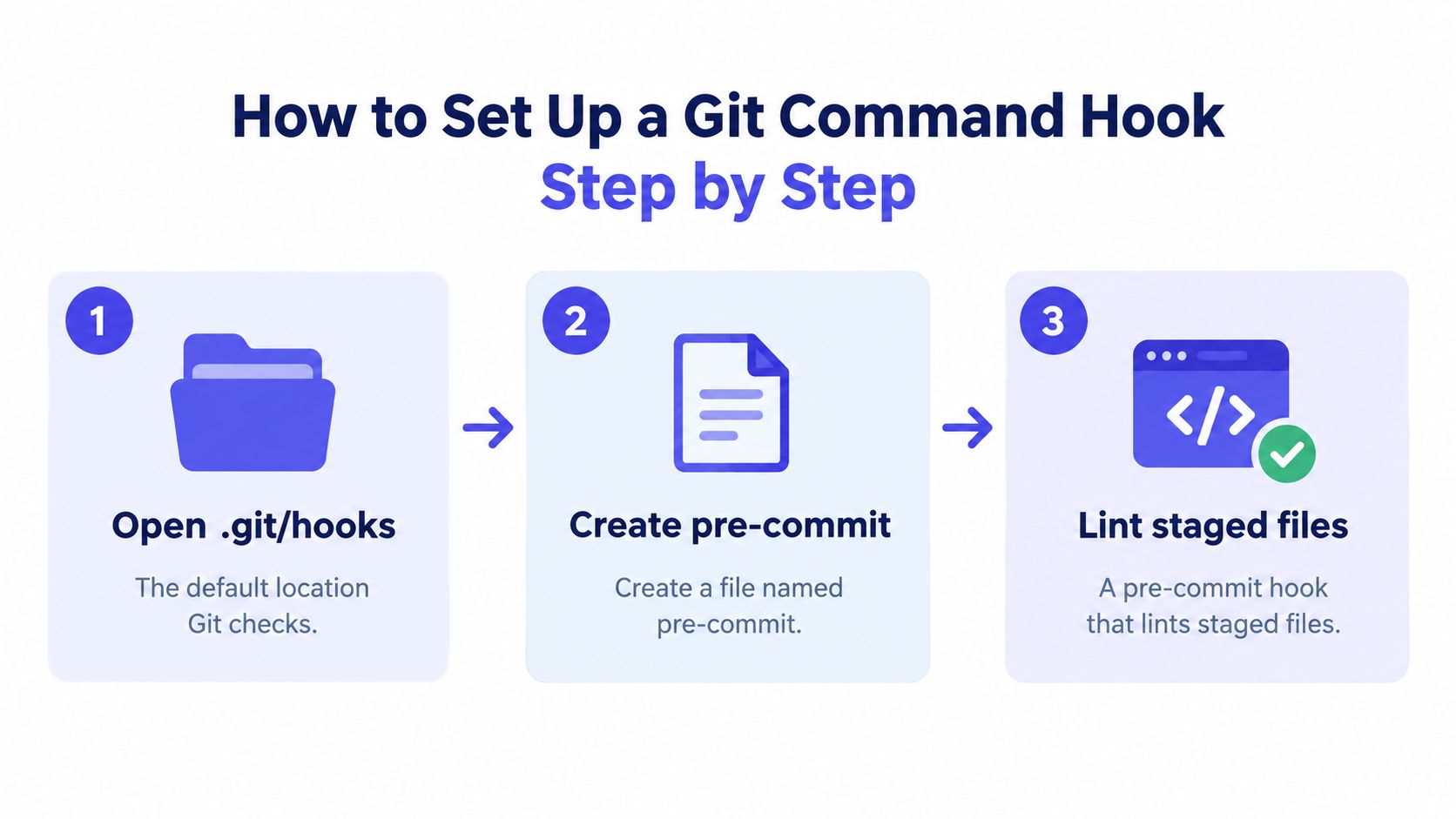
Git hooks bind an executable to a lifecycle event so nobody has to remember the command. Client-side hooks run on a developer's machine during commit, merge, or push. Server-side hooks run in the repository that receives the push. The example below is a pre-commit hook that lints staged files.
Install and prove the hook
- Open the repository's
.git/hooksdirectory. That is the default location Git checks, unless configuration points elsewhere. - Create a file named
pre-commitwith no extension, and start it with#!/bin/sh. The exact name is the event, and the shebang tells the shell how to run it. - Add a lint command scoped to changed files, and exit nonzero when it fails. A hook that runs before the operation stops it with a nonzero exit status. A post-operation hook can record or notify, but it cannot undo the action.
- Run
chmod +xon the file. Git skips a hook that is not executable, which is the usual reason a new hook "does nothing." - Stage a file with a deliberate lint error and run
git commit. You want the commit blocked and the script's message printed, or you have not proved the hook. - Fix the error and commit again. The commit should go through, which shows the hook fails closed only on a real problem.
A hook that works on one laptop proves nothing about the next machine. Hooks are not transferred when a repository is cloned, so teams install them separately or manage a shared setup. Point Git at a tracked directory with core.hooksPath, or ship an install script everyone runs once. Until that step exists, the next clone has an empty hooks folder and the lint never runs.
This short walkthrough shows the same executable-hook idea in a live repo, including what a blocked commit looks like:
Keep the script small. Formatting and a fast lint on staged files belong here. A full integration suite does not. If the hook takes long enough that people start skipping it, you have put the wrong check on this event.
How to Attach Command Hooks to Coding Agents and Frontend Builds
The same block-on-failure pattern shows up outside .git/hooks. Two setups cover most product teams: Claude Code, and a frontend repo using Husky with lint-staged. A plain CLI chain is the third case, and it uses the identical exit code.
Claude Code
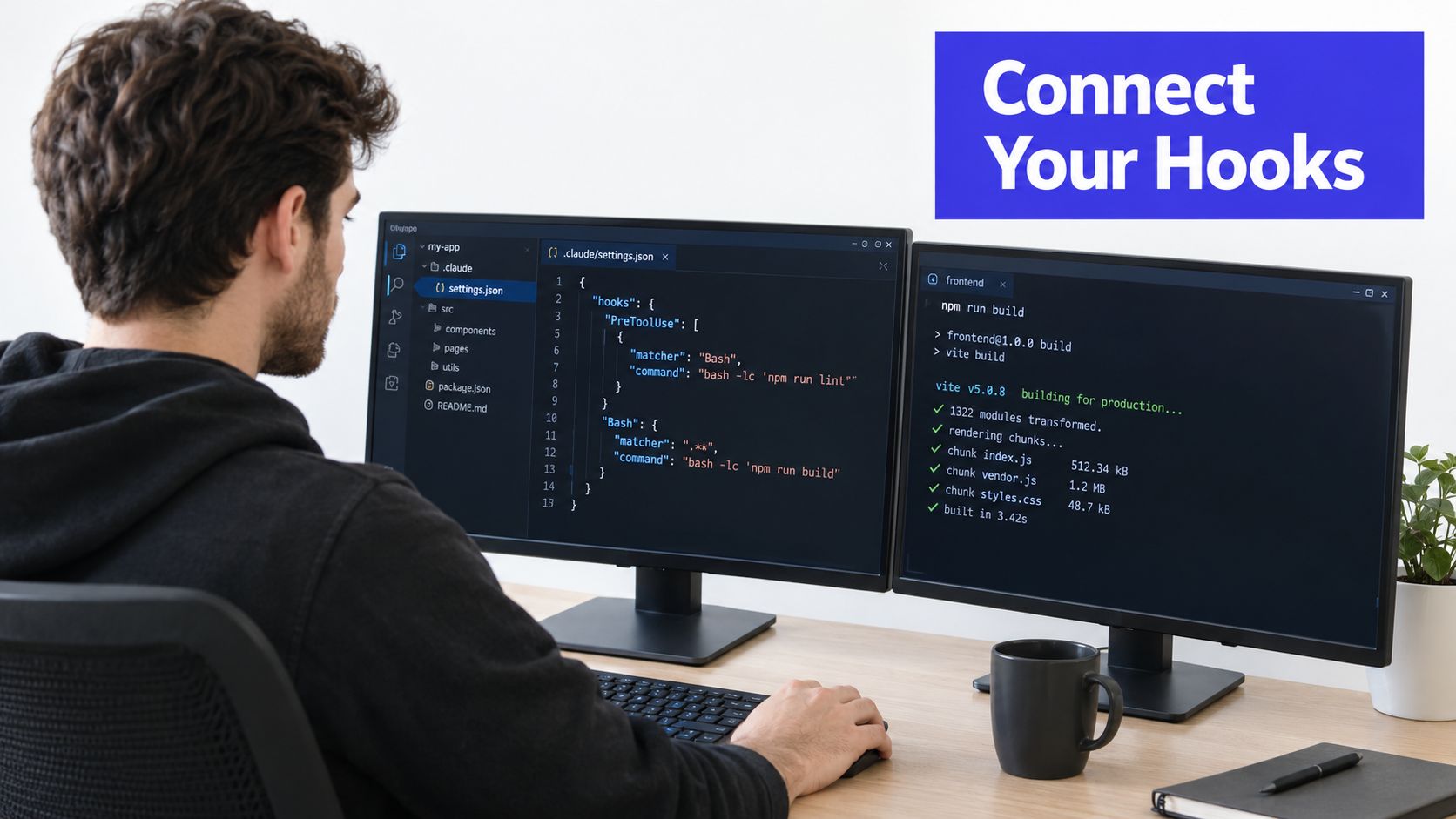
Hooks live in the hooks object of .claude/settings.json, keyed by the event name. A matcher limits them to one tool, and type of command points at a script.
{
  "hooks": {
    "PreToolUse": [
      {
        "matcher": "Bash",
        "hooks": [
          {
            "type": "command",
            "command": ".claude/hooks/block-rm.sh"
          }
        ]
      }
    ]
  }
}
hooks is the map of events. PreToolUse runs before the tool call, which is the only moment you can still stop a recursive delete. matcher set to Bash means file edits do not pay this cost. command is the script path.
The script receives the event as JSON on stdin. Read the command field with jq, and refuse anything that looks like rm -rf. An exit code of 2 blocks the call and sends stderr back to the agent. Confirm that exit-code behavior against the current Claude Code docs before you rely on it, because agent interfaces move. Teams wiring several agents into one workspace can treat this the same way they treat AI agent integration: the guard runs every time, not only when the model remembers the rule.
Husky, lint-staged, and any CLI
For a frontend repo, install Husky and lint-staged as dev dependencies. Run the Husky init command so it creates .husky/pre-commit, then call lint-staged from that file. Configure lint-staged to run Prettier and ESLint only on staged files. Edit one file badly, commit, and watch the hook stop the commit. If the bad file still lands, the hook is not on the path Git is executing.
Outside Git and agents, wire a script into the tool's own command chain so a linter runs before a release command and exits nonzero on failure. The release never starts. That is the whole pattern: the next command does not run unless this one returns success.
Local, Server and CI Hooks Compared
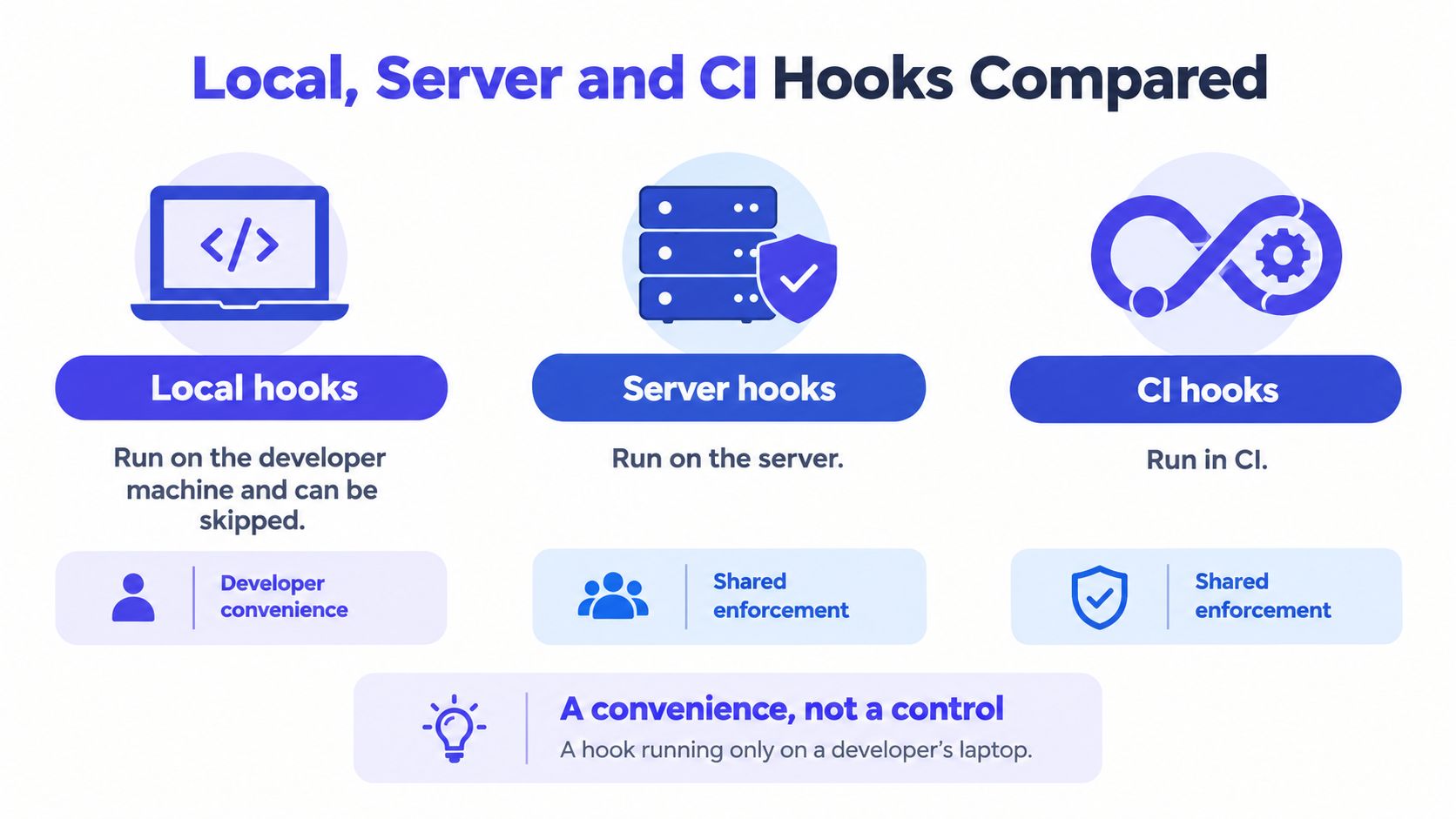
A hook that runs only on a developer's laptop is a convenience, not a control. Anyone can pass --no-verify, edit the script, or skip the install after a clone. If the check matters to the organization, it has to run somewhere the person pushing cannot turn off.
| Layer | Where it runs | Can the pusher skip it? | Best for |
|---|---|---|---|
| Local hooks (pre-commit, pre-push) | Developer machine | Yes, with --no-verify or an edited config | Fast formatting, lint and secret checks |
| Server hooks (pre-receive, update) | Receiving repository | No | Organization-wide policy checks |
| CI pipeline | Shared runner after the push | No | Integration and end-to-end tests |
Server-side Git hooks are the organization-wide control point. pre-receive runs once before references update and can reject the whole push. update runs once per branch or tag. post-receive runs after the update and fits notifications, not policy. A local hook improves the developer's day. It is not a security boundary.
The two-layer pattern
Put inexpensive formatting, unit tests on changed files, and secret checks in pre-commit or pre-push, so people get feedback before they wait on a remote. Repeat the mandatory policy checks in pre-receive or update, so enforcement does not depend on a laptop config.
Fast, reversible checks stay local. Anything that gates a merge or a deploy stays at a trusted central boundary.
That split also fits AI-generated code. Let the agent format and lint on the machine that produced the diff. Do not let a merge depend on a hook the agent, or a hurried developer, can disable. OWASP lists CI/CD exploits and upstream infrastructure compromise among software supply-chain threats, which is a reason to treat these commands as controlled execution points with explicit scope, review, and permissions.
Mobile teams hit the same wall when a green laptop check is treated as a release. A shared pipeline, the kind covered in this guide to automate Expo app deployments, is where integration tests and store builds belong. Write the policy those pipelines enforce as executable specifications, so the server hook and the CI job check the same rule instead of two drifting copies.
How to Secure Outbound Hooks in Automation Pipelines
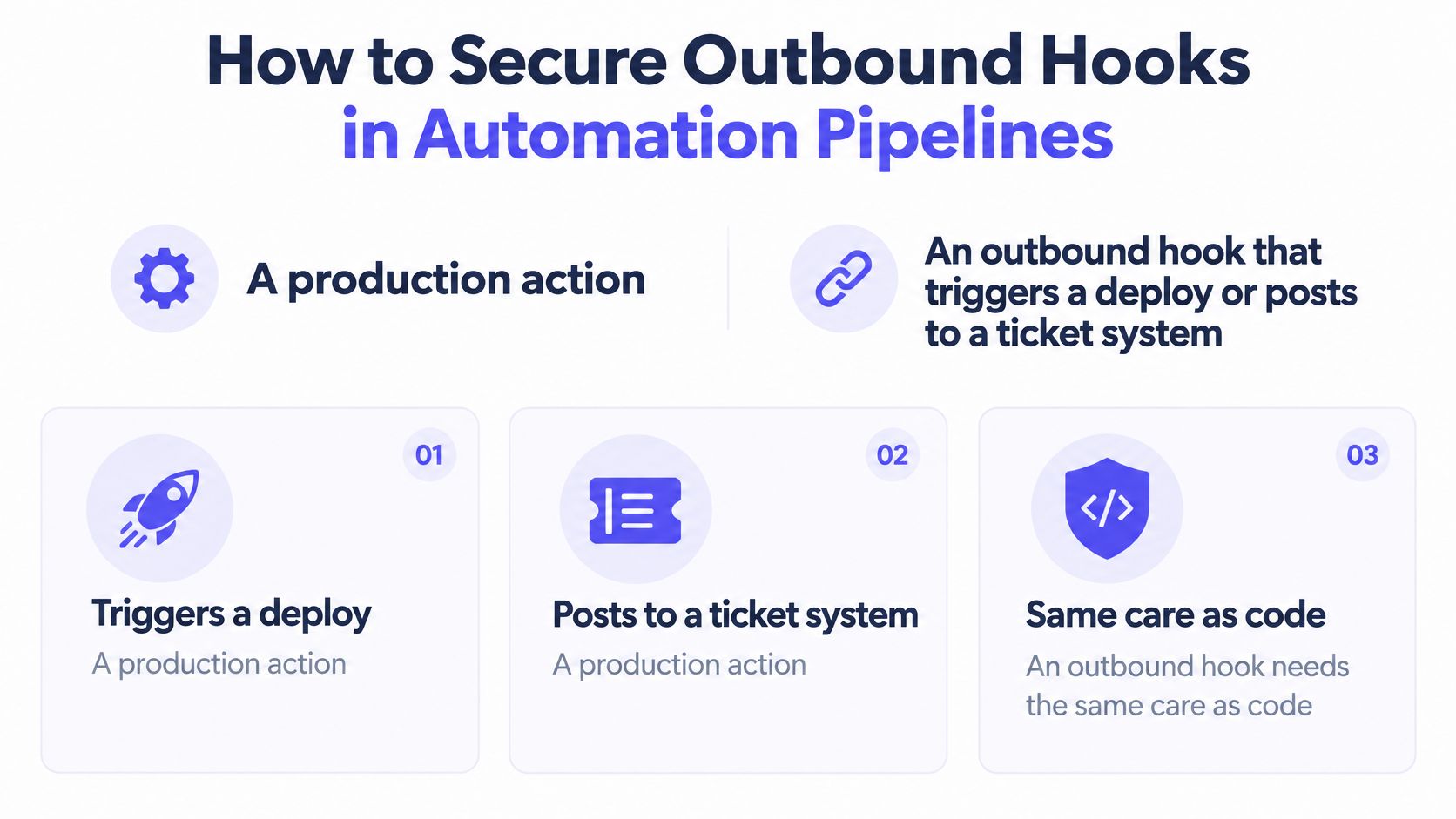
An outbound hook that triggers a deploy or opens a ticket is a production action. Treating the callback URL as "just a notification" is how unsigned payloads and leaked tokens show up in incident reviews. Give it the same care as the code it ships.
GitHub's webhook guidance lines up with a short fail-safe sequence:
- Send only over HTTPS. Reject plaintext endpoints when the config loads, which cuts off casual interception and a class of SSRF against internal hosts.
- Sign the raw payload with HMAC-SHA256 plus a timestamp. The receiver can tell a real sender from a spoofed POST.
- Reject signatures outside a five-minute tolerance. Old, captured requests cannot be replayed next week.
- Attach a unique event or idempotency ID. Duplicate delivery becomes detectable instead of mysterious.
- Acknowledge quickly. Return a 2XX within 10 seconds, then do the work asynchronously so the sender does not time out and retry a job you already started.
- Retry transient failures with exponential backoff and jitter. After a bounded count, move the event to a dead-letter queue instead of retrying forever.
Delivery rules that prevent duplicate work
Treat delivery as at-least-once. Persist the event ID before any side effect, and make every handler idempotent so a retry cannot open a second ticket, start a second deploy, or post a second message. The other rule is simpler and broken more often: never put credentials in callback URLs. Use a high-entropy webhook secret instead.
Storefront and billing callbacks fail the same way Git hooks do when the receiver is slow or the signature check is optional. A Shopify API integration reference is a useful cross-check for signing, retries, and idempotent handlers on commerce events. If the side effect is a ticket, apply the same signing and idempotency rules you would use for a Jira integration, or every retry becomes another duplicate issue.
Roll Out Command Hooks Without Blocking Your Team
A hook that runs the full test suite before every commit will eventually get bypassed. Roll it out in stages, and make each check blocking only after you have confirmed that it runs quickly and reports useful failures.
- Inventory commands and group them by purpose: formatting, static analysis, tests, security, or policy.
- Run cheap, deterministic checks first. Cache dependency and test results where possible.
- Keep local checks narrow. pre-commit should validate changed files; broader suites belong in CI.
- Set a latency budget and review actual run times. Slow hooks are a common reason developers disable them.
- Begin with advisory checks. Promote them to blocking after they establish a stable baseline, and allow an emergency bypass with a documented reason.
- Measure hook duration, failure causes, bypass rate, and post-merge defects. Whether hooks help depends on your starting point, so use these measures to judge the effect in your own workflow.
| Symptom | Likely cause | Fix |
|---|---|---|
| Hook never runs | File is not executable or has the wrong name | Run chmod +x and check the exact name in .git/hooks |
| Hook works in CI but not on a laptop | Hooks were not installed after cloning | Set core.hooksPath or run the shared install script |
| Commit blocked with no explanation | Script exits nonzero without explaining why | Print the failing check and exit with an explicit code |
| Commit takes minutes | Full test suite runs in pre-commit | Move the suite to CI and run only changed files |
| Developers keep using --no-verify | Runs are slow or produce false positives | Measure duration, tune checks, and document the emergency bypass |
| Passes locally, fails on the server | Tool versions or environment variables differ | Pin tool versions and run the same command in CI |
Install one hook this week for the check that causes the most pain. Set its latency budget, then review the bypass log after two weeks. Frequent bypasses point to a slow or noisy check, not careless developers.
The same rollout principle applies to coding-agent and webhook hooks: local commands provide fast feedback, while server-side checks must enforce rules that local users can bypass. Hook behavior depends on the event, so test the actual command and failure path before making it blocking.
SpecStory, Inc. builds Stoa, a shared workspace where product teams turn live decisions into executable context, drafted specs, and code traceable to the conversation. Command hooks can run agreed checks on a commit, an agent tool call, or a pipeline event, rather than leaving them in a document people may not open. See how that fits your team's path from agreement to first commit at SpecStory, Inc..
Newsletter
Get new posts in your inbox
Bring your team together to build better products. Fresh takes on remote collaboration and AI-driven development.