


Your launch is supposed to be ready, but checkout still doesn't work. The engineer thought the product lead owned the payment integration; the product lead assumed engineering had requested the provider keys. Nobody wrote down the handoff, and now everyone is checking chat instead of testing the release.
A simple project plan format should prevent that kind of ambiguity without becoming another project to maintain. Start with a shared page, then keep it accurate through a small decision log and explicit revision triggers. The examples below are hypothetical planning targets, not reported project results.
Table of Contents
- The One-Page Template to Copy
- Write Goals and Acceptance Tests You Can Check
- How to Order Scope, Owners and Milestones
- Keep Decisions Current and Adapt Fields for Hybrid Teams
- Run a 15-Minute Weekly Review and Decide the Next Step
The One-Page Template to Copy
Use a shared Markdown document, Google Doc, or spreadsheet that everyone can edit. The tool matters less than whether teammates can find the current scope, the accountable person, and the next meaningful date without asking around.
There's historical support for using a repeatable structure. In PMI's 2011 research on standardized project-management practices, organizations using standardized practices reported 74% of projects meeting their intended goals, compared with 58% among organizations without them, a 16-percentage-point difference. That doesn't prove a particular template causes success, but it supports standardizing the questions teams answer before execution.
Fields in a one-page project plan
This example describes a proposed onboarding launch for a small product team in spring 2026. Treat every target and date as illustrative.
| Field | Question it answers | Example for a small team |
|---|---|---|
| Objective | Why are we doing this now? | Cut trial-to-paid drop-off from 9% to 6% by 30 June 2026 |
| Success test | How will we know it worked? | Five of ten test users finish onboarding unaided in under five minutes |
| Scope in and out | What is deliberately excluded? | Includes email and Google sign-in; excludes SSO and mobile apps |
| Deliverables | What gets handed over? | Onboarding flow in staging, analytics events, one help article |
| Owner | Who decides and delivers each item? | Priya for scope decisions, Tom for the build; one name per deliverable |
| Milestones | Which dates can we not miss? | Design sign-off 12 May, staging 26 May, launch 9 June |
| Dependencies | What must finish first? | Payment provider keys from finance before staging |
| Risks | What could break the plan? | Analytics vendor may not ship the events API before 26 May |
| Open questions | What is still unknown? | Does onboarding need a team invite step? Priya to decide before design sign-off |
| Review cadence | When does the plan get checked? | A 15-minute Monday review; owners mark milestones green, yellow, or red |
The objective describes a business outcome. The success test provides an earlier usability checkpoint, not proof that the commercial target has been achieved. Keep that distinction visible so nobody mistakes a successful staging test for a successful launch.
Keep the detail behind the page
Link deliverables to their designs, implementation issues, and test instructions rather than pasting those documents into the plan. Put capacity and spending constraints inside the scope boundary, especially when the same engineer supports another release.
Practical rule: Keep the plan short by linking evidence, not by deleting unresolved problems.
Skip the decorative executive summary and generic project background. For this format, use a hard editing constraint: the shared overview fits on one screen. If it needs another page, split the scope into smaller plans rather than shrinking the text.
Write Goals and Acceptance Tests You Can Check
A launch review goes sideways when the goal says “finish payments” and nobody can agree what counts as finished. Replace activity labels with an outcome and a test a reviewer can run. That makes the one-page plan useful at sign-off, not just at kickoff.
An acceptance test should let someone other than the builder mark the result passed or failed. As a working practice, keep a check short enough to run within an hour. If validation takes longer, link the test plan and name the evidence required rather than hiding the work behind “done.”
Vague wording versus testable acceptance criteria
These examples are illustrative, not universal release standards. Set thresholds to fit the users and the cost of failure.
| Deliverable | Vague wording | Testable acceptance criterion |
|---|---|---|
| Checkout | Finish payments | Checkout completes in staging for card, Apple Pay, and PayPal, and a refund posts in each |
| Onboarding | Make onboarding better | Seven of ten test users reach a saved first project without asking for help |
| Mobile | Support mobile | On the agreed iPhone and Android test devices, sign-in and project creation work without clipped controls or horizontal scrolling |
| Data export | Add export | Exported CSV includes all twelve project fields and opens in Excel with no formatting errors |
| Sponsor | Someone approves changes | One named person approves or rejects scope changes within 48 hours |
| Launch | Ready to launch | Zero open severity-one bugs and analytics events firing for every onboarding step |
Put the test conditions beside the criterion. A CSV check needs an agreed dataset. A mobile check needs a device list. A launch gate needs a shared severity definition. Without those details, two reviewers can follow the same sentence and still reach different decisions.
The acceptance criteria definition guide offers a practical reference for turning outcomes into explicit conditions.
Check the test before sign-off
Before approving a deliverable, confirm three things:
- Observable result: State a measurable threshold or visible outcome, not an adjective such as intuitive.
- Named tester: Assign someone to run the check and attach evidence.
- Possible failure: Make clear what result would be unacceptable.
Give the sponsor a separate job: resolving scope trade-offs. The response window in the table is a proposed team agreement, not a universal deadline backed by research. Name someone with authority and a backup for absences.
A useful team practice is to draft success criteria before ordering the scope list. This is a recommendation, not proof that the sequence causes better project outcomes. The PMI's 2024 Project Success Report reports an association between defining success criteria upfront and project success. That does not prove a particular template causes success. Use the test to challenge proposed scope items, and revise it when the intended outcome or constraints change, rather than writing a test to justify a feature list already in motion.
How to Order Scope, Owners and Milestones
For an illustrative invite-by-link feature, begin with what the team must hand over, not the launch date someone would prefer. A calendar full of dates isn't a credible schedule until the team understands what must happen first.
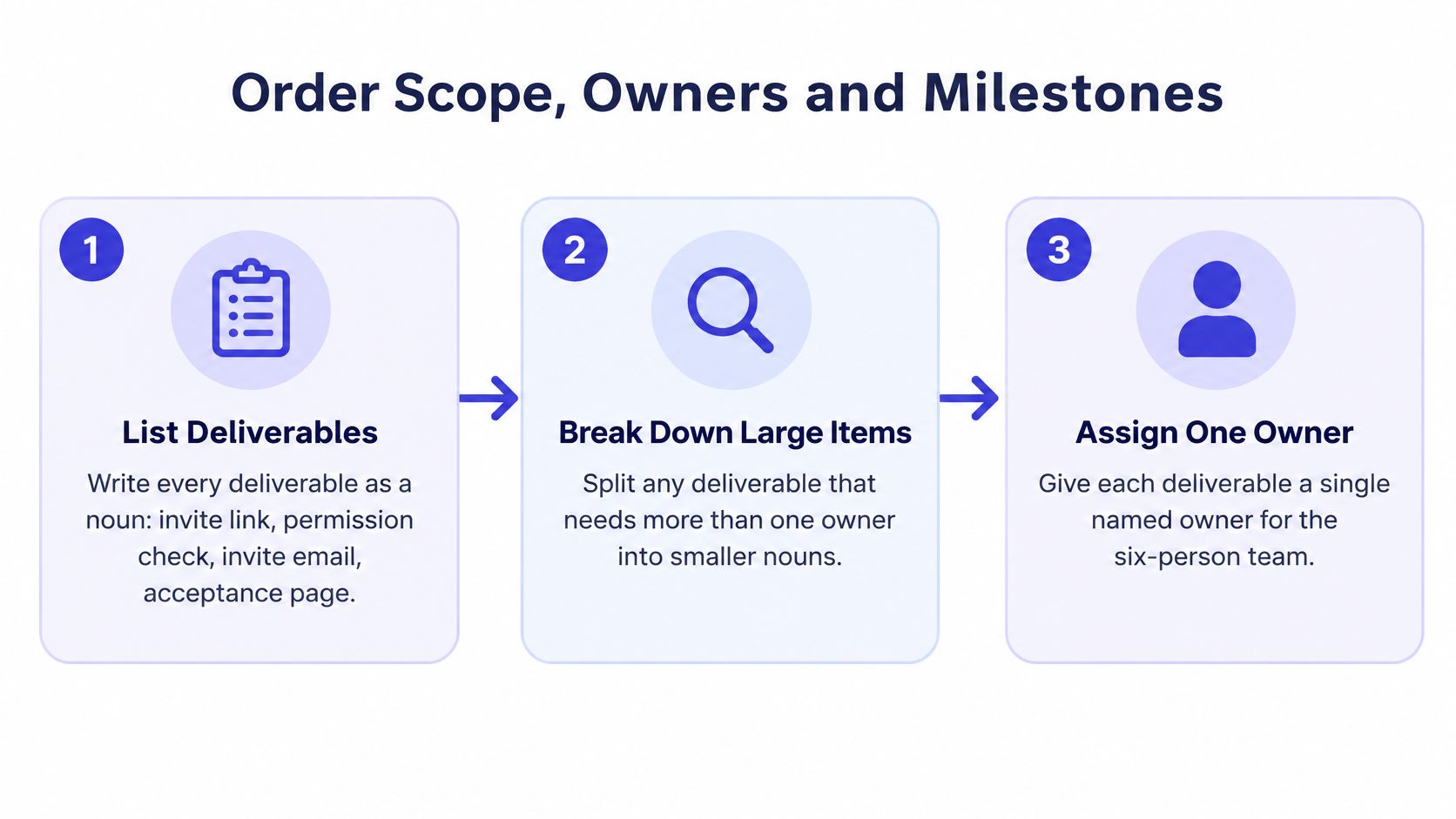
This visual summarizes the initial breakdown and ownership work.
Build the sequence before committing to dates
Use this procedure for the hypothetical feature:
- List deliverables as nouns. Write invite link, permission check, invite email, and acceptance page so reviewers can identify the actual outputs.
- Split oversized items. As an illustrative sizing rule, break work expected to exceed three days into smaller pieces, particularly when it crosses ownership boundaries.
- Connect predecessors. The permission check must exist before the invite email can be tested end to end, even if the email layout can be built earlier.
- Assign accountable people. Put Tom beside the permission check and Maya beside the acceptance page, rather than assigning the entire feature to engineering.
- Estimate ranges. A hypothetical three-to-five-day estimate makes uncertainty visible; carry the range through the dependency chain instead of treating the optimistic end as a promise.
- Work backward from launch. Compare the required finish date with the dependency-based schedule, then mark the longest chain as the critical path.
- Save the baseline. Record the approval date, original scope, capacity assumptions, and milestone dates before execution begins.
The Research Project Management Guide recommends deriving schedules from work-breakdown activities and documenting their natural-order dependencies. Those predecessor relationships let the team examine schedule risk before committing to delivery.
Resolve an impossible schedule openly
If the dependency chain doesn't fit the proposed launch date, discuss the trade-off before work starts. Remove optional behavior, change the date, or investigate whether a dependency can be eliminated. Assigning another engineer won't necessarily shorten a wait for external approval.
Use a project scope document for detailed boundaries when the overview needs supporting explanation. Keep the accepted summary in the shared plan so reviewers don't need to reconcile conflicting scope statements.
A milestone should describe a usable state, not merely the day someone stops working on a task.
Keep the baseline separate from the current forecast. When a forecast moves, retain the original commitment so the team can see what changed instead of silently replacing its earlier expectations.
Keep Decisions Current and Adapt Fields for Hybrid Teams
Consider a hypothetical onboarding discussion that ends with the team deferring invitations. Before the call, the plan says “complete onboarding,” nobody knows whether invitations are required, and the acceptance test doesn't mention how a user reaches a saved project.
After the call, those statements need editing. A transcript preserves the conversation, but it isn't a revised plan.
Turn the conversation into a controlled change
Update the deliverable to individual onboarding without team invitations. Rewrite the acceptance test to end at a saved first project, move invitations into excluded scope, and add a risk that customers expecting team setup may need a manual workaround.
Then record why the team made that choice. The example entry below is illustrative.
| Date | Decision | Reason | Owner | Revisit trigger |
|---|---|---|---|---|
| 12 May 2026 | Defer team invitations from onboarding | Preserve the agreed individual activation path | Priya | Validation shows invitations are necessary to complete that path |
Put last validated at the top of the plan and update it only after checking that the current scope, dates, and assumptions still hold. Don't treat a formatting edit as validation.
Open questions need owners and decision dates as well. “Do we need invitations?” is an unresolved concern; “Priya decides before design sign-off, using customer validation” is an actionable question.
Record the reason for a change, not just its outcome. A teammate who missed the discussion needs to understand what would justify reopening it.
Add collaboration rules only when needed
When some participants join remotely, the plan also needs rules for reaching and recording agreement. A 2025 Northwestern study of 1,526 U.S. knowledge workers found that hybrid teams face more friction than fully remote teams when work-mode norms are unclear, and that small technology problems can disrupt collaboration.
The remote participant needs access to the same decision context as everyone in the room.

| Field | What to write | Example rule |
|---|---|---|
| Decision channel | Where a choice gets recorded | Decisions go into the plan's log, not into chat threads |
| Collaboration mode | Live or written work | Scope debates happen on video; estimates are written first |
| Response time | Expected reply window | Reviews answered within one working day across time zones |
| Context artifact | How absent people catch up | Call recording plus a five-line summary attached to the plan |
These are proposed operating agreements, not requirements for every team. Reserve live discussion for disagreements that need clarification; let teammates inspect designs and write estimates asynchronously first.
If people miss a call, attach the recording and a concise summary of the decision, rationale, affected deliverables, unresolved issue, and next action. Don't make them watch the whole meeting to discover whether their assignment changed.
Keep these extra fields out of a co-located plan unless they solve an actual coordination problem. Simplicity means fewer unnecessary fields, not fewer feedback loops.
Run a 15-Minute Weekly Review and Decide the Next Step
Treat the weekly review as a decision meeting, not a tour through everyone's task list. Ask owners to update their milestones beforehand so the team spends its time on exceptions.
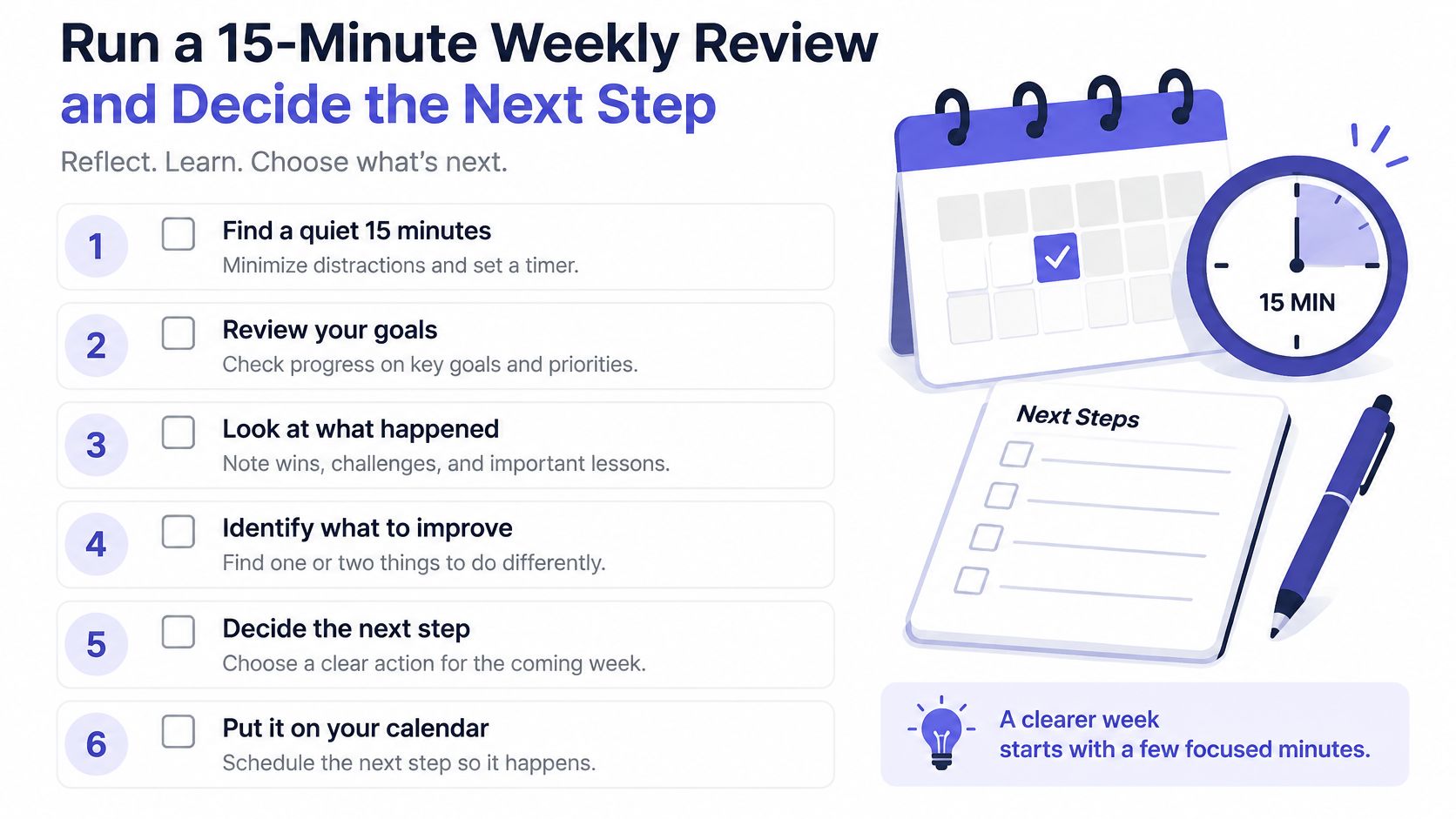
Use this checklist to keep the discussion focused.
Choose an action for every exception
Mark milestones green, yellow, or red, name the single blocking dependency, and express schedule variance in days against the saved baseline. Use a project status template if stakeholders need a separate summary, but keep it consistent with the working plan.
For each yellow or red milestone, choose a response:
- Recover: Keep the commitment and agree on a credible corrective action, with an owner.
- Re-baseline: Approve a new commitment and retain the previous baseline in the change history.
- Reduce scope: Remove or defer work explicitly, then revise the affected acceptance criteria.
Set revision triggers before anyone needs them. An example policy is to require a decision when a milestone slips by more than 10% of its baseline duration, or when a key assumption proves false. The threshold is a team-chosen control, not a universal benchmark.
Scan for preventable failure modes
Use the remaining review time to check:
- Unclear scope: Has someone started work outside the agreed boundary?
- Missing dependencies: Is a deliverable waiting on an undocumented prerequisite?
- Unowned risks: Does every active risk have someone responsible for the response?
- Excessive work in progress: Can the team finish blocked or nearly complete work before starting more?
- Missing acceptance tests: Can a reviewer verify the next handoff?
In PMI's global project-success findings, 48% of projects were rated successful, 40% produced mixed results, and 12% failed. Those results don't validate a particular meeting length, but they reinforce the need to examine outcomes rather than count completed tasks.
For an additional planning walkthrough, use the video alongside your working document.
Run your next kickoff with this format. Before the week ends, schedule the first review and confirm who can approve a changed commitment.
SpecStory, Inc. offers Stoa, a shared AI workspace that captures live product conversations as decisions, open questions, and executable context. If your team needs help keeping its plan connected to meeting outcomes, visit SpecStory, Inc. and try carrying your next kickoff's decisions into a living plan.
Newsletter
Get new posts in your inbox
Bring your team together to build better products. Fresh takes on remote collaboration and AI-driven development.