


Agents are good at writing code. They're worse at the parts you have to see to judge, especially when there's no template, and what you want isn't on a Pinterest board or in another product's UI.
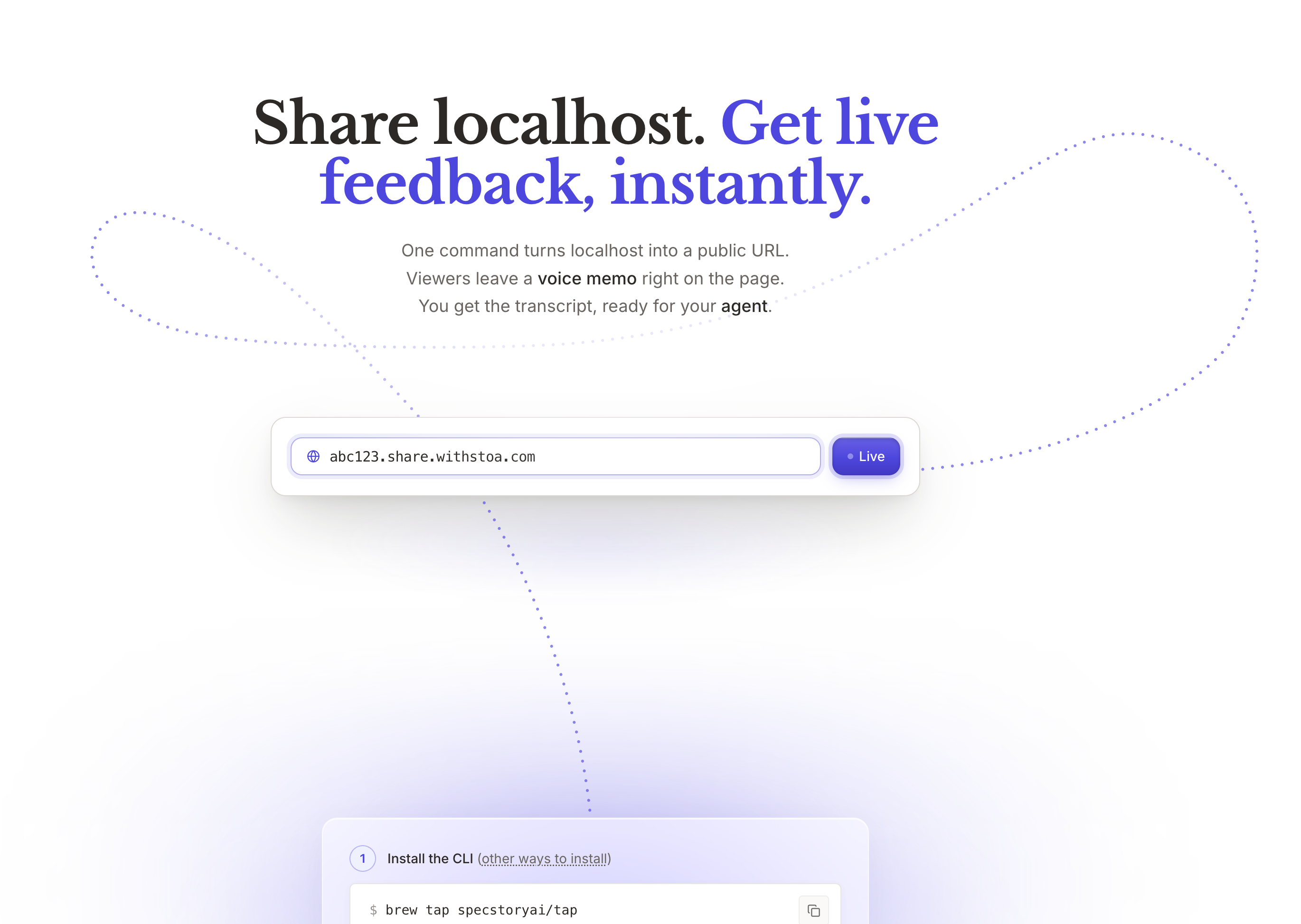
I was building the hero animation for withstoa.com/sharelocalhost ... a paper plane that flies along a curve from the Share button at the top of the page down into the install steps below. The plane's flight path is an SVG cubic Bézier, which is a string of numbers that defines a curve. The agent wrote the first few versions by hand:
const PLANE_PATH =
  "M 545 70 C 720 95, 720 270, 525 295 S 285 385, 165 470";
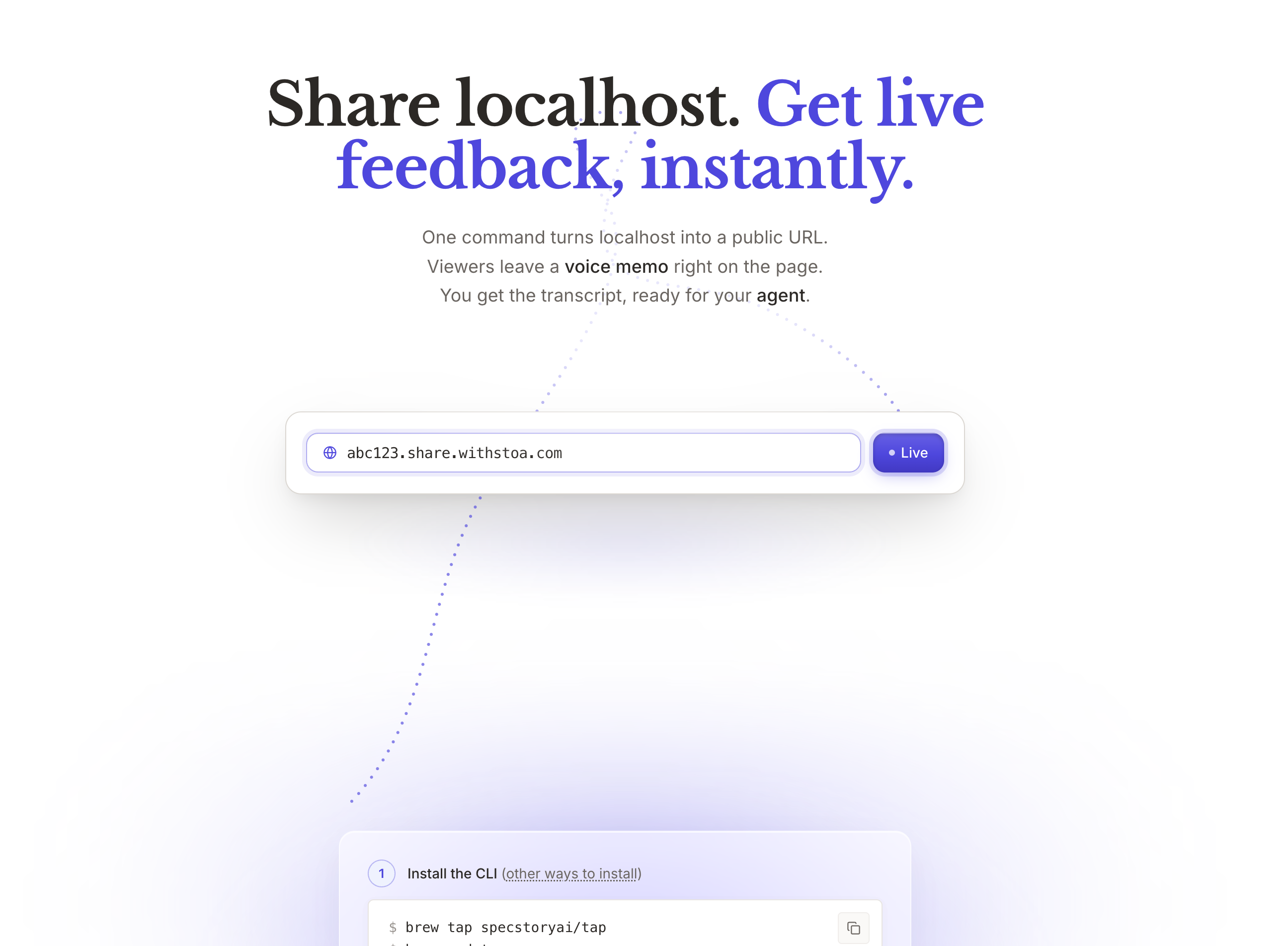
We weren't converging. I wanted the plane to loop through the headline and land in a particular spot, and the curves kept coming out wrong, and we'd be guessing — adjust some numbers, reload, look, adjust again. Cubic Béziers are weird. Small numeric changes produce big shape changes, and you can't predict what looks good without seeing it.
What I noticed after a while was that the agent and I were stuck for the same reason. The agent could write the path. I could see the result. But the loop between writing it and seeing it had a round-trip in it — me, reloading the page, eyeballing the curve, telling the agent what felt off. With each round we were both guessing. Neither of us could see what we were doing while we did it.
The obvious move was Illustrator — draw the path in a vector tool with handles, copy the d string out, paste it back into the source. That would have closed the loop for me, but it would have done less than I needed. Illustrator doesn't know about my easing curve, my motion ramp at takeoff, my plane-rotation logic, my dotted trail. What I was actually designing wasn't a static curve. It was the motion of a plane along the curve. And it would have taken the agent out of the loop entirely — every iteration becomes a handoff, the agent waiting at the end of each pass.
I asked the agent for a tool instead
can you code a tool that allows me to edit and view the path live in the localhost hero and then copy something for you to see?
It built one in about 5 minutes. A path editor as a React component that took over the hero when I added a URL parameter. Drag handles for anchors and control points, with dashed tangent lines back to their anchors. A live plane animating along the current path so I could see the motion at full speed while I edited. A textarea with the current d string and a Copy button so I could paste paths back to the agent.
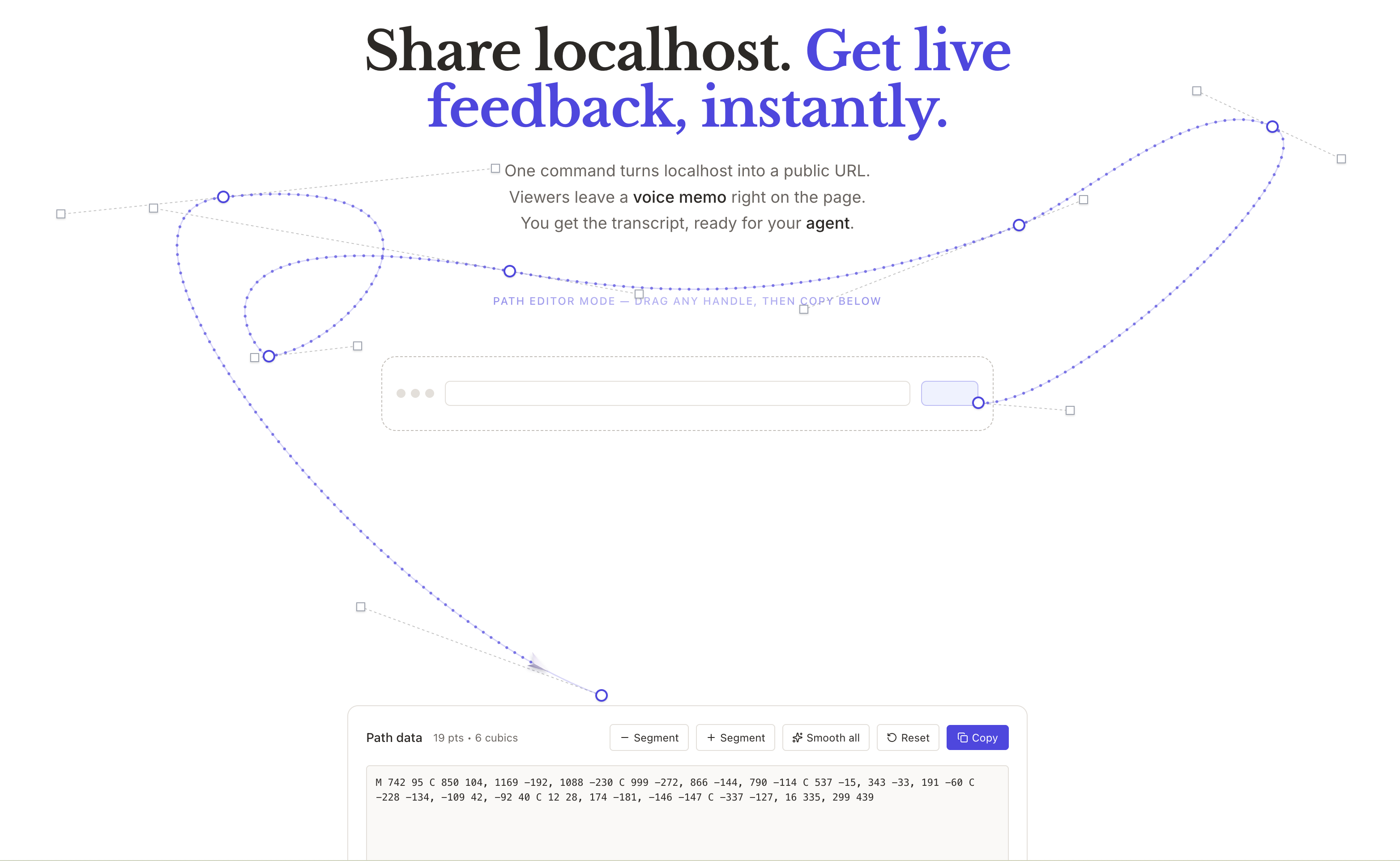
The thing that mattered most: the editor and the production hero shared the same animation code. The editor wasn't a model of production. It was production, with drag handles on top. The motion I saw while editing was the motion that would render in the real page. We were back to designing the actual thing.
The jig
Skilled craftspeople have always made tools for jobs the off-the-shelf ones couldn't handle. A woodworker making chairs builds a jig to cut the same compound angle six times. A photographer rigs a piece of cardboard onto a light to shape a shadow. A blacksmith makes tongs for the specific shape they're forging. The jig isn't fancy. It's not for sale. It exists for one job in one shop. That's the point.
In software, building a small project-specific tool has cost a day or two — too much for a problem you only had once. The default has been to reach for the closest off-the-shelf product, accept the friction, and move on.
Agents change that math. A lot of small tools that didn't quite justify themselves before now do. Custom debug overlays for the specific state shape of an app. Project-local scripts to reproduce a stubborn bug. Eval rigs tuned to the exact behavior a team is trying to verify in an LLM. Path editors for paper-plane animations. The category is wide and most of these tools never leave the project. They don't need to. They exist for one job in one project. That's the point.
Older
Remote Collaboration is becoming Multiplayer: What AR VR teaches us about AI-Native Work
Newer
A Founder's Guide to Collaborative Coding Tools
Newsletter
Get new posts in your inbox
Bring your team together to build better products. Fresh takes on remote collaboration and AI-driven development.