


The usual advice for choosing a collaborative Markdown editor starts with live cursors, previews, and comments. That's the wrong starting point. Two people can type in the same document and still leave a meeting with incompatible assumptions, an unowned question, and no clear instruction for whoever writes the code.
Choose the editor by what survives the conversation. A useful workspace preserves the decision, its author, its rationale, and the implementation it authorized. Collaboration means carrying intent into code, not merely keeping everyone's text synchronized.
Table of Contents
- What a Collaborative Markdown Editor Must Do
- How Concurrent Edits Converge Without a Lock
- Markdown as the Context Agents Need
- Turning a Meeting into a Living Spec
- How Small Teams Adopt Without a Doc Graveyard
- Connections to IDEs Figma and CI
- Choose an Editor That Shrinks Intent Lead Time
What a Collaborative Markdown Editor Must Do
A collaborative Markdown editor lets several people change shared plain text while keeping the rendered document current. Think of a workshop card everyone can mark, not a slide deck trapped inside an application. The important question is whether the team can use that card to make and inspect decisions.
There's plenty of conversation to capture. In 2024, 56% of fully remote leaders reported spending at least three hours per day on email, and 52% reported the same for virtual meetings, according to Zoom's collaboration report, based on a Morning Consult survey of 7,969 full-time knowledge workers across 16 markets. A shared file should absorb the outcomes of that work, not become another place to repeat it.
What each collaborative Markdown capability removes
| Capability | Friction it removes | When it matters |
|---|---|---|
| Real-time sync | Competing copies of the same spec | Two people editing one PRD in the same hour |
| Commenting | Review buried in chat | A sentence in a spec needs a decision |
| Version history | Untraceable rewrites | Someone asks what changed and who changed it |
| Executable snippets | Requirements that never meet code | A check should run beside the prose |
| Decision provenance | Agents missing goals and rationale | Generated code must trace to a human choice |
| Local plain-text files | Lock-in and outage lockout | Laptops, guests, and a future tool change |
Real-time sync removes the hunt for the latest product requirements document. But the interface should distinguish a locally saved edit from one acknowledged by other participants. A reassuring saved badge isn't enough if the reviewer is looking at an older state.
Comments belong on the sentence under review. When that sentence changes, the thread should retain enough surrounding text to explain what the reviewer meant. Otherwise, the team has moved its dead chat thread into a sidebar.
Version history needs readable changes and attributable authors, not just restore points. Ask whether you can inspect a requirement before and after an edit without restoring the entire document.
Demand evidence, not feature badges
An executable snippet should test a requirement in a controlled environment. A fenced code block with a play button isn't sufficient unless the team can identify its inputs, dependencies, and result. Don't let arbitrary document content execute with production credentials.
Decision provenance means preserving who approved a choice and why. It's different from edit history: the person who corrected the wording may not be the person who authorized the behavior.
Plain-text files provide an escape route, but inspect what the export omits. A Markdown file without its unresolved questions, attachments, or decision identifiers may preserve the prose while losing the work.
Buying rule: Mark each capability as demonstrated, missing, or untested. A sales-page checkbox doesn't count as a successful workflow.
Run that assessment against your current tool before replacing it. You may need a stronger decision convention rather than a new editor.
How Concurrent Edits Converge Without a Lock
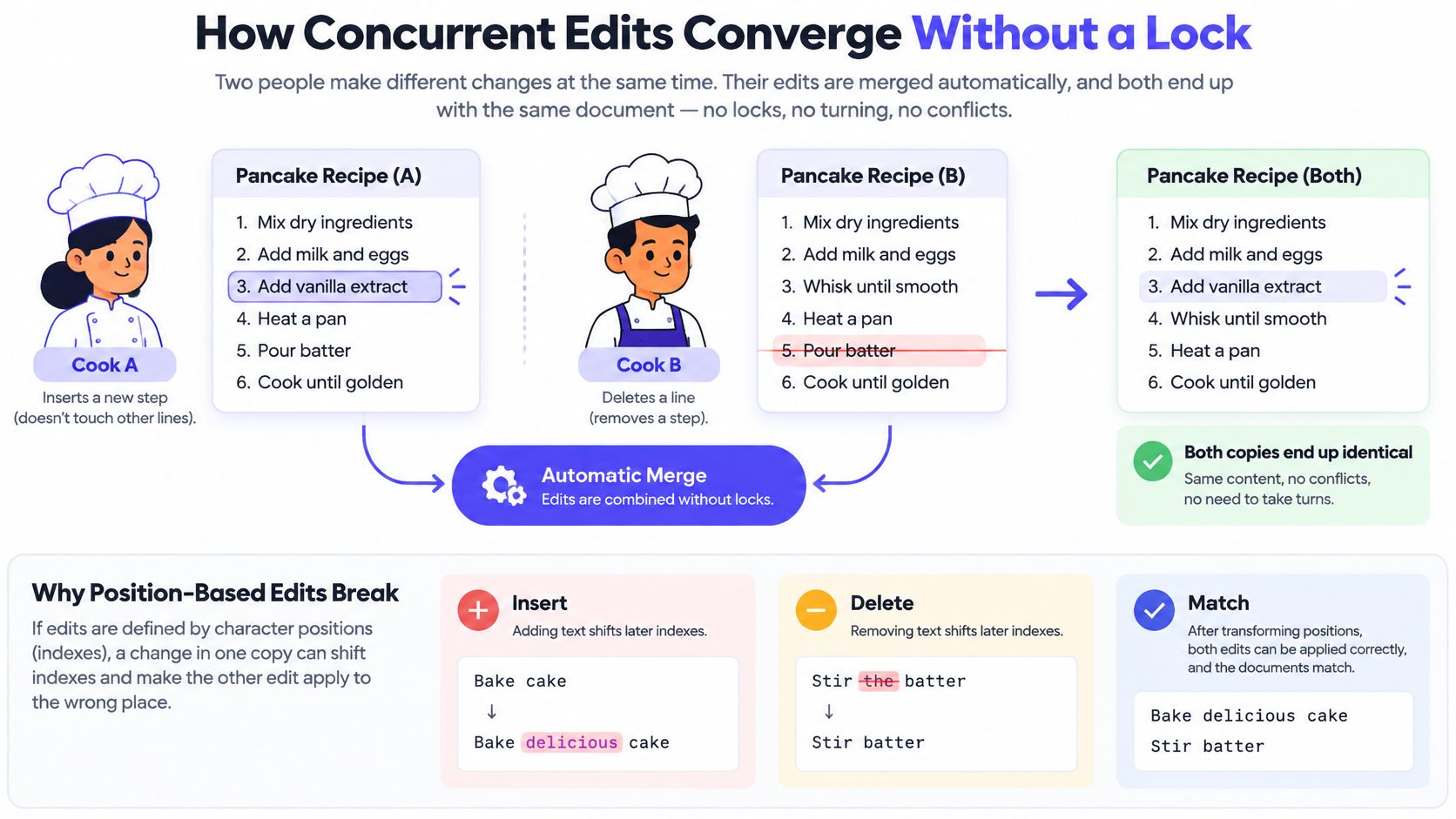
Say two cooks edit copies of the same recipe card. One inserts a preparation step while the other deletes an obsolete instruction. Neither should have to wait for the other to finish, and both copies should eventually contain the same recipe.
A naive position-based operation makes this difficult. Insert text at a character index, and a concurrent deletion can shift what that index means. Operational transformation addresses this by transforming operations against other operations. A conflict-free replicated data type, or CRDT, takes a different approach: elements have stable identifiers, and deterministic rules resolve ordering.
The distinction is easier to follow visually.
What the latency comparison actually establishes
In a 16-client test over an 80 ms network link, the CRDT synchronization evaluation reported the following remote-edit convergence measurements, including recovery after a ten-minute outage.
Remote edit convergence on an 80 ms link
| Sync approach | Median convergence | 99th percentile | After a 10-minute outage |
|---|---|---|---|
| CRDT framework | 94 ms | 146 ms | 171 ms after exchanging 104 KB |
| Jupiter-style operational transformation | 121 ms | 243 ms | Not reported |
These results describe the evaluated implementations and workload, not a guarantee that every CRDT editor beats every operational-transformation editor. Rendering, persistence, transport, and document structure still affect the experience. Use the comparison to formulate a test, not to select an architecture by acronym.
The practical benefit is the train-laptop case. A teammate keeps editing through a connection loss, then reconciles when connectivity returns. Local-first software makes local work the starting point rather than treating disconnection as an error screen; this explanation of what local-first software means is useful when writing your evaluation criteria.
Convergence isn't agreement
Conflict freedom means replicas can reach the same state. It doesn't mean the merged text expresses a coherent product decision. If one person changes the supported platform while another revises the acceptance criteria, the resulting paragraph can be synchronized and contradictory.
Budget for metadata, stored merge state, and a safe garbage-collection strategy. Don't discard deletion history casually while an offline device might still need it to reconcile. Persist enough state that restarting the application doesn't turn a recoverable disconnect into lost work.
Keep text synchronization separate from Markdown parsing and preview rendering. A diagram renderer or syntax highlighter shouldn't delay local typing feedback. Test long documents, deletion-heavy revisions, application restarts, and reconnection, not just simultaneous typing into an empty page.
I would insist on a demonstrated CRDT-based workflow when offline editing, multiple devices, and deterministic recovery are requirements. For an always-connected review session, a well-implemented alternative may be sufficient. In either case, disconnect the network during the trial and inspect the result yourself.
Markdown as the Context Agents Need
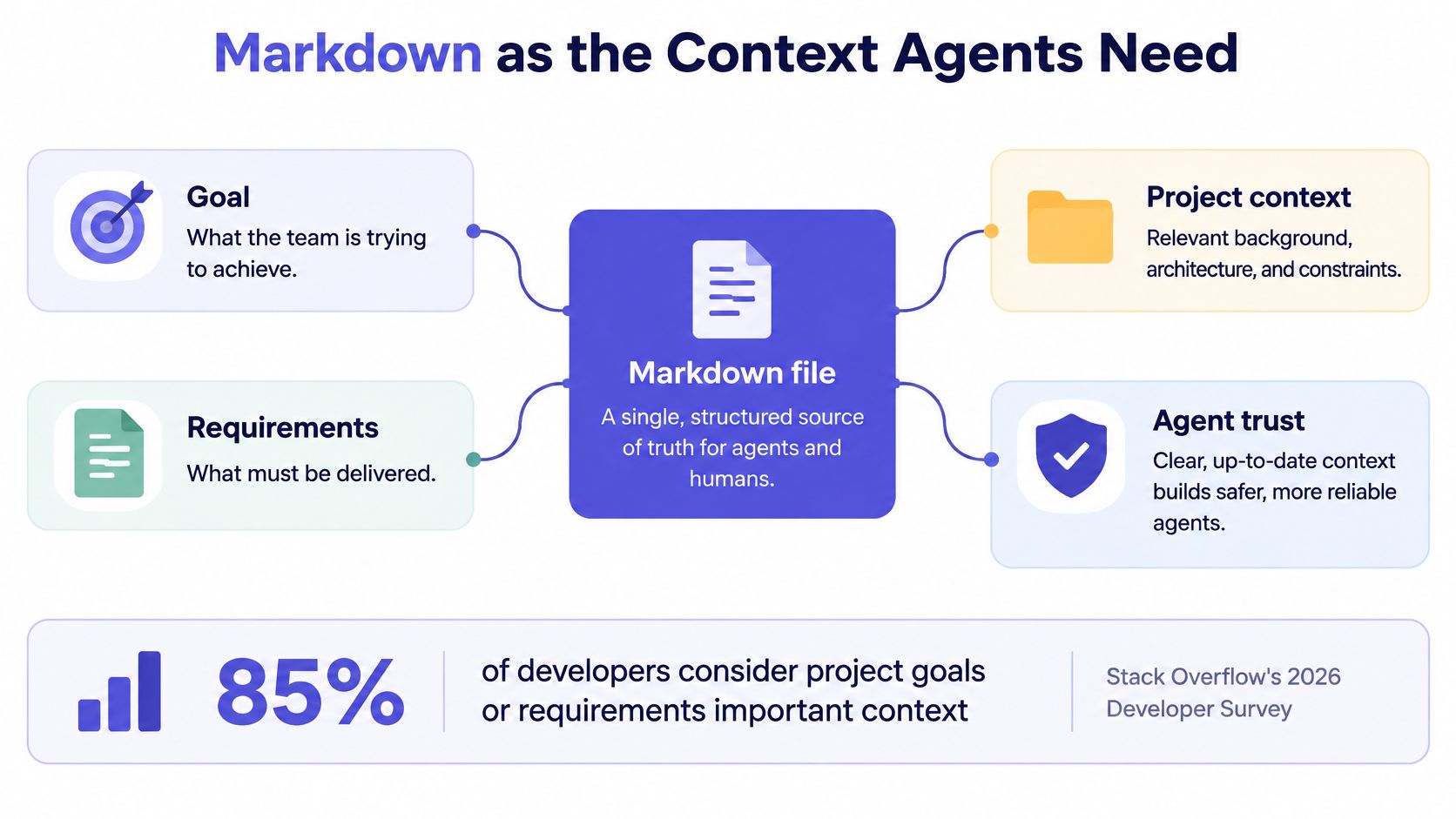
Agents need project intent, but a document's existence doesn't make its contents authoritative. 85% of developers consider project goals or requirements important context for AI agents, while 72% identify coworkers as their most trusted work-information source, according to Stack Overflow's 2026 Developer Survey. The engineering problem is connecting human judgment to the file an agent reads.
A polished shared document fails that test if it strips away disagreement and approval. An agent needs to distinguish an accepted requirement from a proposal, an unresolved question, or an obsolete experiment. Treating every paragraph as equally binding makes accidental instructions easy to introduce.
The useful model is a context map with explicit relationships.
Check authority before adding automation
Evaluate the editor against these provenance checks:
- Decision history identifies the approver. Preserve the author, approval timestamp, rationale, and superseded decision. Editing a sentence must not imply authorization without clear indication.
- Requirements connect to implementation. Give the requirement a stable identifier, then attach the relevant commit or test. Heading text alone is fragile because people rename headings.
- Stale context becomes visible. When related code changes, mark the requirement for review rather than pretending the relationship still holds.
- Exports preserve meaning. An ordinary repository should contain readable requirements and their status, not opaque references that only the hosted application understands.
Keep the document structure uncomplicated. A short guide to how to use Markdown can help non-engineers contribute without turning formatting into a prerequisite for decision-making. Use headings for scope, lists for acceptance criteria, and explicit labels for approval and uncertainty.
Make contradictions actionable
Say the PRD requires a compact selection list, but an agent implements a much larger one. The editor doesn't need to infer the correct product strategy. It needs to expose the mismatch between the approved requirement, the generated change, and the associated test.
A useful review view would let the engineer open the decision, inspect its approver, and see whether someone later superseded it. If no authorized change exists, the engineer fixes the implementation. If the requirement changed during a conversation, the responsible person updates the decision before approving the code.
A generated summary is a draft of what people meant. It isn't evidence that they agreed.
This is Markdown as an auditable control plane: people establish authority, agents consume explicit instructions, and reviewers can trace a change back to its justification. Reject an editor that synchronizes paragraphs beautifully but can't distinguish accepted intent from speculative text.
Turning a Meeting into a Living Spec
The call ends, everyone remembers the conclusion, and nobody records the reason. Later, an engineer encounters an edge case and reopens the entire discussion because the notes contain only an action item.
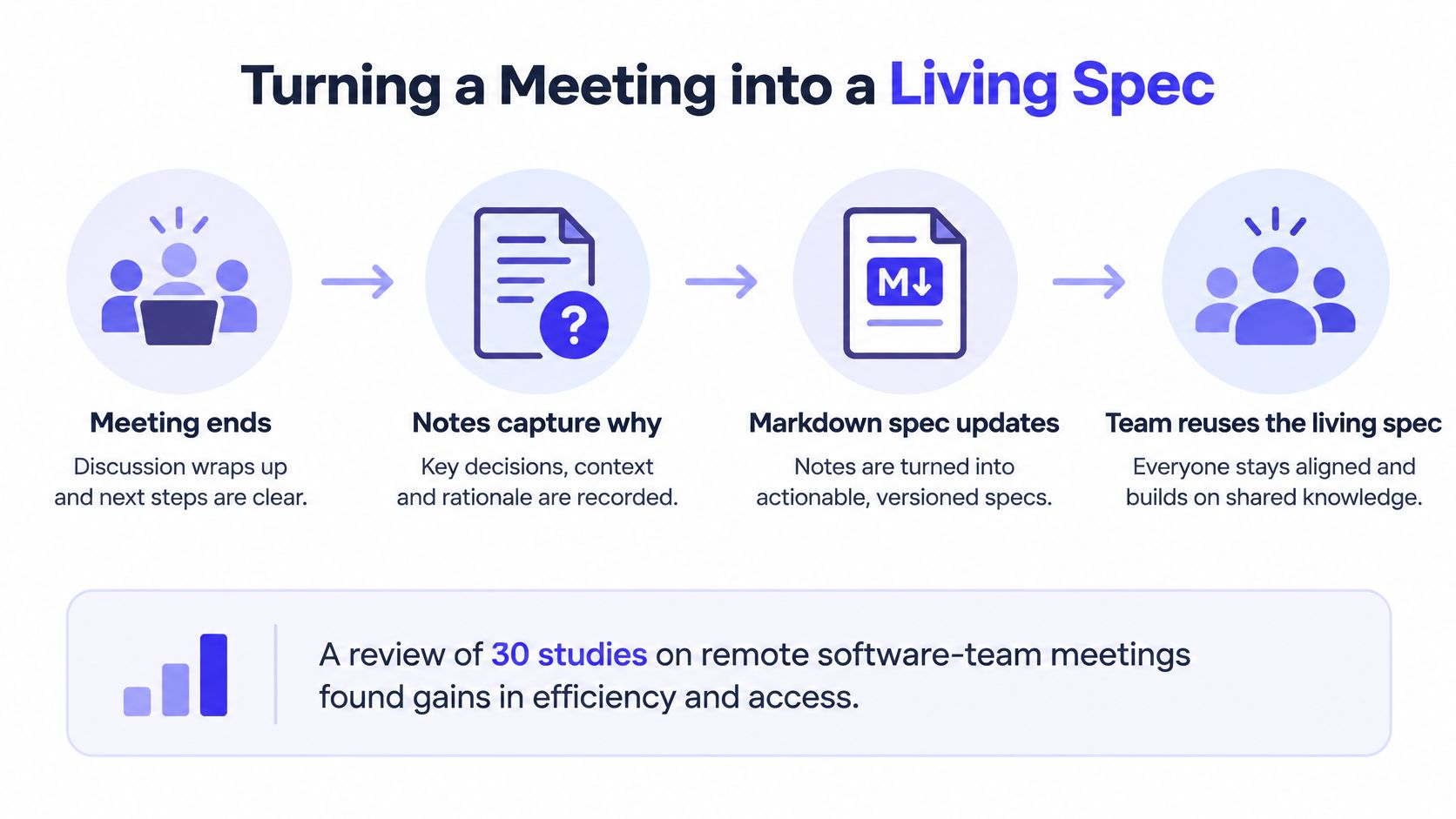
That's not a cursor problem. A systematic review of 30 studies on remote software-team meetings found benefits in efficiency and accessibility alongside persistent technical difficulties, ineffective collaboration, and reduced social interaction. Its recommendations include stating objectives beforehand, beginning with updates, taking breaks during long meetings, and pre-recording demonstrations.
The handoff needs an explicit procedure, not a promise to clean up notes afterward.
Run the handoff while people are present
-
Write the objective before anyone joins. Put the decision the team needs to make at the top of the shared file. Link background material separately so participants don't mistake reading notes for the agenda.
-
Capture decisions and questions as separate entries. During the conversation, record the chosen behavior, the rejected alternative, and the reason. Give each entry a stable identifier and a timestamp with a timezone. A transcript can support the entry, but it shouldn't replace a concise decision.
-
Assign unresolved questions an owner and a resurfacing condition. Some questions need a calendar reminder; others should reopen when a prototype or customer response arrives. Write the condition down. An owner without a trigger can leave the question indefinitely deferred.
-
Draft the requirement before closing the room. Turn the accepted decision into a PRD passage and, where appropriate, a runnable example. Use a consistent product requirements document structure so the engineer can find scope, constraints, and acceptance criteria without interpreting raw meeting notes.
-
Connect the first implementation commit. Include the decision identifier in the commit message or pull request, then add the implementation reference to the document. Record the approval time separately from the implementation time so the team can inspect the handoff delay.
Keep judgment with the participants
Consider a discussion about how an import should handle invalid rows. The product manager records that valid rows should proceed while invalid rows appear in a downloadable report. The engineer adds a sandbox check that demonstrates the expected result, and the designer attaches the error-state frame.
Before leaving, the participants confirm the requirement and assign ownership of the unresolved retention question. The implementation can proceed without someone reconstructing the discussion from chat.
An agent can propose the requirement, extract candidate questions, or draft the check. A human still needs to approve what counts as decided. In particular, don't let transcript cleanup remove objections just because they interrupt the narrative.
Meeting exit condition: Someone who missed the call should be able to explain the chosen behavior, its rationale, and what remains undecided.
Keep social conversation and exploratory discussion in the meeting. You don't need to formalize every sentence. Capture the parts that authorize work, constrain implementation, or require a later answer.
How Small Teams Adopt Without a Doc Graveyard
Markdown's portability comes from its original design: introduced in 2004 by John Gruber with help from Aaron Swartz, it paired readable plain text with Markdown.pl for conversion to HTML, as CommonMark's historical account explains. That separation lets your team inspect and edit the source without depending on a particular renderer.
Don't begin adoption by importing the entire wiki. Start where a missing decision currently delays implementation.
Establish a small operating contract
- Choose one active artifact. Use an upcoming PRD or a recurring decision log. Leave historical material where it is until someone needs it.
- Freeze a heading skeleton: goal, constraints, decision, open questions, and implementation references. Keep it short enough that contributors won't bypass it.
- Declare where decisions become final. Chat can contain proposals, but approval belongs in the working file. Link to that approval instead of copying competing summaries.
- Store the files in the repository or a local-first workspace. Decide who commits synchronized changes, and avoid having an automatic exporter overwrite a human's branch.
- Review stale questions weekly. Close those that no longer matter, reopen those blocking work, and record why an accepted decision was superseded.
Test the awkward cases first
Invite a guest through the actual permission flow. Check whether they can contribute without an unwanted paid-seat requirement, and whether access can be revoked afterward.
Then disconnect a laptop and inspect what remains usable. Finally, ask the author of an AI-drafted passage to explain its constraints without rereading the generated text. If they can't, keep the passage in draft status.
Use a retrieval exercise as the rollout gate: ask a new teammate to find a recent decision and the commit it produced. If they need the original meeting participants to guide them, improve the structure before expanding adoption.
Connections to IDEs Figma and CI
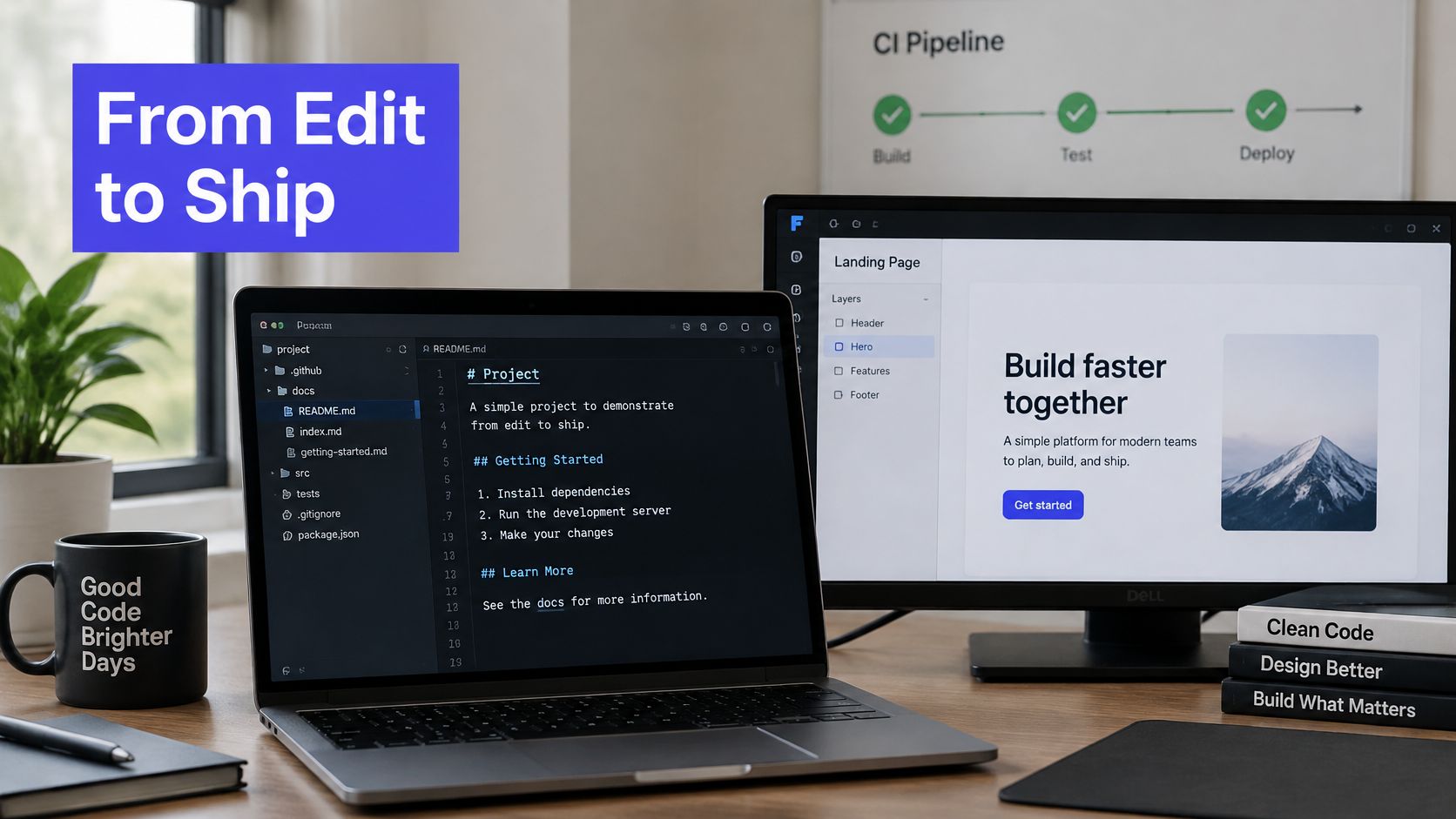
Say the team approves a revised upload flow. The decision starts in Markdown, but implementation requires an engineer's editor, a designer's frame, and a check that verifies the result. Evaluate those connections as a chain, not a collection of integration logos.
The working environment should keep the specification close to both code and design.
Follow the decision into the toolchain
In Cursor or another IDE, open the actual Markdown through ordinary files and a CLI. Give the agent access to the relevant scope rather than pasting an abbreviated summary. Ask it to identify the decision it followed when proposing the implementation.
Attach the specific Figma frame to the requirement, not merely the design file's homepage. If the designer changes the interaction, record whether that revision changes the approved behavior. A sidebar comment alone shouldn't authorize a different implementation.
Integration links worth demanding
| Link | What it carries | Test before adopting |
|---|---|---|
| IDE | Goal and constraint in ordinary files via CLI | Agent cites the decision line |
| Figma | Spec section linked to the frame it describes | Layout comment resolves inside the file |
| CI | Checklist or snippet becomes a test | Pipeline run is linked from the decision |
| Local sync | Decisions saved as plain files | Files open after the vendor is removed |
In CI, convert the acceptance example into a maintained test and attach the pipeline result to the requirement. Keep test execution separate from untrusted document rendering. Foo Guard's explanation of how cross-site scripting vulnerabilities work is useful background when reviewing raw HTML, embedded content, and preview sanitization.
Use this walkthrough as another prompt for evaluating the editing handoff.
Preserve feedback without creating another archive
Localhost sharing can let a teammate inspect the working branch before deployment. Keep that access scoped to the intended service and revoke it when review ends. A voice memo can preserve nuance, provided its transcript sits beside the relevant decision and is clearly distinguished from approved requirements.
Demand durable references to the code editor, the design frame, and the pipeline result. If removing the hosted application leaves those relationships unintelligible, the integration is still a dependency rather than an escape route.
Choose an Editor That Shrinks Intent Lead Time
Choose the editor that reduces intent lead time, the elapsed time from an approved decision to the first implementation commit that cites it. Smooth presence indicators are pleasant, but they don't tell you whether an engineer can start the right work without another clarification call.
Use a short acceptance checklist against the stack you already have:
- Recovery works. Participants can edit while disconnected, reconnect, and inspect a coherent merged result.
- Agent context is attributable. Goals, constraints, and unresolved questions retain their human owners and approval status.
- Guests can contribute. An occasional collaborator can join the working session without forcing an unnecessary purchasing decision.
Trial the handoff, not the entire wiki
If the current setup fails most of those checks, run a bounded trial around a recurring product meeting. Don't migrate historical documentation to justify the experiment. Keep the participants, artifact type, and implementation scope comparable enough to understand what changed.
Teams that already work in Markdown are good candidates for a workspace that combines the meeting room, living plan, and shared sandbox. Teams with a reliable repository-based process may only need better approval conventions and links.
Take the outcome of a recent long meeting and rewrite it as a single Markdown file containing decisions and open questions. Record the approval timestamp, then measure the elapsed time until the first implementation commit that cites the file. Use that as your baseline, and keep a replacement editor only if the next comparable cycle improves the handoff without sacrificing review quality.
SpecStory, Inc. offers Stoa, a multiplayer AI workspace that captures live conversations as living Markdown plans and connects them to code in shared sandboxes. Visit SpecStory, Inc. to try it with a recurring product meeting, then check whether your team can trace an approved decision through to its first implementation commit.
Newsletter
Get new posts in your inbox
Bring your team together to build better products. Fresh takes on remote collaboration and AI-driven development.