


The usual advice for sharing code is to keep it short, paste it somewhere convenient, and send the link. That works when everyone already knows the environment and the question is narrowly about syntax. For a product team trying to turn a meeting into working software, a five-line paste can create more follow-up than it saves.
A useful share code example is a reproducibility bundle plus the decision that produced it. A teammate should be able to understand why it exists, run it without borrowing your laptop's hidden setup, and connect the result to the implementation you agreed to build.
Table of Contents
- Pick the Share Before You Paste
- Package a One Command Runnable Example
- Strip Secrets Without Losing the Bug
- Prove the Example on a Clean Machine
- Run the Example and Close the Loop
Pick the Share Before You Paste
A short snippet isn't automatically a small handoff. If the recipient needs to ask which runtime you used, where the input came from, and what success looks like, you've moved the setup work into a support thread.
In research on computational reproducibility, missing execution information was the largest reported obstacle at 34%, followed by unavailable data at 25%, unavailable code at 24%, and failed installation at 17%. Those findings concern reproduction of computational work, not a measured failure rate for startup handoffs, but the practical question transfers directly: have you included what someone needs to execute the example?
Which share to send
Choose the artifact from the question you need answered, not from whichever sharing tool is open.
| Situation | Send this | Who can open it | Must travel with the code |
|---|---|---|---|
| Syntax question in a meeting | Minimal redacted snippet | People in the room | Language version, expected vs actual behavior |
| Bug that depends on data shape | Sanitized runnable fixture | Private team link | Synthetic input, expected output, one command |
| Live demo during the session | Shared sandbox or localhost link | Teammates with the link | PRD link, seed, env placeholders |
| Production debugging | Private branch or access-controlled artifact | Named reviewers | Hypothesis, lockfile, failure conditions |
| Example others will reuse later | Tagged release or versioned snapshot | Repo readers | Immutable tag, README, hardware and version notes |
For a syntax question, don't send the whole application. Send the expression, its surrounding types, the language version, and the unexpected behavior. But if an import depends on internal initialization or a bug requires a particular nested record, a paste isn't enough. Send the smallest executable fixture that preserves that dependency.
AI-written examples deserve the same scrutiny. Treat the dependency list in the generated explanation as a proposal, then check the imports and executed paths. A package loaded only during export, authentication, or error handling still belongs in the handoff.
Keep access separate from convenience
Public gists are useful for discovery and teaching. They're a poor default for production debugging, where reviewers may need internal context that you shouldn't publish. A private artifact also needs explicit access checks: being able to send someone a link doesn't mean they can open it.
Live demos have another constraint. A localhost address works on the presenter's machine unless you deliberately expose it through an approved sharing mechanism. Confirm the audience can reach the demo before making it part of the meeting plan.
For teams moving meeting artifacts into editors, command-line file sync can help keep the decision document and executable files together. Sync doesn't establish correctness, though. It only moves what you've packaged.
Practical rule: Before you paste, name the situation you're solving and the command a teammate on another laptop should be able to run. For a syntax-only question, explicitly say that execution isn't part of the handoff.
Package a One Command Runnable Example
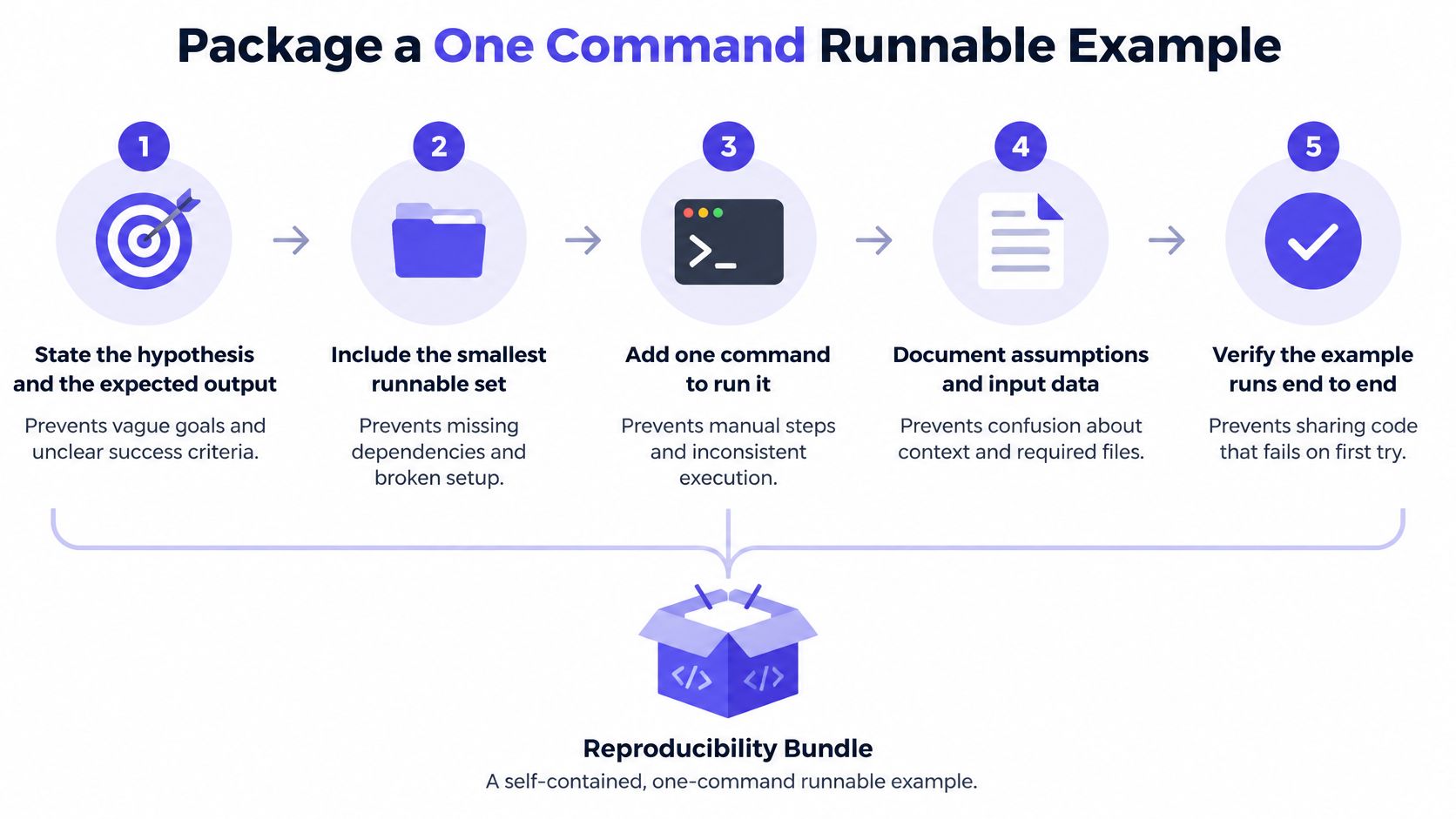
Treat the example as a reproducibility bundle, not a source-file link. The bundle should carry the execution path and the assumptions needed to interpret its result, without dragging in unrelated application code.
This process diagram summarizes the packaging workflow.
Package the execution path
Reproducibility guidance published in AI Magazine identifies seven disclosure categories: hypothesis, prediction method, source code, hardware, dependencies, experiment setup, and experiment source code. For a product team, translate that checklist into these packaging moves.
-
State the hypothesis and expected output. Explain the behavior you're testing and what would disprove your assumption. For example, say that a synthetic record with an empty optional field should produce a validation error rather than an application crash. This prevents reviewers from mistaking successful execution for a correct result.
-
Include the complete path that matters. Fixture generation, preprocessing, execution, evaluation, and a baseline comparison belong in the bundle when the result relies on them. Don't include only the function under discussion if an earlier transformation determines its input. The experiment runner belongs here too, rather than remaining in someone's shell history.
-
Pin the environment. Name the language or runtime version and commit a lockfile, or provide a container definition with pinned dependencies. A Dockerfile that installs floating package versions doesn't solve the same problem as a locked environment. Also declare the host prerequisites needed to invoke your setup.
-
Record the settings that can change the answer: operating system, compiler or interpreter, random seed, configuration, and any model hyperparameters. Include hardware details when timing, memory use, or accelerator behavior matters. Put safe environment-variable placeholders in an example configuration file, never working credentials.
-
Provide a single entry point. A Makefile target or task script should build the environment, prepare the fixture, execute the example, and run the comparison. It should stop on failure and return a failing exit status rather than printing a reassuring message after a broken step.
-
Publish representative input, expected output, and failure conditions. If output contains nondeterministic fields, define exactly what the checker ignores and why. Otherwise, an overly permissive comparison can hide the defect you're trying to investigate.
Make the bundle scannable
A reviewer should recognize the structure before opening every file. A compact Python example could use this layout:
README.mdcontains the hypothesis, expected output, prerequisites, and decision reference.requirements.lockpins the dependencies used by the setup target.data/synthetic_input.csvpreserves the relevant input shape.expected/output.jsonrecords the versioned result used for comparison.src/run_example.pyexecutes preprocessing, the behavior under test, and the baseline check.Makefileexposes the documented target and stops when a check fails.
A code execution sandbox is useful when reviewers need to inspect the same runnable environment together. It doesn't replace the README: document approval dialogs, file uploads, or other click-paths that the command can't perform.
For security demonstrations, make the success condition especially precise. ThreatExploit AI's guidance to avoid false positives when testing exploits is relevant when a visible error or response could be mistaken for proof that the intended behavior occurred.
The following video offers additional context for the code-sharing workflow.
For a small parser bug, keep the runtime, lockfile, synthetic input, expected output, and entry point. Deliberately omit training scripts and hyperparameter records when no model is involved, hardware benchmarking when you make no performance claim, and a separate baseline implementation when a direct assertion proves the behavior. Note those exclusions so reviewers don't confuse a scoped example with an incomplete experiment.
The reviewer's entry point should be explicit, such as make reproduce.
Strip Secrets Without Losing the Bug
Say a customer record crashes your importer because an optional field is present but empty. Replacing that record with a neat, fully populated synthetic user may remove the sensitive information, but it also removes the failure. You've produced a safer example of different behavior.
Redaction is a fidelity problem, not just a deletion task. The guidance in Coderfile's code-snippet sharing practices covers credential scanning, anonymization, real URL replacement, repository-history checks, and expected versus actual behavior. Apply those checks to the artifact you intend to distribute, including its fixtures, logs, configuration, and documentation.
What to redact and how to keep the failure
| What leaked | Replace it with | Fidelity check |
|---|---|---|
| API key, token, or password | Placeholder env var, never a live value | Example still boots without the secret |
| Customer id, email, or name | Synthetic user with the same shape | The failing record still fails |
| Internal URL or server name | Fake host of the same scheme | Request path and error stay the same |
| Org package or API name | Renamed package, public-safe identifiers | Imports resolve in the fixture |
| Proprietary prompt or schema | Shortened synthetic prompt or schema | Model or parser error still reproduces |
| Secret still in git history | New repo or rewritten history, not a delete on HEAD | Clone of the share has no secret |
Start with a credential scanner such as Gitleaks, then inspect the material manually. A scanner can help find recognizable token formats, but you still need to review customer identifiers, internal service names, architecture comments, and proprietary prompts.
Replace credentials with environment-variable references that the example reads during startup. If the behavior requires an authenticated service, use a mock or test account approved for that purpose. Don't make the recipient supply a production token merely to reproduce a parsing failure.
Preserve the cause, not the original value
Synthetic data must retain the properties that trigger the problem. Preserve empty versus missing fields, nesting, encoding, delimiters, and relevant string lengths. Don't normalize malformed input while sanitizing it.
For network-dependent failures, replacing a hostname isn't enough by itself. Preserve the request path and configure a controlled fixture to return the relevant response or error. Otherwise, a new connection failure can mask the original application defect.
Renaming an internal package also requires more than a search-and-replace. Provide a public-safe stub with the required interface, or include the minimal implementation you're permitted to distribute. An import that no longer resolves isn't a faithful example.
Keep a short transformation log. Reviewers need to know which properties are synthetic and which properties must remain unchanged for the failure to occur.
Check history separately from the current files. Deleting a token from the latest commit doesn't remove earlier copies; revoke an exposed credential, then prepare a clean repository or appropriately rewritten history. Clone the final share and scan that clone, not just the working directory where you performed the cleanup.
After every meaningful substitution, rerun the failure check. If the error disappears or changes category, the artifact isn't ready. End the README with a concrete disclosure such as: Substituted customer identities, internal service names, credentials, and proprietary prompt text; retained field structure and validation behavior.
Prove the Example on a Clean Machine
Start validation somewhere that doesn't already know how your application works. Use a fresh machine or a clean container with no project-specific caches, mounted credentials, or inherited development configuration.
The validation sequence should be deliberately boring:
- Create the clean environment. Use the declared runtime or container base, not whatever happens to be installed locally.
- Install only dependencies declared by the bundle. Don't repair a missing package interactively and then forget to update the lockfile.
- Run the documented command unchanged. If you need an extra instruction, add it to the automation or prerequisites.
- Compare the generated artifacts against the versioned expectations. Check content, not merely whether a file exists.
- Record the run. Capture elapsed runtime, hardware, package versions, the tested revision, and any deviations from the expected result.
Availability alone doesn't establish reproducibility. A benchmark meta-analysis published in Genome Biology found that more than 75% of surveyed benchmarks made code fully or partially available, while intermediate outputs were reported in only 19%. A repository can therefore contain plenty of code while omitting the evidence needed to follow its execution.
Why a shared example still will not run
| What the teammate sees | What was missing | Check before you share |
|---|---|---|
| Install fails on their machine | Undeclared dependency or wrong runtime | Fresh container, only the lockfile |
| Runs, different result | Seed, hardware, or hyperparameter | Record seed, OS, and config in the README |
| Only the happy path works | Data cleaning or fixture setup omitted | Include preprocessing in the one command |
| Works only on your laptop | Local state, env vars, or shell secrets | Placeholders plus a clean-machine run |
| Link rots next week | Mutable branch, no release id | Tag a release or archive a snapshot |
| Numbers nobody can match | Stale binary or hidden compiler flags | Rebuild the artifact on each run |
When the example makes a performance claim, rebuild the executable or benchmark artifact during validation. A cached binary can conceal a different compiler configuration or compiled-in assumptions. Record build flags and relevant environment settings alongside the result so the recipient can distinguish implementation differences from measurement differences.
Use automated assertions wherever you can. A script that exits successfully after printing an exception isn't a passing example, and a screenshot of expected output isn't a test. For generated implementations, a practical workflow for testing AI-generated code should include negative cases and behavior checks, not just a successful launch.
Publish what you actually tested
Record the commit identifier of the validated bundle. If people will cite it or need durable rollback, publish a release with an immutable identifier and archive a versioned snapshot with a DOI. A moving branch can still be useful for collaboration, but it shouldn't be the only reference attached to a historical result.
Don't edit expected output to make the check pass. Investigate the difference, decide whether the behavior is correct, and document the decision before updating the reference artifact.
Ready-to-share test: A second person, or a genuinely clean container, can follow the written instructions and produce the expected output without borrowing undocumented knowledge from the author.
Run the Example and Close the Loop
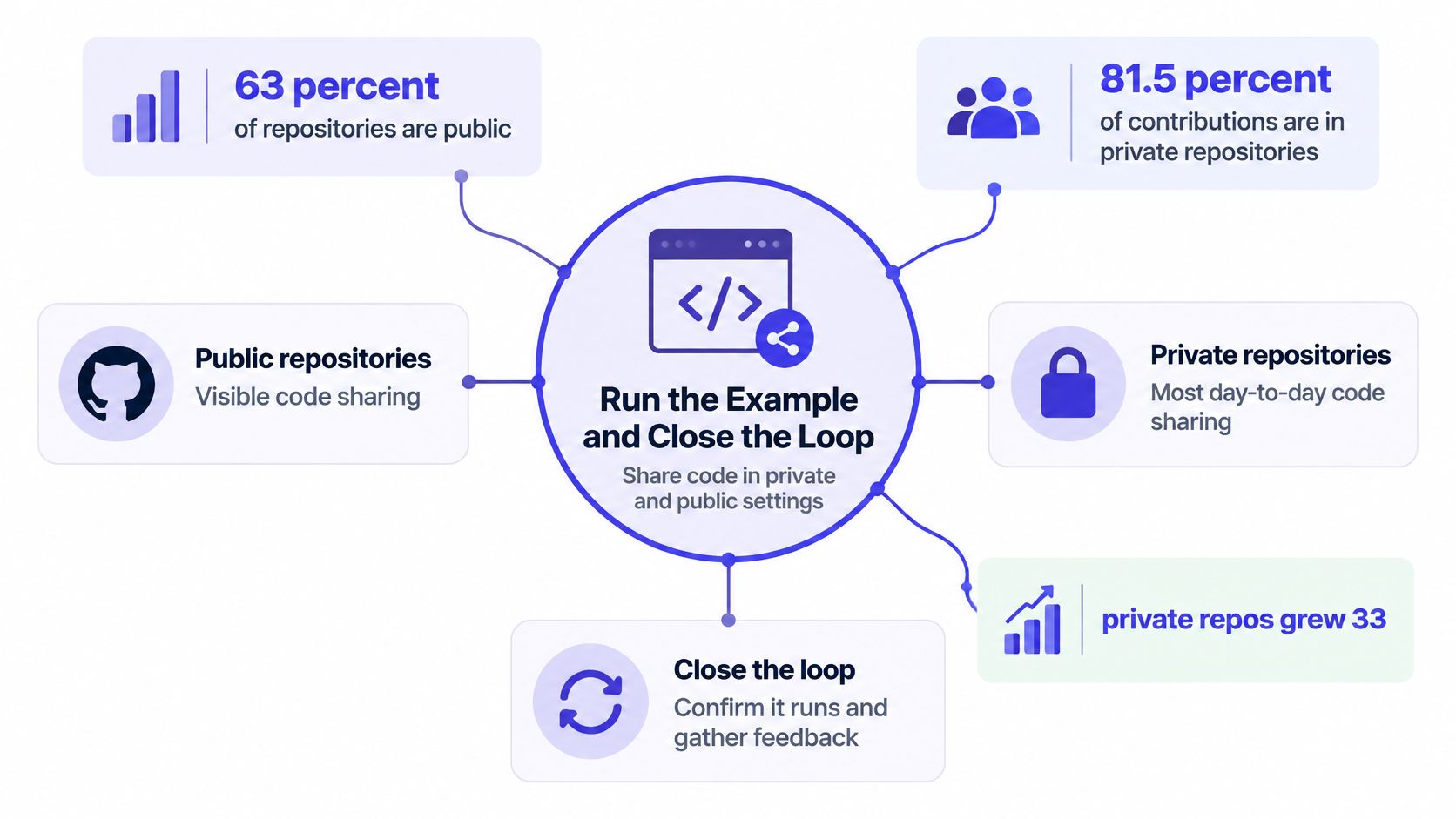
Production work needs a sharing workflow that respects access boundaries. GitHub's 2025 Octoverse report reported that 63% of repositories were public, yet 81.5% of contributions occurred in private repositories. Those measures describe GitHub activity, not a mandate to hide every example, but they make a useful distinction between public discovery and private implementation.
For a meeting about your product's implementation, start with an access-controlled environment unless you've deliberately prepared something for public release. Give the people making the decision access to the executable artifact, not just a recording of someone else running it.
The diagram highlights the distinction between visible public sharing and private collaboration.
Turn the session into an executable decision
-
Capture the decision while it's being made. Put the intent, assumption, and unresolved question into the PRD or living plan. For example, record that the importer will reject malformed rows while continuing valid rows, and leave transaction behavior open until the fixture demonstrates it.
-
Draft the example in a shared sandbox using the bundle's declared environment. Ask someone other than the author to open it. That catches permission problems before the room starts discussing behavior nobody else can inspect.
-
Run the entry point while reviewers are present. Put actual output beside expected output and examine the difference. If the example fails, preserve the failure and its logs rather than patching locally until the terminal looks convincing.
-
If the demo has a user interface on a laptop, share localhost through the approved mechanism. Let the designer or product manager exercise the relevant interaction. A terminal screenshot can show that something ran, but it can't answer whether another person can trigger the behavior under discussion.
-
Connect the implementation to the agreement. Add the sandbox or branch reference and the relevant transcript excerpt to the PRD. Link the first implementation commit back to that decision so a later reviewer can distinguish an intentional trade-off from an accidental shortcut.
-
Keep the durable artifacts as plain files. Markdown, source files, fixtures, and output logs should remain accessible in a teammate's editor after the meeting ends. Don't leave the only useful explanation inside a temporary session view.
The trade-off is meeting time. You don't need to watch a lengthy build together if it teaches nobody anything. Prepare the environment beforehand, then use the session for the behavior, comparison, and decision that require shared attention.
Check the handoff before everyone leaves
The PRD should contain an inspectable path through the work:
- Decision: A sentence stating the chosen behavior and the trade-off the team accepted.
- Execution: The command a reviewer should run, with its declared prerequisites.
- Evidence: Expected output beside actual output, or a clearly recorded mismatch.
- Artifact: An accessible sandbox, localhost share, or private branch that contains the example.
Name the owner of the first implementation commit and identify the remaining blocker. If clean-environment validation hasn't happened, record that as an open verification task rather than declaring the handoff complete.
A shared room can keep the conversation, Markdown PRD, and sandbox together; a private branch, container, and document can accomplish the same job manually. Choose the arrangement your team will maintain after the call. The important outcome isn't that everyone saw code, but that the next implementer can run it, understand the agreement, and know what still needs proving.
SpecStory, Inc. offers Stoa, a multiplayer workspace where teams capture live decisions, draft Markdown PRDs, and run code in shared sandboxes. Visit SpecStory, Inc. to bring a runnable example and its decision context into your next product session, then leave with an executable artifact and a named implementation owner.
Newsletter
Get new posts in your inbox
Bring your team together to build better products. Fresh takes on remote collaboration and AI-driven development.