


You've enabled encryption on your cloud database, your laptops ship with disk encryption turned on, and your security questionnaire now says yes. But you still couldn't answer a simple question with confidence. If someone copied your backup bucket, a search index, or a developer's downloads folder tonight, what could they read?
That gap is where encryption at rest succeeds or fails. It's not a single setting. It's a question about every copy of your data, every key that can access it, and whether you can still recover or delete that data months later.
Table of Contents
- What Encryption at Rest Protects Compared With Transit
- The Ciphers and Modes Behind Encryption at Rest
- Full-Disk, Volume, File and Database Layers Compared
- Envelope Encryption and Key Options Explained
- Keeping Encrypted Data Recoverable Over Time
- What Encryption at Rest Still Leaves Exposed
- How to Roll Out Encryption at Rest Safely
What Encryption at Rest Protects Compared With Transit
A laptop is stolen from a car during lunch. The thief removes the drive and connects it to another machine. If encryption at rest is working, the files, cached transcripts, and local database look like random noise. Without the right key, the thief has hardware, not information.
That's the core definition. Encryption at rest protects data stored on disks, databases, backups, and object storage so it can't be read without an authorized key. It applies when data is sitting still, not when it's moving or being processed.
The vault analogy helps separate the three states. Data at rest is gold locked in a vault. Data in transit is the armored truck moving gold between vaults. Data in use is the clerk handling gold at the desk, where the gold must be visible to do the work.
Three States, Three Different Threats
Each state fails in a different way. Stored data faces stolen drives, leaked backups, improperly discarded media, and copied snapshots. Moving data faces eavesdropping and man-in-the-middle attacks on a network connection. Data in use faces memory scraping, a compromised process, or a logged-in session that already has permission to see plaintext.
The controls match those threats. Teams typically use AES-256 with managed keys for stored data, TLS on every connection for data in transit, and process isolation, access control, or confidential computing for data in use. Confusing these controls creates false confidence. TLS doesn't protect a stolen backup, and disk encryption doesn't stop someone using a valid application login.
Practical test: If the drive, backup, or storage bucket were copied tomorrow, could that copy be read without a key? If yes, encryption at rest is missing for that copy.
Apply that test copy by copy, not product by product. Your primary database might pass. An old export, a replica, or a local cache might not. That distinction matters more than whether a vendor's pricing page lists encryption as a feature.
The Ciphers and Modes Behind Encryption at Rest
Most products use AES with a 256-bit key because it's standardized, fast, and well analysed. Don't stop at the key size. The mode determines how AES is applied, whether tampering is detected, and what mistakes can break the design.
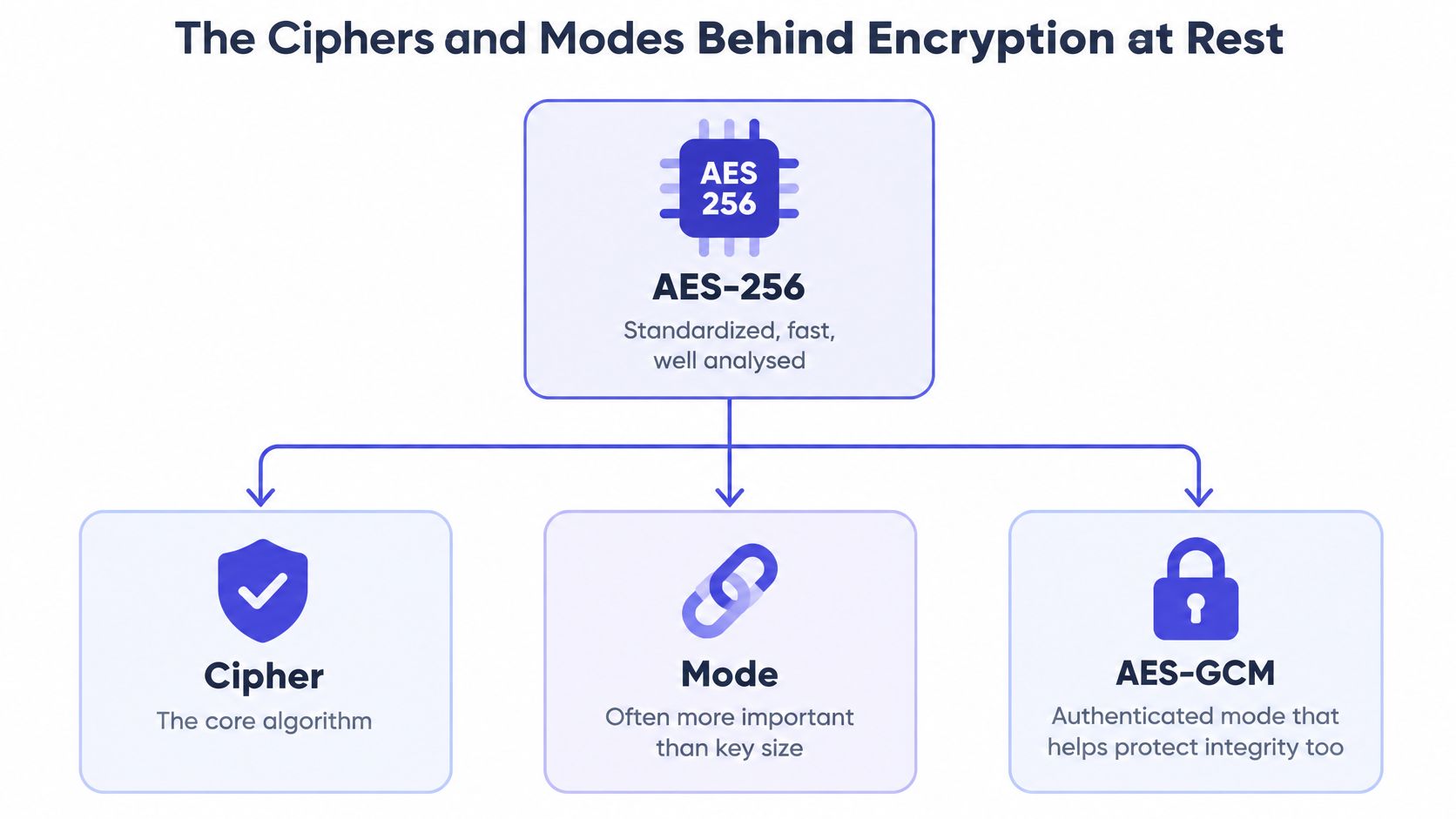
AES-GCM is an authenticated mode for application data, files, and fields. It protects confidentiality and integrity, so altered ciphertext should fail verification instead of decrypting as though intact. Its critical rule is simple. Never reuse a nonce with the same key. Reuse can expose relationships between messages and undermine authentication.
AES-XTS solves a different problem. Storage systems read and write individual sectors, and encrypted blocks must stay addressable without expanding the data. The NIST Special Publication 800-38E approval of XTS-AES in January 2010 approved it for confidentiality on block-oriented storage devices, with each data unit at least 128 bits long. XTS fits disks and volumes well, but it doesn't detect tampering on its own.
Choosing Beyond AES
ChaCha20-Poly1305 is useful on devices without AES hardware acceleration because it can perform well in software and also provides authentication. Avoid legacy AES-CBC without a message authentication code for new designs. It can hide content, but it doesn't reliably detect modification.
| Cipher or mode | Best fit | Main strength | Caution |
|---|---|---|---|
| AES-256-GCM | application data, files, fields | confidentiality plus integrity check | never reuse a nonce with the same key |
| AES-XTS | full-disk and block or volume storage | random access to sectors without expanding data | does not detect tampering on its own |
| AES-CBC without authentication | legacy systems only | widely supported | vulnerable to tampering, avoid for new designs |
Performance rarely justifies skipping encryption. AES instructions in modern CPUs keep overhead low for most workloads, but you should measure with your real query patterns and file sizes instead of trusting generic benchmarks. Confirm your actual mode in provider documentation or the encryption setting on each store. Don't infer it from a marketing claim about AES-256 alone.
Full-Disk, Volume, File and Database Layers Compared
Encryption can sit at several layers, and each layer protects a different scope. The NIST SP 800-111 guide to storage encryption technologies, published in 2007, organizes implementation into full-disk encryption, volume or virtual-disk encryption, and file-or-folder encryption. Database and field-level controls narrow the scope further.
Full-disk encryption covers the entire drive, including the operating system. It's the baseline for laptops and removable media because users don't have to decide which folders matter. Once the user logs in, though, running applications can read plaintext through the mounted disk.
Volume or virtual-disk encryption covers one logical volume or VM disk. It suits servers where you want to protect a data volume or snapshot separately from the boot disk. A process with mounted access still sees readable data.
Narrower Layers That Travel With Data
File or folder encryption protects selected artifacts, such as credential exports or customer files. That protection can persist when a file moves, which disk encryption alone can't guarantee. Once an authorized person opens the file, plaintext controls take over.
Database transparent encryption protects database files, logs, and backups. It doesn't hide data from authorized queries. Your application still receives plaintext because that's how it serves requests.
Field-level encryption protects chosen columns, such as tokens or personal identifiers. It can limit administrator reads and bulk exports, but application code that decrypts those fields becomes a sensitive access path.
| Layer | Scope | Stops | Leaves open | Typical fit |
|---|---|---|---|---|
| Full-disk | entire drive including the operating system | lost or stolen laptops and drives | a logged-in session or running app | employee laptops |
| Volume or virtual disk | one volume or VM disk | stolen server disks and snapshots | processes with mounted access | servers and VMs |
| File or folder | selected files or exports | copied files leaving the system | plaintext once opened | credential files, exports |
| Database transparent encryption | database files, logs, backups | stolen database files or backups | authorized queries see plaintext | hosted databases |
| Field-level encryption | chosen columns or fields | admin reads and bulk exports | application code that decrypts | tokens, personal identifiers |
Say a ten-person team stores meeting transcripts, source code, and product requirements. A sensible baseline is full-disk encryption on every laptop, transparent encryption on the hosted database, and field-level protection for API tokens. If you're deciding which of those copies should stay on the device in the first place, our overview of local data storage choices for product teams maps the placement decision before you add layers.
Envelope Encryption and Key Options Explained
Encryption only shifts the secret. Instead of protecting every byte directly, you now must protect the key. Anyone who can use that key can read the corresponding data.
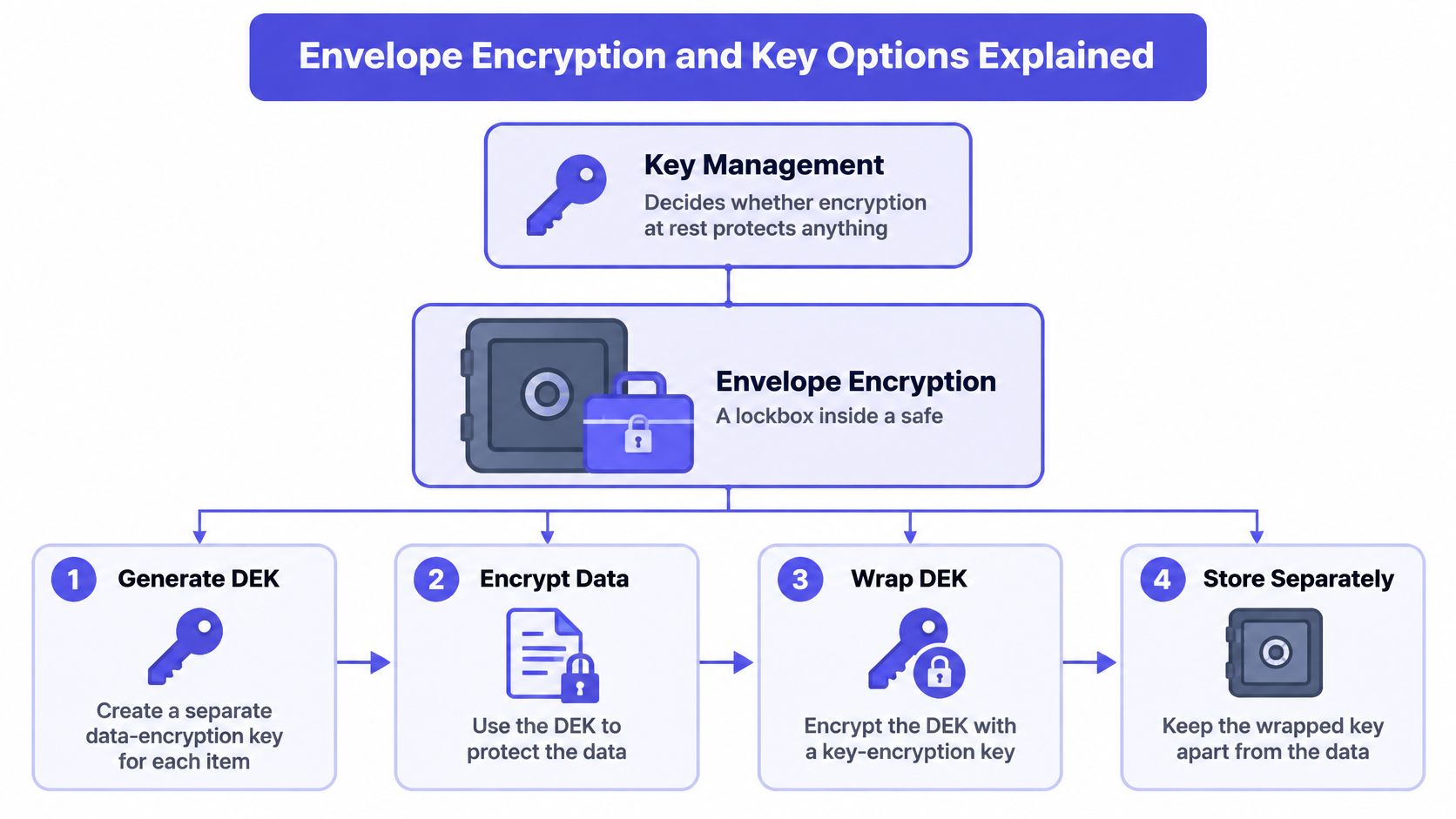
Envelope encryption works like a lockbox inside a safe. The data goes in the lockbox. The lockbox key goes in the safe. You can change the safe combination without replacing every lockbox inside it.
Five Steps From Plaintext to Wrapped Key
- Generate a data-encryption key: Create a separate DEK for each workspace, database, or artifact group, so one compromised key exposes less data.
- Encrypt the content: Use that DEK with an authenticated mode such as AES-GCM to produce ciphertext.
- Wrap the DEK: Encrypt the DEK with a separately managed key-encryption key, or KEK, held in a cloud KMS or hardware security module.
- Store the wrapped key: Keep the wrapped DEK beside the ciphertext. It's useless without permission to use the KEK.
- Unwrap after authorization: Allow a user or service to unwrap the DEK only after authorization, and log that access for audit.
That sequence follows the principle in the NIST SP 800-57 key management guidance that stored key material itself must be protected, with restricted access, lifecycle management, rotation, backup, recovery, and auditable use. It also lets you rotate or revoke the KEK by re-wrapping DEKs, without immediately re-encrypting every object.
| Key option | Who holds the key | Control gained | Operational cost |
|---|---|---|---|
| Provider-managed keys | the cloud provider | no setup, automatic rotation | least control over revocation and access |
| Customer-managed keys (CMEK) | you, inside the provider's KMS | revoke access and audit key use | you own availability and permissions |
| Bring-your-own-key (BYOK) | you import key material into the provider's KMS | key origin and portability | you must back up the source key |
| HSM-backed keys | you, in tamper-resistant hardware | hardware protection, role-based access | higher cost and latency |
| Externally held keys | you, outside the cloud provider | strongest separation from the provider | highest recovery and availability risk |
For a team of five engineers, provider-managed keys are the fastest safe start. Move customer data to CMEK when you need revocation and key-use audit trails your team can operate. Treat BYOK, dedicated HSMs, and externally held keys as availability commitments, not just stronger settings. When retirement eventually requires destroying keys and media together, the NIST 800-88 Rev. 2 changes explained by Beyond Surplus is a useful companion for separating sanitization decisions from ordinary key rotation.
Stronger control over keys only helps if your team can keep those keys available under pressure.
Keeping Encrypted Data Recoverable Over Time
Encryption at rest fails small teams in two opposite ways. Data becomes permanently unreadable because a key is lost. Or data stays readable after deletion because an old key copy survives somewhere. Both are lifecycle failures, not cipher failures.
The NIST key management guidelines frame that lifecycle as generation, protection, distribution, rotation, revocation, backup, archival, and destruction. NIST's 2025 draft guidance specifically notes that keys used to decrypt stored ciphertext should be backed up or archived when they cannot be readily regenerated.
A Recoverability Checklist
- Back up non-regenerable keys: Store key backups apart from the data and require two-person control for recovery. This prevents one lost KMS configuration or departed employee from making transcripts, source code, and backups unreadable.
- Test restores quarterly: Restore from backup into an isolated environment at least once per quarter and prove the keys unwrap. An untested backup is a hope, not a recovery plan.
- Rotate the KEK annually: Re-wrapping DEKs is comparatively cheap and limits how long one KEK stays in use. Re-encrypt data under new DEKs when you suspect DEK compromise, not as routine theater.
- Revoke during offboarding: Remove unwrap permissions when people or services leave, then review key-usage logs monthly for stale access.
- Delete by destroying the key: For cryptographic erasure, destroy the wrapped DEK so ciphertext in primary storage and backups becomes unreadable together.
That last step needs discipline. Deletion fails if you retain an exported DEK, an old key backup, or a replica wrapped under a different key you forgot to destroy. Record which key protects which workspace or artifact group before you need to prove deletion.
The migration pitfall is predictable. A team encrypts an existing store in place, discovers the only key backup is invalid, and converts a security project into data loss. Test encryption, restore, rotation, and deletion on a copy first. Judge the design by confidentiality and recoverability together, not by whether a console shows encryption enabled.
What Encryption at Rest Still Leaves Exposed
The common misconception is that encrypted storage means encrypted data everywhere. It doesn't. Encryption at rest is a barrier against stolen or copied media, not against every path to plaintext.
The desk below shows why physical access is only one part of the problem.

An attacker with valid application credentials, an administrator session, a decryption-capable service account, or a plaintext export doesn't need to break AES. The system decrypts data for authorized access paths. The NIST SP 800-209 storage security guidance therefore pairs encryption with appropriate key management for sensitive data at rest, in transit, and in use, rather than treating at-rest encryption as a complete security boundary.
Map Every Copy, Not Just the Database
| Copy or state | Encryption usually applied | Remaining exposure |
|---|---|---|
| Primary database | yes, when enabled | service accounts that can query plaintext |
| Object-storage versions | often | old versions kept after deletion |
| Local caches and downloads | depends on device setup | plaintext files copied out of the system |
| Logs and crash dumps | often not | secrets written into logs |
| Search indexes | depends on configuration | indexed text readable by query users |
| Backups and replicas | yes, when encrypted | unencrypted copies made by older jobs |
| Temporary agent workspaces | rarely | plaintext left in sandboxes after a session |
Use that inventory during incident planning too. Encryption can slow incident response and e-discovery if investigators can't get controlled key access or if key-use logs don't show who decrypted what. Decide the break-glass path before an incident, and audit it like production access.
The short walkthrough below reinforces where storage encryption ends and identity controls begin.
Auditors usually ask for evidence, not settings. Keep a record of which key protects each store, who held unwrap rights, key-usage logs, and each rotation and deletion date. For regulated data, map every copy to retention, breach-notification scope, or deletion attestation, and state which copies sit outside the deletion promise. That evidence also clarifies what data sovereignty means for where copies may live when storage regions and key custody don't match.
How to Roll Out Encryption at Rest Safely
A rollout can fail even when every storage setting says “encrypted”: an untracked copy may remain readable, or a protected store may become impossible to restore. Treat the work as mapping each copy to its protection, recovery path, and deletion process.
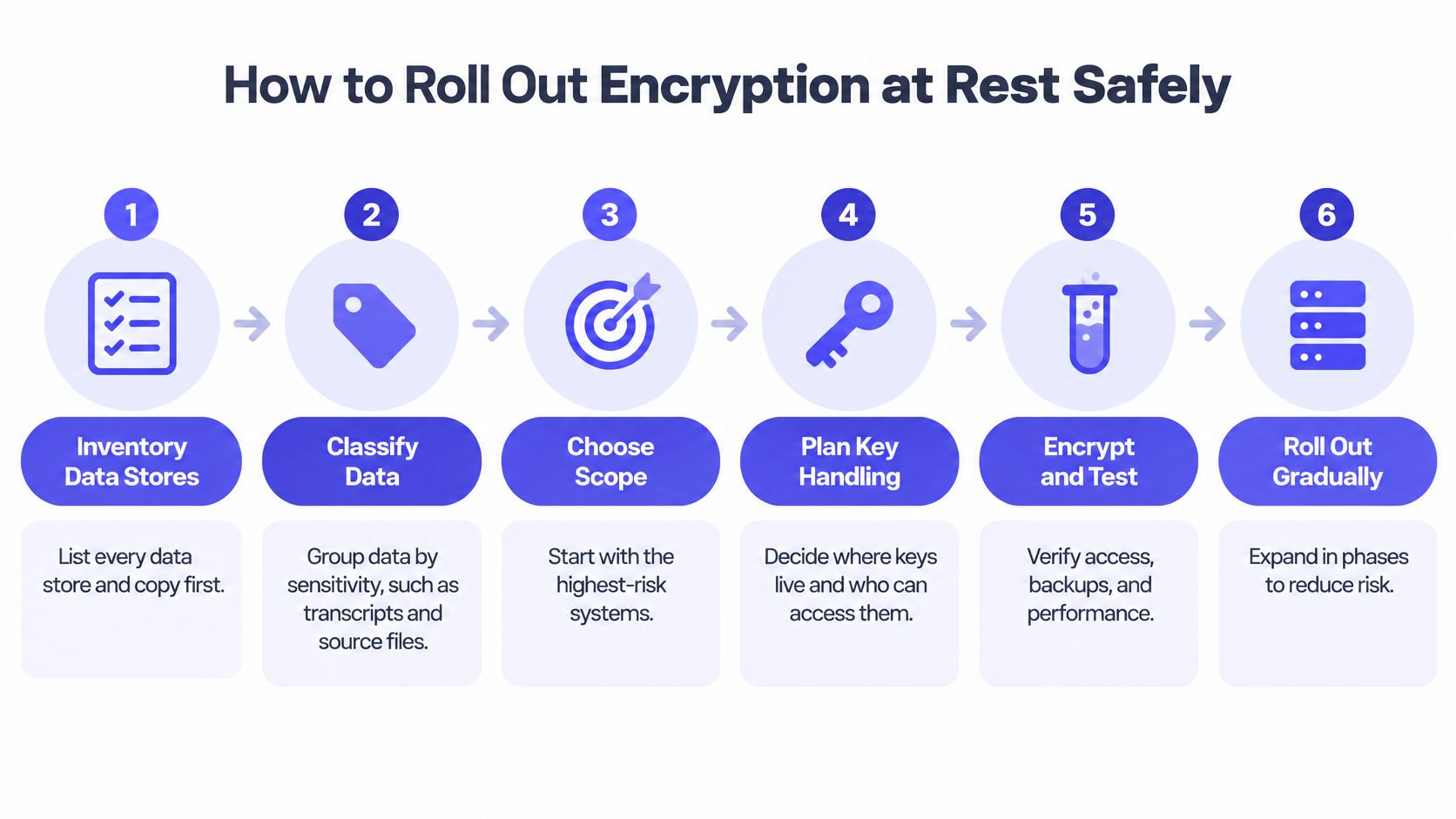
Seven Steps to a Working Rollout
- Inventory every store and copy: Record databases, object versions, caches, downloads, logs, crash dumps, indexes, backups, replicas, and temporary workspaces. An unlisted copy cannot be reliably encrypted or deleted.
- Classify by sensitivity: Group transcripts, source code, credentials, and customer records by the harm that exposure or loss could cause. Use that assessment to decide where field-level protection justifies its added complexity.
- Encrypt each store and backup: Enable disk, volume, or database encryption, prioritizing the most sensitive systems. Check replicas and older backup jobs directly rather than assuming they inherit the setting.
- Choose and record a key tier: Provider-managed keys can suit cases where operational simplicity matters. Consider customer-managed keys for customer data only when your team can manage permissions and maintain key availability. Record the reasoning and supporting evidence, including material relevant to SOC 2 certification for startups.
- Add envelope and field-level protection: Use separate DEKs for each workspace or artifact group, wrapped by the relevant key. Encrypt credentials and tokens at field level so a database export does not expose them as plaintext.
- Write recovery and offboarding runbooks: Specify who can authorize key recovery, where key backups are held, how two-person control works, and which permissions must be revoked when someone leaves. Keep the runbook accessible during an outage.
- Test on a copy before launch: Practise restoring data, rotating the KEK, revoking access during offboarding, and carrying out cryptographic deletion. Update the runbook when a test reveals a gap, before that gap affects production.
For tools that hold meeting artifacts, copy mapping should include both local files and any synced copies. Stoa's data is local-first and can be synced or exported at any time. SpecStory Cloud sync is opt-in, and you control what gets uploaded. Record which artifacts remain local and which, if any, are uploaded, so the copy inventory matches how the team works.
This week's action: Complete the copy inventory and mark each row as encrypted, recoverable, deletable, or still open. Don't choose a stronger cipher before the inventory is accurate.
Use that inventory to set the order of work: protect exposed copies, repair recovery paths that fail during a restore, and close deletion gaps involving old versions or orphaned keys. A usable control needs to work through recovery and deletion, not just appear in a settings screen.
If your team turns live conversations into transcripts, PRDs, and code, SpecStory, Inc. offers Stoa, a local-first, multiplayer AI workspace where context remains exportable and cloud sync is opt-in. Visit SpecStory to see how teams can keep meeting artifacts traceable while deciding which copies sync, which keys protect them, and how to recover or delete them.
Older
Remote Pair Programming: How to Run Sessions That Work
Newer
Product Requirements Document Generator: A Practical Guide
Newsletter
Get new posts in your inbox
Bring your team together to build better products. Fresh takes on remote collaboration and AI-driven development.