


You're sharing a screen with a teammate, the failing test is open, and neither of you is sure who's supposed to act next. One person starts typing. The other watches, loses the thread, and eventually asks why you changed that function. You've spent the call together without working as a pair.
Remote pair programming is a coordination problem, not a screen-sharing feature. Two developers need a shared task, explicit control of the keyboard, and a way to preserve decisions. The practical defaults below are recommendations to try, not experimentally validated timing rules. Adjust them around the work, but don't leave participation to chance.
Table of Contents
- How to Prepare the Shared Workspace Before the Call
- A Timeboxed Agenda for a 90-Minute Remote Pair
- Driver and Navigator Roles That Stay Balanced
- Communication Habits When Body Language Disappears
- Running Hybrid Pairs When One Person Is in the Office
- Working With AI Agents Inside the Pair
- Session Notes and Retro Template
- Decide Whether Remote Pairing Stays in Your Workflow
How to Prepare the Shared Workspace Before the Call
Prepare the environment before you spend shared attention on it. A pairing call shouldn't become an improvised dependency installation session, and a navigator shouldn't need to reconstruct the driver's local setup from terminal errors.
Make the workspace reproducible
-
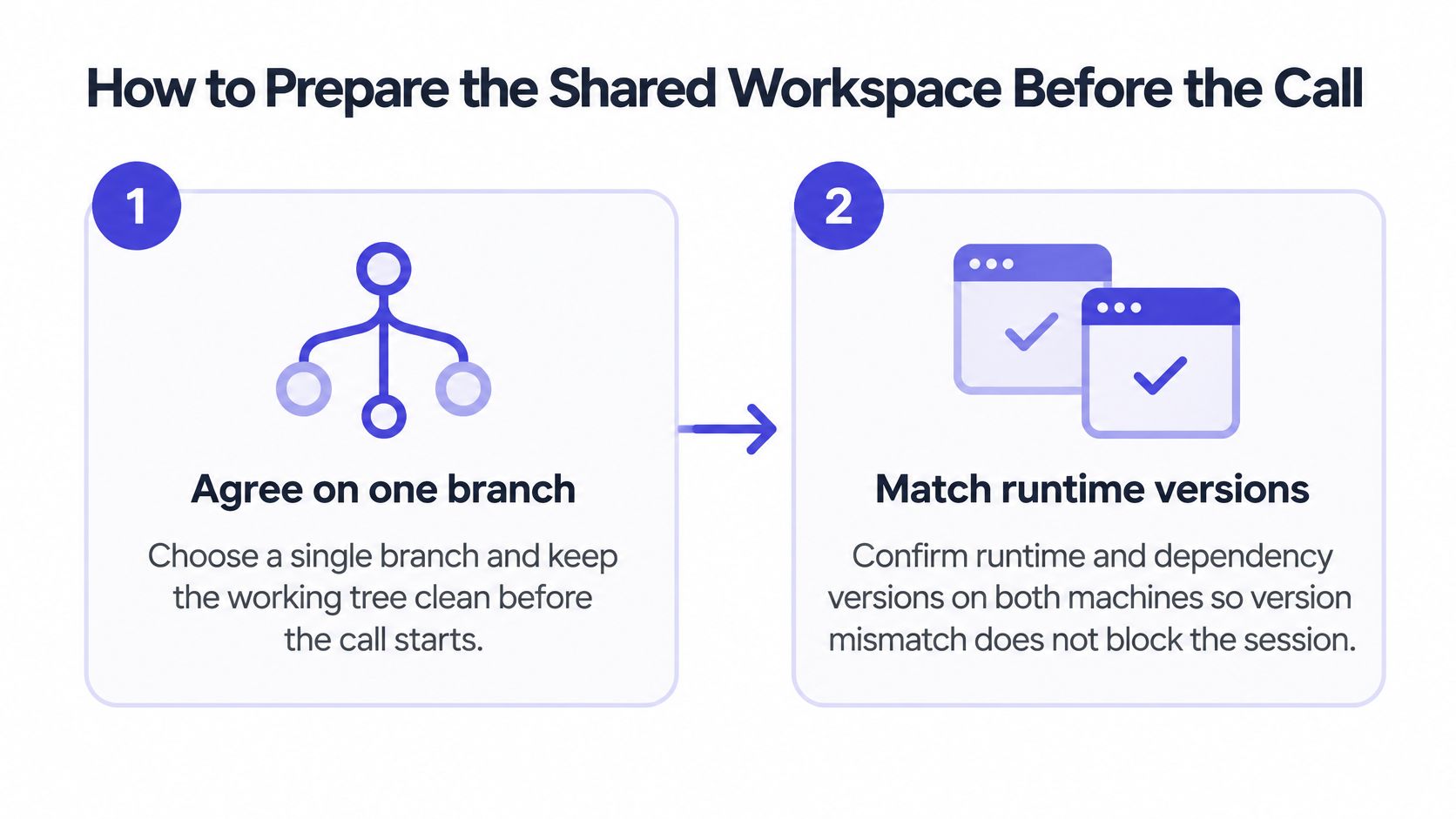
Agree on one branch and inspect the working tree. Run
git status, identify existing changes, and commit or stash unrelated work before pairing. A clean starting point makes the eventual diff attributable to this task and prevents accidental inclusion of someone's unfinished changes. -
Match runtime and dependency versions. Compare the project's runtime declaration, package-manager version, and lockfile rather than assuming both machines are current. Use the repository's existing version manager or development container so you're debugging application behavior, not different environments.
-
Open a shared editor. VS Code Live Share is one option when the work stays inside the editor; whichever tool you choose, confirm that both people can move through and edit the same file. Treat collaborative code editing as shared control, not merely a readable video of someone else typing.
-
Start the supporting services. Bring up the development database, queue, and application in a sandbox or development container that both participants can access. Use disposable fixtures and development credentials, never a production database just because it's already running.
These initial checks establish a common starting point.
Make the conversation usable
-
Test audio with headphones. Check that keyboard noise doesn't drown out speech and that neither microphone produces echo. Exchange a fallback phone number or agree on another audio channel before a dropped connection forces you to improvise.
-
Create a shared notes file. Put the ticket, acceptance criteria, reproduction command, and unresolved questions somewhere both people can edit. Keep credentials and customer information out of this file, especially if it will enter version control.
-
Arrange the screen around the task. Give the driver's editor most of the shared display, with readable text and the active file visible. The navigator should keep terminal output and notes alongside that view rather than constantly asking the driver to switch windows.
Readiness check: Set a target of reproducing the failing test from both participants' working contexts within the opening ten minutes. In a shared sandbox, each person should invoke it themselves.
If that check fails, explicitly turn the call into environment repair or reschedule the coding work. Don't pretend setup time is implementation progress.
A Timeboxed Agenda for a 90-Minute Remote Pair
Use this 90-minute remote pairing agenda as a starting template, not a claim that every task deserves a long meeting.
| Block | What Happens | Output |
|---|---|---|
| Check-in and goal, 5 minutes | Name the task, done condition, and main risk | One-sentence goal in shared notes |
| Environment check, 10 minutes | Confirm audio, shared editor, runtime version, and test command | The failing test runs on both machines |
| First driver turn, 20 minutes | Driver types; navigator questions and reviews each change | Working changes in the branch |
| Role switch, 5 minutes | Swap controls and restate the plan | Both people can name the next step |
| Second driver turn, 20 minutes | The other person drives the next part | Remaining changes in the branch |
| Test and review, 15 minutes | Run the full test suite and read the diff aloud | Passing tests and a reviewed diff |
| Notes block, 10 minutes | Record decisions, assumptions, and open questions | Decision log with time and owner |
| Wrap-up, 5 minutes | Agree on the next session's first step | A named next step and a booked slot |
Protect the transitions
The check-in should produce a testable boundary, such as rejecting expired invitations without breaking valid ones. The environment block then confirms that both participants can observe that behavior before changing it.
During the first driver turn, pursue a narrow implementation rather than unrelated cleanup. Use the role-switch block for the outgoing driver to explain what changed, what remains uncertain, and which test should run next.
The second driver continues the same task instead of restarting the investigation. During review, read the changed behavior and risky branches aloud; don't mechanically recite punctuation or generated files.
Capture decisions during the work, then use the notes block to reconcile them with the final diff. The wrap-up should name an executable next action, not merely agree to continue later.
A timebox limits the scope you attempt. It isn't permission to skip verification when implementation runs late.
For unfamiliar code, try 15-minute driver turns and give the recovered time to investigation. For production-sensitive changes, expand review by reducing implementation scope.
Breaks must fit somewhere. Take them from the driver-turn allocations, or extend the booking explicitly; don't squeeze the review block. If the full suite runs slowly, launch it early and inspect the diff while it executes.
Paste the table into the calendar invitation before the first session. Everyone should know the structure before joining, including what won't fit.
Driver and Navigator Roles That Stay Balanced
Treat the remote pair as one development unit with two active responsibilities. Agree on the task and acceptance criteria first, then assign the driver to implementation and the navigator to checking the reasoning behind it.
A controlled North Carolina State University experiment found distributed pair programming technically feasible, with software comparable in productivity and quality to collocated pairing and virtual teams working without pairing. That supports remote pairing as a workable arrangement, not a promise that it beats solo development on every ticket.
The driver types, runs commands, and explains the intended change before making it. The navigator follows the execution path, challenges assumptions, and checks whether the next edit serves the acceptance criteria.
Choose a rotation before starting
These are practical starting defaults, not research-derived optimums.
| Task Type | Session Length | Rotation Interval | Why It Matters |
|---|---|---|---|
| Debugging unfamiliar code | 60–90 minutes | Every 15 minutes | A fresh set of eyes challenges wrong assumptions early |
| Refactoring known code | 60 minutes | Every 25 minutes | Keeps behavior checks steady while code changes |
| Design or spec work | 90 minutes | Every 30 minutes | Gives the navigator time to challenge the plan |
| Knowledge transfer | 90 minutes | Every 30 minutes, learner drives first | The learner demonstrates understanding by driving |
| High-risk production change | 60 minutes | Every 15 minutes | Short turns keep both people reviewing the diff |
A rotation is a transfer of responsibility, not just keyboard access. The incoming driver should summarize the current hypothesis and choose the next action. If they can't, stop and rebuild shared understanding before editing.
For knowledge transfer, resist letting the experienced engineer take over whenever typing slows down. Ask the learner to predict the result of the next command, then let them run it. Otherwise, you're delivering a demonstration rather than checking understanding.
Spend pairing effort selectively
Reserve pairing for high-risk changes, unfamiliar code, difficult debugging, design-heavy work, and knowledge transfer. Routine dependency updates or straightforward changes with clear tests may need only asynchronous review.
If the work separates cleanly into independent tasks, split it and reconvene at an integration point. Keeping both engineers on the call doesn't automatically create useful collaboration.
Use 30 minutes without a switch as a drift alarm. At that point, swap roles or explicitly stop implementation for discussion; don't let the navigator become an audience member.
Communication Habits When Body Language Disappears
Keep the exact file and cursor position visible, announce the next action, and confirm decisions verbally before recording them. When the connection becomes ambiguous, pause the work rather than guessing whether your teammate agreed.
In a comparative study of novice programmers, breaks occurred in 56% of hybrid or remote sessions, compared with 42% face-to-face. That difference doesn't establish an ideal break schedule, but it's a reason to budget interruptions rather than pretend they won't happen.
| Symptom | Likely Cause | Fix |
|---|---|---|
| Navigator silent for 20 minutes | Disengagement, or no question to investigate | In this session, invite a question and switch early; next time, try a question checkpoint every 5 minutes |
| Talking over each other, frozen video | Network latency | Pause now, move the decision to text chat, and reduce video quality |
| Nobody remembers the decision | A verbal choice wasn't recorded | Reconstruct it now and timestamp it in the notes |
| Driver types without explaining | Driver is overloaded | Ask for the intended behavior before the next change |
| Attention drops after 60 minutes | No planned break | Stop now; next time, budget a 5-minute midpoint break and a reset before review |
Replace implied agreement with explicit confirmation
A short silence isn't approval. The navigator may be reading another file, coping with lag, or deciding how to raise a concern.
For a consequential choice, the driver should state the proposal and its trade-off. The navigator then paraphrases the decision before either person moves on. For example, when changing retry behavior, confirm whether the limit applies to each request or the entire operation.
Write down the outcome and reason, not a transcript of the discussion. A useful entry identifies the choice, the rejected alternative, and what would cause the pair to reconsider.
Pause condition: If either person can't explain the current edit, stop typing until both can.
This isn't a demand for constant narration. Announce changes in intent, file, or hypothesis; don't describe every keystroke. The navigator needs enough context to review reasoning without listening to a running commentary on cursor movement.
Separate immediate repair from process repair
Frozen video needs an immediate channel change. Repeated navigator disengagement needs a different session plan, perhaps a smaller task, shorter turns, or a concrete investigation assigned to the navigator.
Likewise, don't turn question checkpoints into interruptions for their own sake. The useful question might concern an unhandled input, a missing assertion, or whether a transaction boundary matches the intended failure behavior.
Plan breaks at natural boundaries and leave a resumption note before stepping away. Record the active hypothesis and next command so neither participant has to reconstruct the investigation afterward.
Evaluate these changes through delivery outcomes, rework, and participant feedback. A perfectly followed conversation protocol is still wasteful if the ticket would have benefited more from independent investigation.
Running Hybrid Pairs When One Person Is in the Office
A hybrid pair can become an office conversation with a remote spectator attached. The in-office developer sees gestures and hears nearby advice that never reaches the other participant.
A comparative study of novice programmers reported less frequent role switching and lower satisfaction in remote or hybrid settings than face-to-face settings. Don't assume that giving someone a call invitation gives them equal participation.
The remote developer needs an equivalent working view, not a distant view of the office.
Make participation independent of location
- Equalize visibility. Put the shared display at a comfortable height and make diagrams digitally accessible. If someone uses a physical whiteboard, provide a legible camera view and transfer the result into shared notes.
- Assign the remote driver turn. Write it into the agenda rather than offering control only when requested. Physical proximity to the office keyboard must not determine who implements.
- Tighten handoffs. Use shorter turns than you would for an office pair if the remote participant struggles to interrupt. Transfer controls deliberately, including terminal access.
- Watch for withdrawal. As a facilitation default, treat three minutes of unexplained silence as a reason to ask a direct, task-specific question. Don't demand speech while someone is explicitly reading.
- Name independent thinking. If a developer needs quiet investigation, say what they're checking and agree on a return point. End the call if the remaining work is independent.
- Keep office advice visible. Repeat any relevant sidebar conversation into the call and record its consequence. The remote participant shouldn't discover an architectural decision in the next commit.
Agree on headphones and fallback audio across office, home, and coworking setups. Avoid running an open room speaker alongside individual microphones.
If the remote participant hasn't completed a full driver turn by the end, start the next session with them driving. Treat that as a participation repair, not a courtesy.
Working With AI Agents Inside the Pair
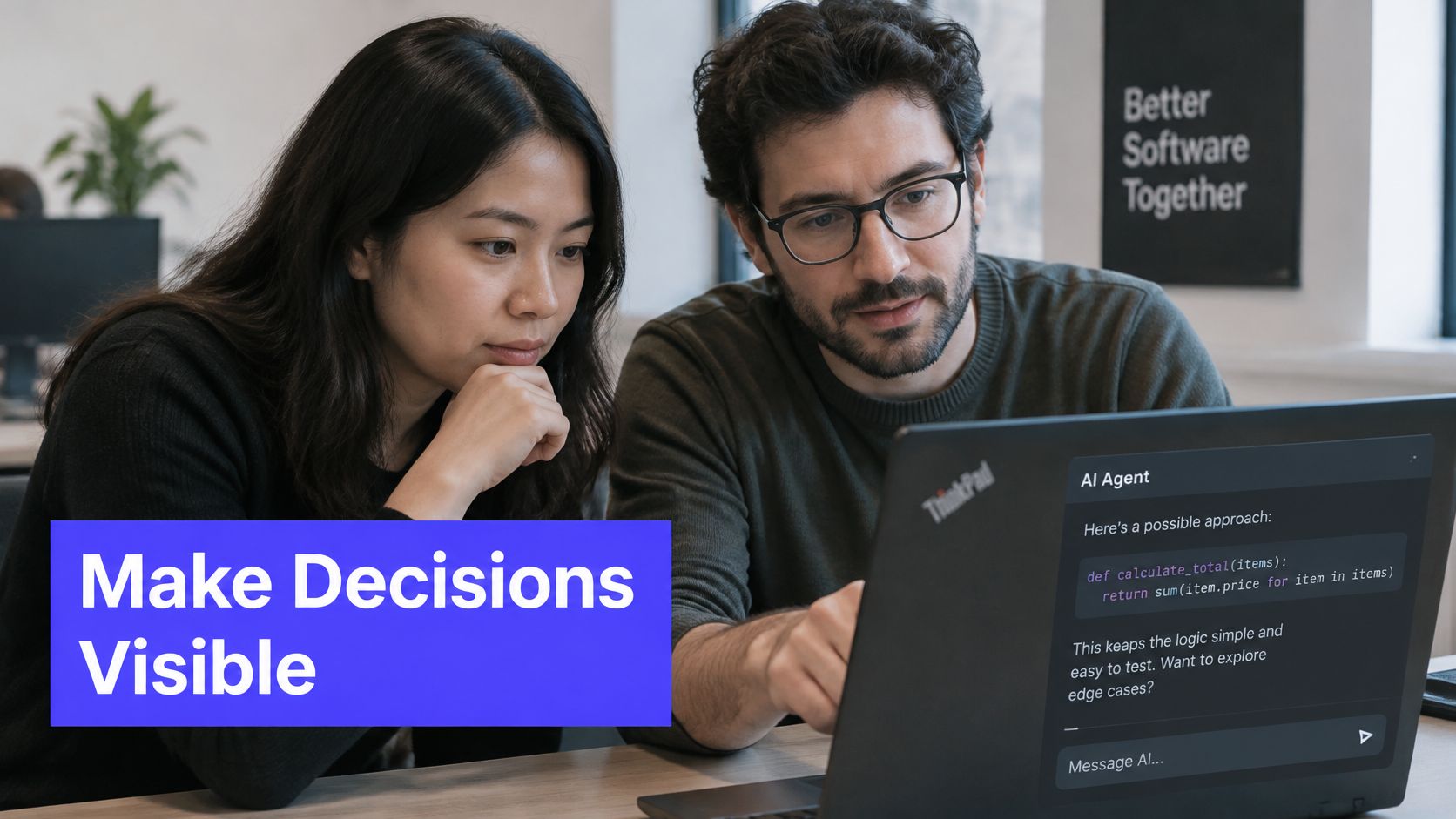
The agent proposes changes; the two people in the pair remain responsible for the result. Before it starts, agree on the task and the limits. A plausible patch can still include a behavior neither person intended.
Divide intent, execution, and verification
- Intent owner. A human states the task, constraints, and acceptance criteria before the agent starts. Name prohibited scope, such as changes to public interfaces or database schemas.
- Driver. The driver directs the agent and reviews its output line by line. Keep consequential prompts visible to the navigator rather than running a private parallel conversation.
- Navigator. The navigator checks behavior against the criteria and looks for assumptions the agent made. Check missing cases, not only whether existing tests pass.
- Both humans. The pair owns acceptance, security review, and the final commit. Agent authorship does not transfer responsibility.
Keep requests small enough to review before issuing the next one. Large generated diffs can mix the requested change with incidental rewrites, making review slower and less reliable. For practical guidance on AI pair programming, keep the human decision points explicit: agree on what the agent should do, then pause to review before accepting its work.
Test understanding before acceptance
Before accepting generated code, ask the navigator to explain the behavioral changes aloud. Could either person describe each change without asking the agent to explain it again?
If not, reduce the patch or investigate the unfamiliar part. Passing tests do not prove that both engineers understand a new cache, retry policy, or authorization path. The pair should be able to explain what changed and where it could fail.
Preserve prompts associated with accepted changes, but remove secrets first. Distinguish agent proposals from decisions made by the pair. Later, revisit the code without reopening the agent conversation and check whether the pair can still explain its failure modes and extend it safely. Speed matters only when the team can maintain what it accepts.
Session Notes and Retro Template
Reuse a small written record rather than asking someone to reconstruct the call afterward. Keep it beside the code so updating it doesn't require changing applications.
Shared session record
- Header. Date, ticket, driver and navigator names, and a one-sentence goal.
- Decision log. Timestamp, decision, owner, and the reason for choosing it.
- Assumptions. Unverified claims from either human or agent, with a verification action.
- Prompt log. Prompts associated with accepted generated changes.
- Session metrics. Count role switches and breaks; use a simple satisfaction scale, such as one to five.
- Open work. Unresolved questions and the next executable step.
Use meeting notes and action items to separate decisions from commitments. Every follow-up should have an owner, not just a topic.
A short retro
Budget five minutes after the working block. Ask whether the pair followed the agenda, which block overran and why, and whether the navigator's question checkpoints were useful.
Choose one setup change for the next session. Reusing the same record makes comparison possible without turning pairing into a reporting exercise.
Decide Whether Remote Pairing Stays in Your Workflow
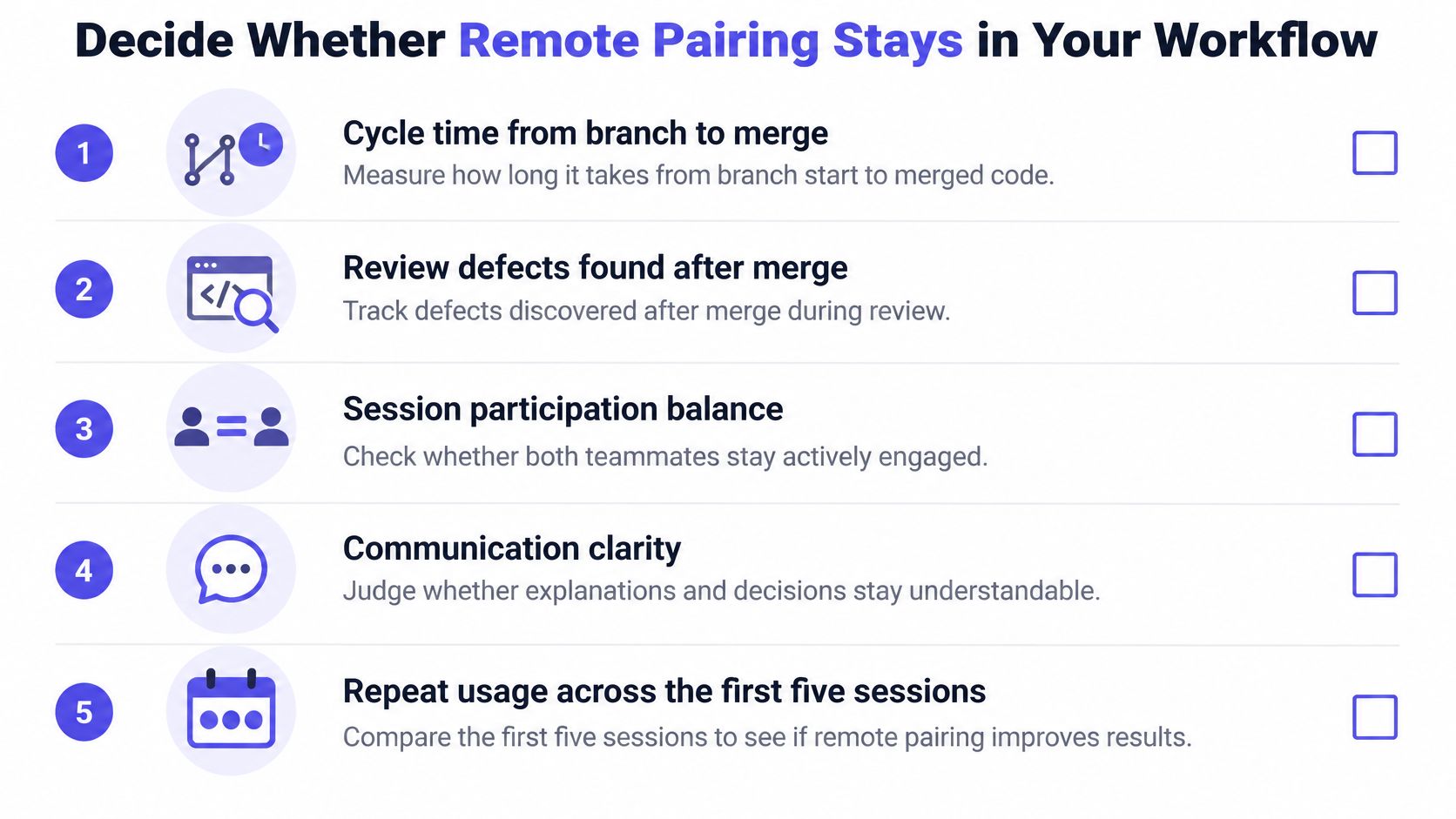
Track cycle time from branch to merge, review defects found after merge, same-code rework, participant satisfaction, and actual role switches. For an initial trial, compare the first five sessions with similar unpaired tasks rather than unrelated tickets.
Keep participation and communication visible alongside delivery outcomes.
Use external findings as context
In a comparative study of 25 software-engineering graduate interns, remote or hybrid participants reported 60% completion within one or two sessions versus 56% face-to-face, 68% role switching versus 88%, and 36% very satisfied versus 50%. These are comparison points from a small learning setting, not performance targets for a startup engineering team.
| Measure | How to Capture It | Research Benchmark |
|---|---|---|
| Task completion in one or two sessions | Count sessions per ticket | Study comparison above |
| Role switches per session | Log every swap | Study measured reported switching across multiple sessions, not swap counts |
| Participant satisfaction | Ask the same question after each session | Study compared the share reporting very satisfied |
| Cycle time, review defects, and rework | Track branch-to-merge time, post-merge bugs, and same-code rework | Team baseline; no external benchmark |
For rework, use a consistent observation window, such as the following week. Also review session participation balance, communication clarity, and repeat usage across the first five sessions without treating repeat bookings as proof of value.
Keep pairing for high-risk work if outcomes improve or hold without unacceptable coordination cost. If they don't, narrow it to debugging and knowledge transfer rather than requiring it for routine tickets.
To try this in our workspace, create a Space, invite a teammate, and run the next meeting in it, with no setup or config required. This week, book one 90-minute block on a real ticket, send the agenda, and record the initial results; assess merge outcomes when they become available.
SpecStory, Inc. offers Stoa, a shared workspace that connects live meetings, collaborative editing, decision capture, and sandboxed agents. Visit SpecStory, Inc. and use your next remote pairing session to keep the task, conversation, and implementation together.
Older
Deployment Readiness Checklist for Safe Releases
Newer
Encryption at Rest: What It Protects and How to Set It Up
Newsletter
Get new posts in your inbox
Bring your team together to build better products. Fresh takes on remote collaboration and AI-driven development.