


A developer can lose roughly 15% to 20% of working time to interruptions, before accounting for meetings, documentation gaps, or waiting for reviews, according to an IEEE study on interruptions in software work. That finding changes the question. Improving developer productivity isn't mainly about making engineers type faster. It's about removing the friction that repeatedly pulls them away from useful work.
The most effective engineering teams treat flow, coordination, and feedback as operating systems for delivery. They protect attention, preserve decisions, shorten review loops, and measure how work moves through the system. Coding tools matter, but they can't compensate for a product team that loses requirements in Slack, leaves pull requests waiting, or asks developers to rediscover decisions that were already made.
Table of Contents
- The Hidden Cost of Developer Distraction
- Fixing Meeting Chaos and Decision Capture
- Building an Async-First Collaboration Rhythm
- Streamlining Code Reviews and CI/CD Pipelines
- Onboarding as a Productivity Multiplier
- Measuring What Actually Matters with DORA
- Your First Steps to Higher Velocity
The Hidden Cost of Developer Distraction
Developers rarely lose time in one dramatic event. Time disappears through small interruptions, unclear requests, status meetings, missing documentation, and messages that force someone to reconstruct context. The IEEE research cited above found that an interruption takes about 20 minutes to occur and handle, while developers receive three to five interruptions per day. That can consume approximately one to one and a half hours daily, or 15% to 20% of total work time.
Software work is fragmented even when the calendar looks open. Research on programming sessions found that 98% of sessions included at least one gap of activity, while related software engineering research has reported that regaining flow after a task switch can require about 15 minutes. Developers aren't just switching between tasks. They're repeatedly rebuilding the mental model needed to continue.
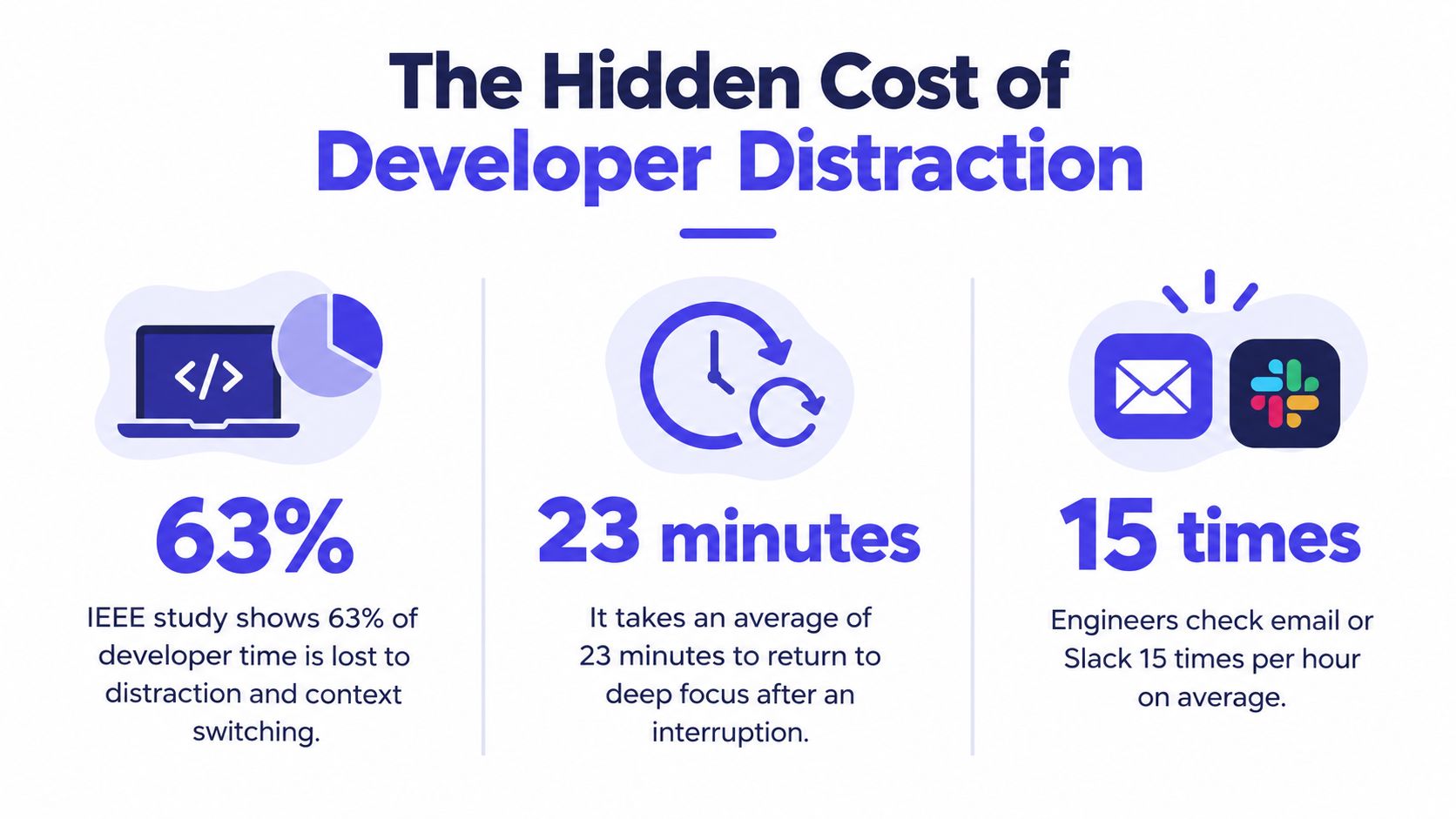
The bottleneck is often organizational
The coding editor gets attention because it's visible. The harder problem sits around it: information is scattered across Slack, Jira, email, Figma, meeting recordings, and private notes. Developers then spend valuable focus time looking for the decision, interpreting an ambiguous ticket, or asking who owns the next step.
A global developer experience survey reported that 50% of developers lose 10 or more hours per week to non-coding work, while 90% lose six or more hours. The leading sources include finding information, learning unfamiliar technology, and context switching, according to the 2025 Atlassian developer experience report.
That makes context switching a coordination failure, not a character flaw. Teams can reduce it by protecting focus blocks, batching communications, clarifying ownership, and keeping decisions attached to the work. A practical explanation of the mechanics appears in this guide to what context switching does to knowledge work.
Fixing Meeting Chaos and Decision Capture
Meetings don't automatically reduce productivity. Meetings without durable outputs do. A discussion can feel productive because people reach agreement in the room, yet still create more work later if nobody records what was decided, why it was decided, and who owns the follow-up.
Run each meeting around one explicit purpose. A design review, planning session, incident review, and status update need different formats. If a meeting tries to perform all four jobs, participants leave with competing interpretations and a long list of unresolved questions.
Capture the decision while people are present
Use a shared document or workspace that stays open during the conversation. Record four things as they emerge:
- Decision: State the choice in plain language, including the scope of what it does and doesn't cover.
- Reason: Note the constraint, customer need, technical trade-off, or evidence that shaped the choice.
- Open question: Separate unknowns from decisions so nobody mistakes an unresolved issue for an approved requirement.
- Owner and next action: Assign a person to the next concrete step, with the relevant artifact linked beside it.
Don't wait to write polished notes after the meeting. Post-meeting summaries often lose the uncertainty and dissent that explain why a decision was made. Real-time capture also gives participants a chance to correct an inaccurate interpretation before it becomes implementation work.

Make the next meeting less necessary
A useful meeting artifact should answer the questions that would otherwise trigger another call. Put the decision at the top, link the relevant ticket or design, and mark unresolved items visibly. When someone joins the work later, they should be able to understand the current state without searching through a conversation history.
Schedule design supports this practice. Teams reviewing recurring meetings can use a schedule optimization guide to identify redundant sessions, create protected focus blocks, and place collaborative work where it fits the team's actual rhythm.
The meeting itself should end with a short readback. One participant states the decision, the owner repeats the next action, and the group confirms what remains open. This takes little time, but it prevents vague agreement from becoming expensive rework.
For more detail on agendas, participation, and meeting outputs, see these best practices for meetings. The principle is simple: if a meeting produces no reusable artifact, it probably hasn't finished its job.
Building an Async-First Collaboration Rhythm
At a small product company, a typical day can split in two ways. In the first version, an engineer starts implementing a feature, receives a Slack question, joins an unplanned call, waits for a product clarification, and later searches through several threads to recover the original acceptance criteria. The team remains responsive, but the work advances in short, disconnected bursts.
In the second version, the product manager writes the decision and open questions beside the task before asking for implementation. The engineer reads the context, records a proposed approach, and begins. Reviewers add comments in the thread, the product manager responds during a planned communication window, and the engineer keeps moving unless the unresolved issue genuinely blocks the work.
The second workflow isn't silent or isolated. It gives every interaction a place and a purpose. Information follows the task instead of forcing the task to follow whoever happens to know the answer.
Four operating rules
Document first. Put the current decision, constraints, links, and unresolved questions in the shared workspace before opening a broad discussion. Written context lets people respond to the substance instead of asking for a recap.
Batch responses. Agree on reasonable response windows and check messages in batches rather than reacting to every notification. The exact rhythm should fit the team and incident load. What matters is that focus time becomes a legitimate operating mode, not a sign that someone is unavailable or disengaged.
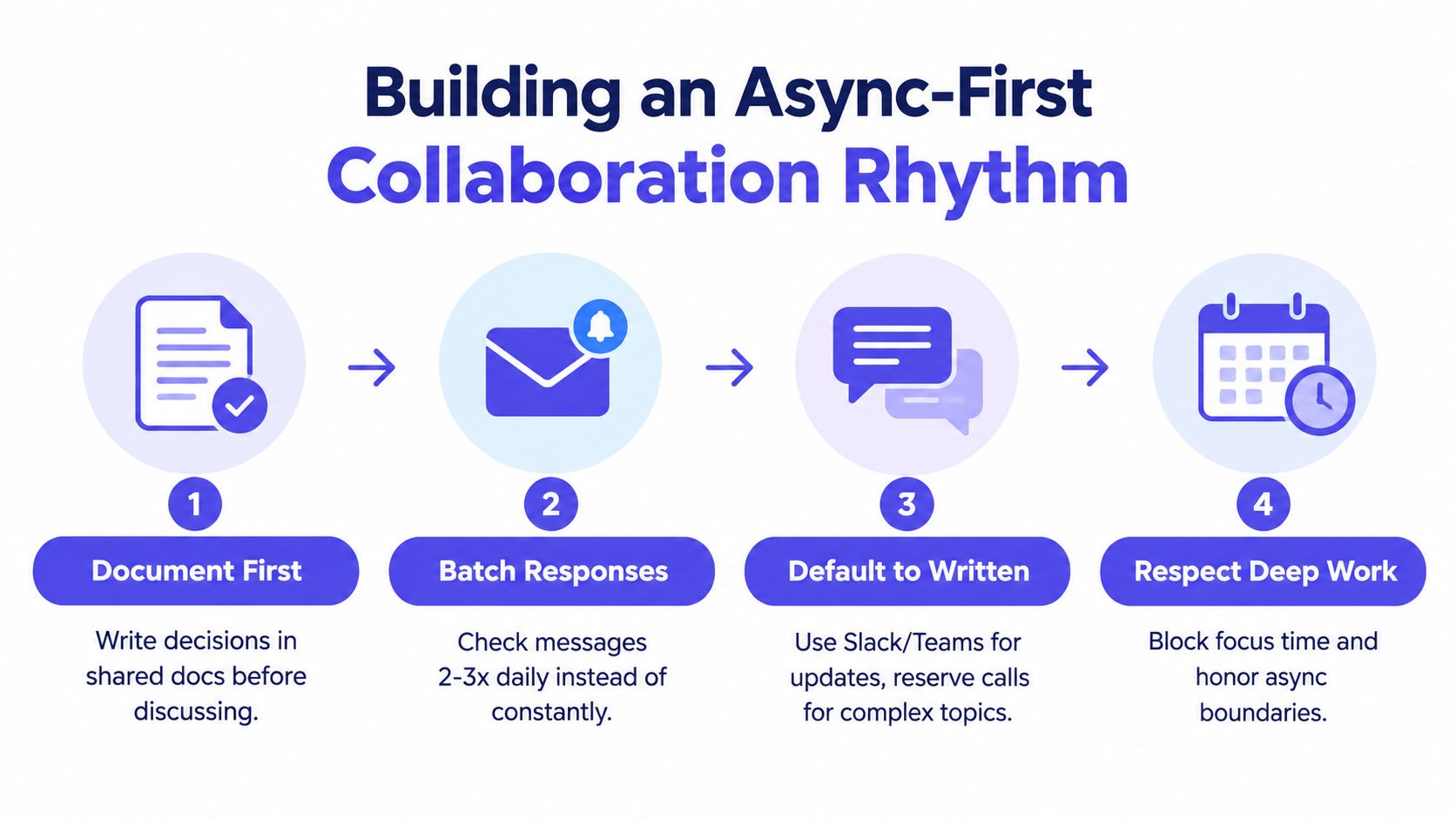
Default to written updates. Use a ticket, document, or threaded conversation for status, decisions, and reviewable questions. Reserve calls for ambiguity that benefits from conversation, such as a difficult design trade-off, a sensitive incident, or a disagreement that written exchanges haven't resolved.
Respect deep work. Mark focus blocks on calendars, mute noncritical notifications, and avoid treating a delayed response as a failure. Managers set the standard by not rewarding instant replies more than thoughtful delivery.
The team also needs a clear escalation path. A message should say whether it is informational, requires a response, or blocks a release. Without that signal, every notification appears urgent and developers have to perform triage before they can do the actual work.
Async-first collaboration fails when people use it to hide decisions or avoid difficult conversations. It works when written context makes ownership visible, gives others enough information to act, and leaves a trace that the next person can trust.
Streamlining Code Reviews and CI/CD Pipelines
A pull request can be technically correct and still damage flow if it sits unseen, contains too many unrelated changes, or produces noisy feedback. Code review should protect quality without turning every change into a large coordination event.
Start with the shape of the change. Keep a pull request focused on one behavior, fix, or refactoring intent. Split unrelated cleanup from product logic, and explain the risk, test coverage, rollout plan, and questions for reviewers in the description. A reviewer should be able to understand what changed without reconstructing the entire branch.
Design the review path
Set a team expectation for acknowledging reviews and define an escalation route for blocked work. The target isn't to pressure reviewers into approving quickly. It's to prevent silent queues where nobody knows whether a request is waiting for attention, additional information, or a test environment.
Use automation for repeatable checks:
- Formatting and linting: Catch style and straightforward correctness issues before human review.
- Unit and integration tests: Give reviewers evidence about the behavior affected by the change.
- Dependency and security checks: Surface known risks through the same delivery path rather than a separate manual process.
- Preview environments: Let product and design partners inspect meaningful behavior without requiring a local setup.
Human reviewers should spend their limited attention on architecture, business logic, failure modes, and maintainability. If senior engineers repeatedly correct formatting, generated boilerplate, or predictable test omissions, the pipeline is asking expensive judgment to perform mechanical work.
Make delivery feedback trustworthy
A CI pipeline should tell developers what failed, where it failed, and whether the failure is related to their change. Flaky tests are especially destructive because they teach people to distrust the signal. Track unstable checks, assign ownership for fixing them, and quarantine a test only with a visible plan to restore it.
Keep the path from commit to deploy understandable. A developer should know which checks run automatically, which environments are affected, who approves production changes, and how to recover if the release causes a problem. Continuous delivery isn't just a deployment technique. It's a reduction in uncertainty.
Don't optimize for the shortest possible pipeline by deleting meaningful safeguards. Faster feedback with lower confidence moves risk downstream. The useful target is fast, relevant, and dependable feedback, so engineers can make decisions while the code and intent are still fresh.
Onboarding as a Productivity Multiplier
Onboarding exposes whether a team has converted private knowledge into a usable system. A new engineer who can't run the project, find the service owner, or understand the release path becomes dependent on the busiest people in the organization. The senior team then pays for missing documentation through repeated explanations and interrupted work.
Treat onboarding like a product experience. Give the new hire a clear first path through the repository, development environment, architecture, deployment workflow, and communication norms. The documentation doesn't need to answer every possible question. It needs to help a person identify the next action and know where to look when that action fails.
Build a self-serve path
A practical onboarding workspace should include:
- Environment setup: Commands, prerequisites, expected outputs, and common failure points.
- System map: Services, dependencies, data ownership, and links to the repositories that matter.
- Working agreements: Review expectations, incident responsibilities, communication channels, and decision records.
- First contribution: A small but real change that exercises the local setup, review process, and delivery path.
- People and ownership: Names or roles for product areas, systems, and operational questions.
The first contribution shouldn't be a meaningless exercise. Choose work that teaches the architecture and produces useful feedback, while keeping the risk appropriate for someone still learning the system.

Pair context with ownership
Assign a mentor who can answer questions and, above all, show how the team makes decisions. Pairing isn't a substitute for documentation. If the same question comes up repeatedly, the mentor should turn the answer into a durable artifact so the next hire doesn't consume the same attention.
A thoughtful guide to onboarding an employee at startups can help founders structure responsibilities, expectations, and early support. Engineering teams should extend that thinking into the technical workflow, including access, local development, code review, and release participation.
Review onboarding after the new hire has shipped something. Ask where they searched, what they misunderstood, which instructions were stale, and which people they depended on. Those answers reveal broader developer experience problems. If a new engineer can't find a decision, an experienced engineer probably can't retrieve it efficiently either.
Documentation also needs ownership and review triggers. Update it when architecture changes, a setup step breaks, or a new recurring question appears. A short, accurate path beats a large knowledge base that nobody trusts.
Teams looking to connect onboarding with broader workflow quality can use this guide to improve developer experience. The lasting benefit isn't only faster ramp-up. It is a team where knowledge remains available when people change projects, take leave, or leave the company.
Measuring What Actually Matters with DORA
Commit counts, lines of code, and hours online are easy to collect, but they don't tell a leader whether a team can deliver valuable software safely. They also invite gaming. A developer can increase visible activity without improving customer outcomes, system reliability, or the team's ability to complete work.
DORA measures delivery performance at the system level through four indicators:
| Metric | What it reveals |
|---|---|
| Deployment frequency | How often a service or team delivers changes |
| Lead time for changes | How long a change takes to move from committed work to delivery |
| Change failure rate | How often a change creates a failure, rollback, hotfix, or other recovery event |
| Time to restore service | How quickly the team restores normal service after a failure |
Industry summaries of DORA benchmarks describe elite performance as on-demand deployment, lead time under one day, change failure rate around 5% or lower, and service restoration in under one hour, as outlined in this overview of developer productivity measurement. These are reference points for understanding delivery capability, not quotas for ranking individuals.
Pair delivery metrics with experience signals
DORA tells you what happens in the delivery system. It doesn't fully explain why. Pair the four indicators with developer experience signals such as ease of finding information, confidence in local setup, review friction, cognitive load, and the time developers spend waiting for other teams.
Use team or service-level data, not individual scorecards. Review it weekly or at another regular operating cadence, then investigate the slowest stage in the path. A long lead time may come from unclear requirements, review queues, environment provisioning, or release approvals. Each cause needs a different intervention.
Practical rule: Treat metrics as clues about the system, not verdicts about the people working inside it.
Avoid optimizing one metric in isolation. Throughput can rise while instability rises too, and DORA-linked guidance notes that higher AI adoption can increase both throughput and delivery instability. The practical guidance on developer productivity measurement recommends baselining current values, segmenting by team or service, finding the slowest delivery stage, and testing one narrow intervention at a time before measuring again.
The review should ask whether developers can deliver useful changes with less waiting, rework, and firefighting. If the numbers improve while developers report more interruptions or less confidence, the team hasn't solved the productivity problem. It has moved the cost somewhere less visible.
Your First Steps to Higher Velocity
Don't launch a broad productivity program. Start with the most expensive point of friction your team can observe directly. A focused intervention gives you a clearer signal than changing meetings, tooling, process, and team structure all at once.
Use this week's operating checklist
- Protect focus: Choose recurring focus blocks and make nonurgent notifications optional during them.
- Audit meetings: Remove sessions without a clear decision, review, or planning output. Give every remaining meeting an owner for real-time decision capture.
- Attach context to work: Put acceptance criteria, links, decisions, and open questions in the ticket or shared workspace rather than leaving them in a private thread.
- Inspect the review queue: Find pull requests waiting for attention, separate unrelated changes, and automate checks that humans shouldn't perform.
- Repair one pipeline failure: Choose the most disruptive flaky test, slow check, or unclear deployment step and assign an owner.
- Walk through onboarding: Ask someone unfamiliar with a service to set it up from the documentation. Record every point where they need an unwritten explanation.
- Baseline delivery: Record deployment frequency, lead time for changes, change failure rate, and time to restore service at the team or service level.
- Ask developers what blocks them: Combine the delivery data with a short recurring conversation about information retrieval, interruptions, handoffs, and waiting.
Set a review date after the team has had enough time to use the new workflow. Look for evidence that work moves with fewer pauses and that decisions are easier to retrieve. Don't declare success because a new tool was adopted. Keep the intervention only if it reduces friction without creating hidden instability or extra administrative work.
A lightweight performance framework can help connect engineering goals to observable outcomes. For teams that use OKRs, these Spark performance management examples offer a starting point for writing goals without turning individual activity into a productivity score.
The best answer to how to improve developer productivity is rarely another shortcut in the editor. It is a system where developers can find the decision, understand the task, get fast feedback, review focused changes, and recover safely when something fails. Improve those conditions one at a time, then use delivery and experience signals to decide what deserves attention next.
SpecStory, Inc. offers a multiplayer AI workspace where product teams capture live conversations, decisions, designs, and open questions as executable context and code, with outputs that can remain traceable in shared artifacts. Visit SpecStory, Inc. to see how a living plan can reduce Slack archaeology and shorten the distance from agreement to implementation.
Newsletter
Get new posts in your inbox
Bring your team together to build better products. Fresh takes on remote collaboration and AI-driven development.