


Your team has just left a planning meeting. The product manager remembers the decision one way, the designer has updated a Figma file based on another interpretation, and the engineer is searching Slack for the thread where the trade-off was discussed. Meanwhile, a teammate in another time zone is about to start work with none of that context.
This is the central challenge of distributed collaboration. The problem isn't a lack of communication. Your team may have chat, video calls, documents, issue trackers, design tools, and code repositories. The problem is that the reasoning behind the work becomes separated from the work itself. A shared virtual workspace brings those pieces together, so people can recover not only what happened, but why it happened and what should happen next.
Table of Contents
- The Remote Work Revolution and Why Collaboration Breaks Down
- What Makes a Shared Virtual Workspace Different
- Why Context Loss Destroys Distributed Team Performance
- Integration Patterns That Actually Work for Product Teams
- Real-World Use Cases for Seed-Stage and Startup Teams
- How to Implement Shared Virtual Workspaces Without Chaos
- Common Misconceptions About Virtual Collaboration Tools
- Building Your Path Forward with Shared Virtual Workspaces
The Remote Work Revolution and Why Collaboration Breaks Down
A designer in Berlin updates a prototype after reading yesterday's product discussion. Hours later, an engineer in Toronto opens the file, sees the change, and asks why the original approach was abandoned. The answer sits in a chat thread, a meeting transcript, or someone's memory. By the time the team reconstructs it, the engineer has already started work from the wrong assumption.
Distributed work has become a standard operating model. By 2025, 52% of U.S. employees whose jobs can be done remotely worked in a hybrid arrangement, while another 27% worked fully remotely, according to Great Place to Work's remote-work research summary. Together, 79% of remote-capable employees spent at least some time in a distributed virtual workspace.
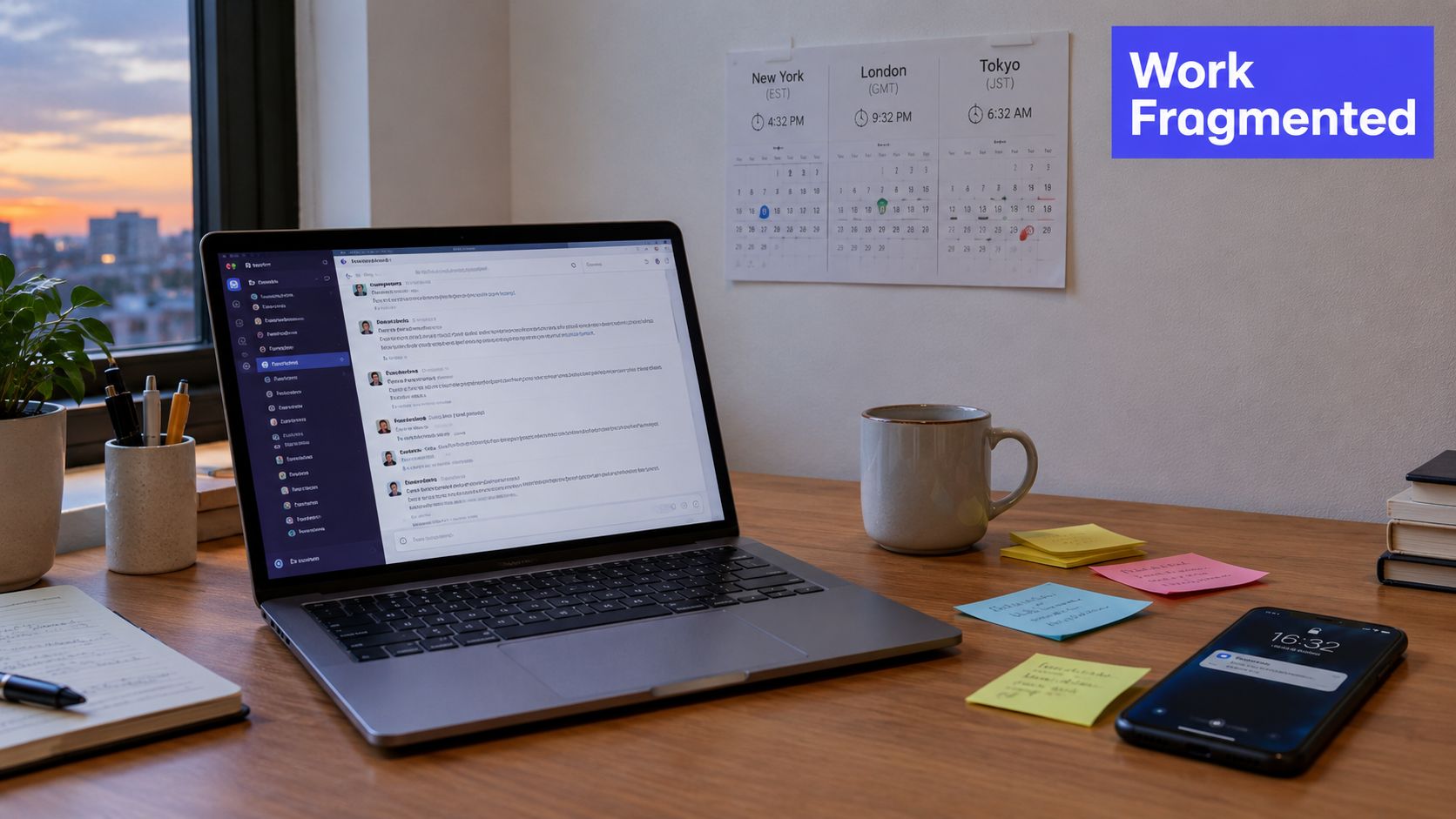
The workday has not become simpler because teams are spread across locations. Microsoft collaboration research coverage summarizes Microsoft's collaboration research, which found that employees spent 57% of their work time in meetings, email, and chat. Teams meetings also increased by about 153% between early 2020 and early 2022, then remained at that higher level instead of returning to earlier norms.
The hidden cost of fragmented tools
A founder coordinating product, fundraising, and hiring may also be conducting a search for top US early stage investors. Each activity creates conversations, decisions, files, and follow-up tasks. If those elements live in separate systems, the team must remember how they connect. The result resembles a map with missing roads: every destination exists, but people lose time finding the route between them.
The cost appears in routine moments:
- Repeated questions: People revisit decisions because the original rationale is hard to locate.
- Unclear ownership: Action items remain in meeting notes instead of entering the workflow where work happens.
- Delayed handoffs: A teammate starts with an outdated document or incomplete conversation.
- Meeting dependence: People schedule another call to reconstruct what an earlier call meant.
The deeper problem is context loss. A message may explain the concern, a document may show the chosen solution, and a task may record the next step, yet none preserves the full decision state. A shared virtual workspace connects those pieces, keeping the reasoning, current artifacts, open questions, and ownership visible as the work changes.
What Makes a Shared Virtual Workspace Different
A shared virtual workspace isn't just a video room with a decorative background. It's an environment where people communicate beside the artifacts they're creating, while the workspace preserves the state of the work as it changes.
A normal video call captures a moment. A chat thread captures fragments of discussion. A document captures an output. An integrated workspace connects those layers. The product manager can explain the customer problem, the designer can show the proposed flow, and the engineer can test an implementation without losing the relationship between the discussion and the resulting artifact.
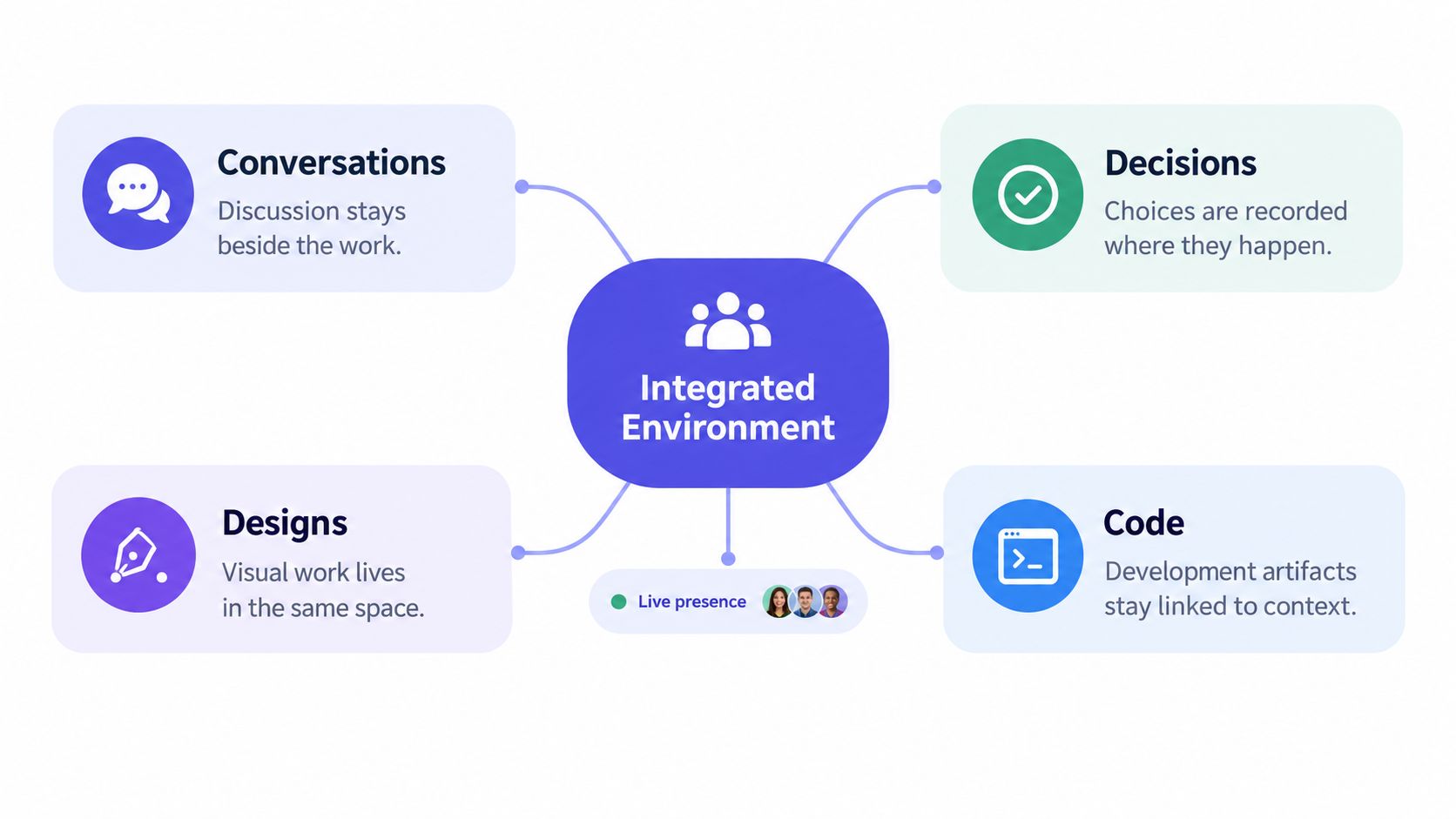
Four connected layers of work
Conversations provide the raw context. Team members can explain constraints, ask questions, and challenge assumptions while the relevant work is visible.
Decisions turn discussion into direction. A decision record should show the chosen option, the alternatives considered, and any unresolved conditions. It doesn't need to become a formal essay. It needs to remain easy to retrieve.
Designs make intent concrete. A prototype, flow, or visual reference belongs near the decision it supports, not in an isolated tool that future collaborators may never open.
Code turns intent into a working product. When implementation remains linked to the original context, an engineer can understand the purpose behind a task instead of treating an issue as an unexplained instruction.
This model also makes the difference between presence and collaboration clearer. Seeing that colleagues are online may help with awareness, but awareness alone doesn't preserve the state of a project. The workspace must show what changed, what remains open, and where the next contributor should begin.
Teams comparing approaches can use the Madeira Remote guide to collaboration as a useful reference for improving remote working practices. For teams that need multiple people editing a shared source of truth, collaborative editing provides a relevant model for keeping work visible while people contribute simultaneously.
Practical rule: If a teammate has to ask where a decision lives, the workspace hasn't preserved enough context.
Why Context Loss Destroys Distributed Team Performance
Distance creates inconvenience. Context loss creates rework. A person can work effectively from another location when they understand the current state of the project, the reasoning behind important choices, and the questions that still need answers.
Research on distributed teams identifies recurring failures around communication and context retention, unevenly distributed information, differences in what people notice, slower access to information, and the tendency to misread silence. These issues are described in the research on distributed work team coordination. Each failure changes how a handoff behaves.
Consider a design review. The designer explains why a familiar interaction was removed because user testing exposed a problem. The engineer sees only the updated mock-up. Later, a stakeholder asks for the old interaction, and the engineer has to reconstruct the rationale from a meeting recording, a chat thread, and a comment in the design file. The team hasn't lost a file. It has lost the relationship between the file and the decision.
Context decays at every handoff
A distributed team usually passes work through several states:
- A person raises a question.
- Several people discuss possible answers.
- Someone makes a decision.
- Another person translates it into design or code.
- A later contributor interprets the result.
If the workspace stores only the final artifact, steps one through three disappear. If it stores only a transcript, the team still has to identify which parts became commitments. If it stores decisions without links to implementation, people can't tell whether the chosen direction was delivered.
That is why knowledge preservation in collaborative teams matters. A useful record doesn't preserve every word equally. It preserves the decision history, the current state, the owner of the next action, and the conditions that could change the decision.
Make retrieval part of the workflow
A new engineer should be able to answer practical questions without scheduling a history lesson:
- What problem are we solving?
- Which option did the team choose?
- What evidence shaped that choice?
- What remains uncertain?
- Which design or code artifact reflects the current state?
When those answers sit beside the work, onboarding becomes an act of tracing rather than archaeology. The same record also helps existing teammates resume work after time away, because they can see how the project moved from one state to the next.
Integration Patterns That Actually Work for Product Teams
A shared virtual workspace should reduce tool friction, not create another island. Product teams already use tools for specific jobs. Cursor supports coding, Figma supports visual design, Slack supports quick messaging, and repositories support versioned implementation. The workspace becomes valuable when it connects those activities without forcing everyone to abandon familiar tools.
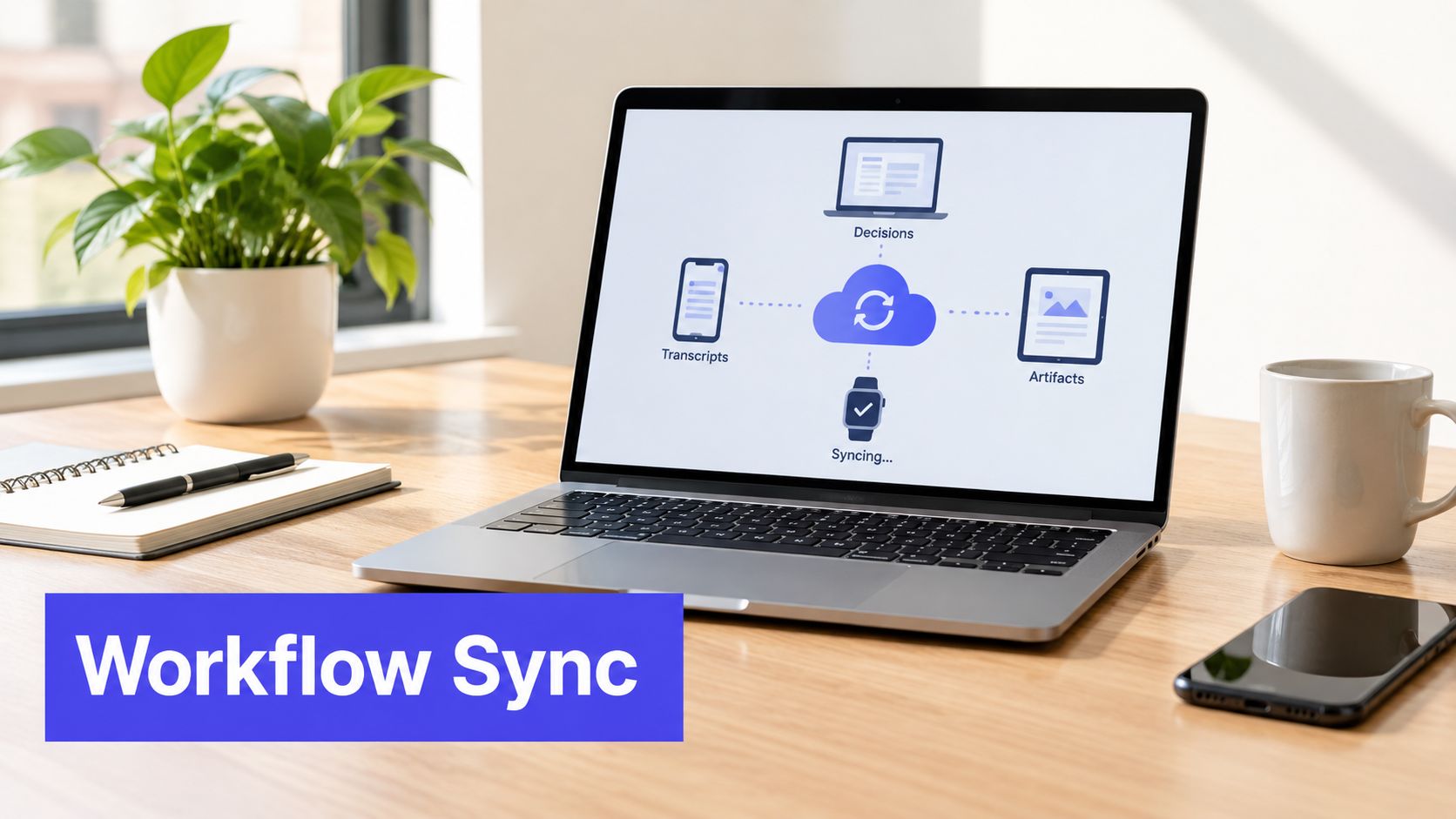
Compare the integration choices
A link-out model keeps each tool separate and places links in a central page. It's easy to adopt, but it often preserves location without preserving meaning. A link tells someone where an artifact is. It doesn't necessarily explain which decision the artifact represents.
A deep integration model pulls selected content into the workspace and connects it to conversations, decisions, and tasks. This creates a stronger context trail, but it requires careful permissions and reliable synchronization.
A local-first model stores decisions, transcripts, and artifacts as accessible files that can move through existing development workflows. This approach can help teams work in their preferred editors and reduce dependence on a single interface. It also makes the project record easier to inspect, update, and carry forward.
The right choice depends on how your team works. A design-heavy team may need direct prototype context. A developer-first team may prioritize code execution, repository links, and traceable technical decisions. A small startup may prefer a lightweight system that doesn't require an administrator to maintain it.
The integration guides for product collaboration offer one example of how a workspace can sit across these workflows rather than replace them. Shared localhost environments can also let teammates review a running application directly instead of relying on screenshots and descriptions.
After the team has captured the decision and connected the relevant artifacts, it should be able to continue working without reopening the same discussion.
Voice memos, unresolved-question lists, and automatically resurfaced follow-ups can support the informal parts of product work, but only if they remain tied to a project state. A spontaneous idea is useful when someone can later see what it relates to, whether it became a decision, and who owns the next step.
Real-World Use Cases for Seed-Stage and Startup Teams
A seed-stage team rarely has the luxury of separating discovery, product management, design, and engineering into carefully bounded departments. One person may facilitate the meeting, another may update the prototype, and a third may implement the first version before the day ends. The workspace needs to match that pace.
Consider a small team preparing a new onboarding flow. During a short product conversation, the founder explains the customer problem, the designer opens the prototype, and the engineer tests a proposed interaction in a shared development environment. The team records the decision, attaches the design, notes an unresolved question about analytics, and assigns the next implementation step before everyone leaves.
That workflow is different from producing meeting minutes later. The notes aren't a retrospective description of what happened. They become a living product record that engineers, designers, and founders can use immediately.
Where small teams gain the most value
Daily product syncs can produce an actionable plan instead of a list of updates. The team captures decisions while the relevant people are present, then links each decision to the work it changes.
Design and engineering reviews can keep the rationale beside the prototype and implementation. The engineer doesn't have to infer why a component behaves a certain way from a screenshot alone.
Customer and launch planning can collect assumptions, open questions, and release constraints in one place. When a question returns later, the team can see whether it was answered or merely discussed.
The economics and operating model matter for startups. A workspace with no seat-based friction and easy guest participation can fit a team that includes contractors, advisors, or early customers. Before choosing a product, leaders can also examine the Thareja Technologies UN project results for a broader example of how collaboration platforms are evaluated in complex environments.
SpecStory, Inc. offers Stoa, a multiplayer AI workspace where product teams capture conversations, decisions, designs, and open questions, then connect that context to code and other working artifacts. Its local-first applications sync decisions, transcripts, and artifacts as plain files, while shared environments support real-time feedback and collaborative execution.
How to Implement Shared Virtual Workspaces Without Chaos
Adoption fails when a team treats a workspace as a software installation instead of a change to its operating habits. Adding another place to write notes won't solve context loss if people still make decisions in private chats and update the official record days later.
Start with one recent project that exposed the problem clearly. Ask where the decision disappeared, which handoff caused confusion, and what information the next person needed but couldn't find. Don't begin by configuring every feature. Begin by identifying the missing context.
Establish a narrow working agreement
Write simple rules that answer practical questions:
- Record decisions at the point of agreement: Capture the choice while the people who made it can verify the wording.
- Separate questions from commitments: An open question shouldn't look like an approved direction.
- Attach artifacts to decisions: Link the design, issue, prototype, or code change that expresses the choice.
- Name the next owner: Every unresolved item needs a person responsible for moving it forward.
- Update the current state: Mark whether work is proposed, accepted, in progress, blocked, or complete.
The team doesn't need a complex taxonomy. It needs consistent signals that make the project understandable to someone who wasn't in the room.
Pilot the behavior before expanding it
Choose a small product stream and run the workspace through a complete cycle, from problem definition to implementation review. Ask participants where they still had to search elsewhere, which records became stale, and which notifications created noise.
A good pilot measures workflow quality rather than vanity activity. Can a teammate find the rationale for a decision? Can an engineer identify the latest design? Can a returning contributor understand what changed? Can the team distinguish a rejected idea from an unresolved one?
Adoption insight: The first version should feel slightly more structured than the old workflow, but not so heavy that people bypass it.
Train the team on the reasoning behind the practice, not just the buttons. People adopt context preservation when they understand that a clear record protects future collaborators from repeating the same investigation. Improve the conventions after each pilot cycle, then expand only when the workspace reflects how the team actually works.
Common Misconceptions About Virtual Collaboration Tools
The first misconception is that visual presence automatically creates collaboration. A virtual room may show avatars, status indicators, or spatial proximity, but those signals don't guarantee that people share an understanding of the work.
A mixed-method pilot of a metaverse-based workspace for an academic health informatics lab found that the environment didn't improve informal communication or create a strong sense of co-location. The authors recommended clearer interaction norms, deliberate space layout, and improvements to technical limitations in their study of virtual workspace use.
Presence isn't the same as context
A person can see who is online and still not know:
- Which decision is active.
- Whether a document is current.
- Why a requirement changed.
- Which question is blocking progress.
- Whether silence means agreement, uncertainty, or absence.
That distinction matters when evaluating a shared virtual workspace. A lively interface may make remote work feel more social, but the core product question is whether the environment helps people recover and update project context.
The second misconception is that more communication solves the issue. More messages can increase the amount of information without improving its organization. Microsoft's collaboration data, cited earlier, shows how much time employees already spend in meetings, email, and chat. Adding activity without improving retrieval can leave people with less capacity to interpret what they receive.
The third misconception is that every team needs to replace its existing tools. In practice, a workspace may work better as a context layer across Figma, Cursor, repositories, and messaging systems. It should make the relationships between those tools clearer rather than forcing the team into an entirely new behavior.
Cisco's global hybrid-work research reports that less than half of employers believe their collaboration tools work well, while employees continue to identify difficulty collaborating with remote colleagues as a major challenge. The Cisco hybrid-work research supports a practical conclusion: selecting a tool is only part of the work. Teams also need norms that turn presence into shared understanding.
Building Your Path Forward with Shared Virtual Workspaces
A product manager joins a meeting and hears a decision about onboarding. Two days later, an engineer asks why the flow changed. The answer sits in a chat thread, while the latest design lives in Figma and the implementation note is buried in a repository. The team has communicated, yet the reasoning connecting those artifacts has disappeared.
A shared virtual workspace addresses that hidden gap. It preserves decision history and current state, so someone working later can recover what changed, why it changed, and what still needs attention. The remote-work data summarized by Great Place to Work describes a sustained distributed-work pattern, which creates lasting demand for collaboration systems built for asynchronous recovery, not only live conversation.
Choose the workspace around the failure
Begin with the breakdown your team sees repeatedly. If decisions vanish, prioritize searchable records and clear rationale. If design and engineering drift apart, connect prototypes with implementation context. If meetings generate follow-up work that disappears, make open questions, owners, and actions visible project state.
The workspace should also fit the tools people already use. A practical environment connects discussion to design, design to code, and code back to a decision review. It should clarify those relationships without requiring every contributor to become an administrator.
Introduce the system gradually. Start with one recurring workflow, agree on a few conventions, and review the results with the people doing the work. A team does not need perfect adoption on day one. It needs a dependable way to replace scattered notes, missing rationale, and repeated explanations.
Meeting volume may remain high even after remote work becomes routine. Digital coordination is now part of how distributed teams operate. The advantage goes to teams that make their working context understandable, retrievable, and connected to execution.
SpecStory, Inc. offers Stoa, a multiplayer AI workspace that connects live conversations with decisions, designs, open questions, and code. Visit withstoa.com to see how your team can preserve context in the same workspace where product discussions become executable work.
Newsletter
Get new posts in your inbox
Bring your team together to build better products. Fresh takes on remote collaboration and AI-driven development.