


A user story epic, a planning concept introduced in 2004, is a multi-iteration container of work that gets decomposed into sprint-sized stories. It connects a strategic outcome to executable backlog items, not to a deliverable itself.
Your team probably has one in the backlog right now. It might be called “Build a smooth checkout experience,” “Improve team collaboration,” or “Modernize billing.” The card sounds important, everyone understands roughly why it matters, and yet nobody can agree what should ship first or what “done” means.
That's where the user story epic earns its place, but only when it reduces confusion. An epic should hold a meaningful outcome and break into independent pieces that a team can estimate, build, review, and release. If it becomes a large bucket for every related thought, it adds process without improving delivery.
Table of Contents
- What a User Story Epic Actually Is
- Where User Stories and Epics Came From
- Epic, Feature, and Story Compared
- When to Create an Epic and When to Skip It
- How to Split an Epic Into Stories That Ship
- Acceptance Criteria and Sizing for Epic Work
- Mapping Epics in Jira, Notion, and PRDs
- Refinement Checklist and Closing Recap
What a User Story Epic Actually Is
A four-person product team has been staring at a backlog card labeled “Build a smooth checkout experience.” They are already three sprints into the effort, but no customer-facing change has shipped. The designer reads the work as a new payment screen. The engineer reads it as a replacement payment service. The product manager expects guest checkout, saved payment methods, coupon handling, and clearer error messages.
The card is too broad to guide delivery. It names an ambition, not a unit of work.
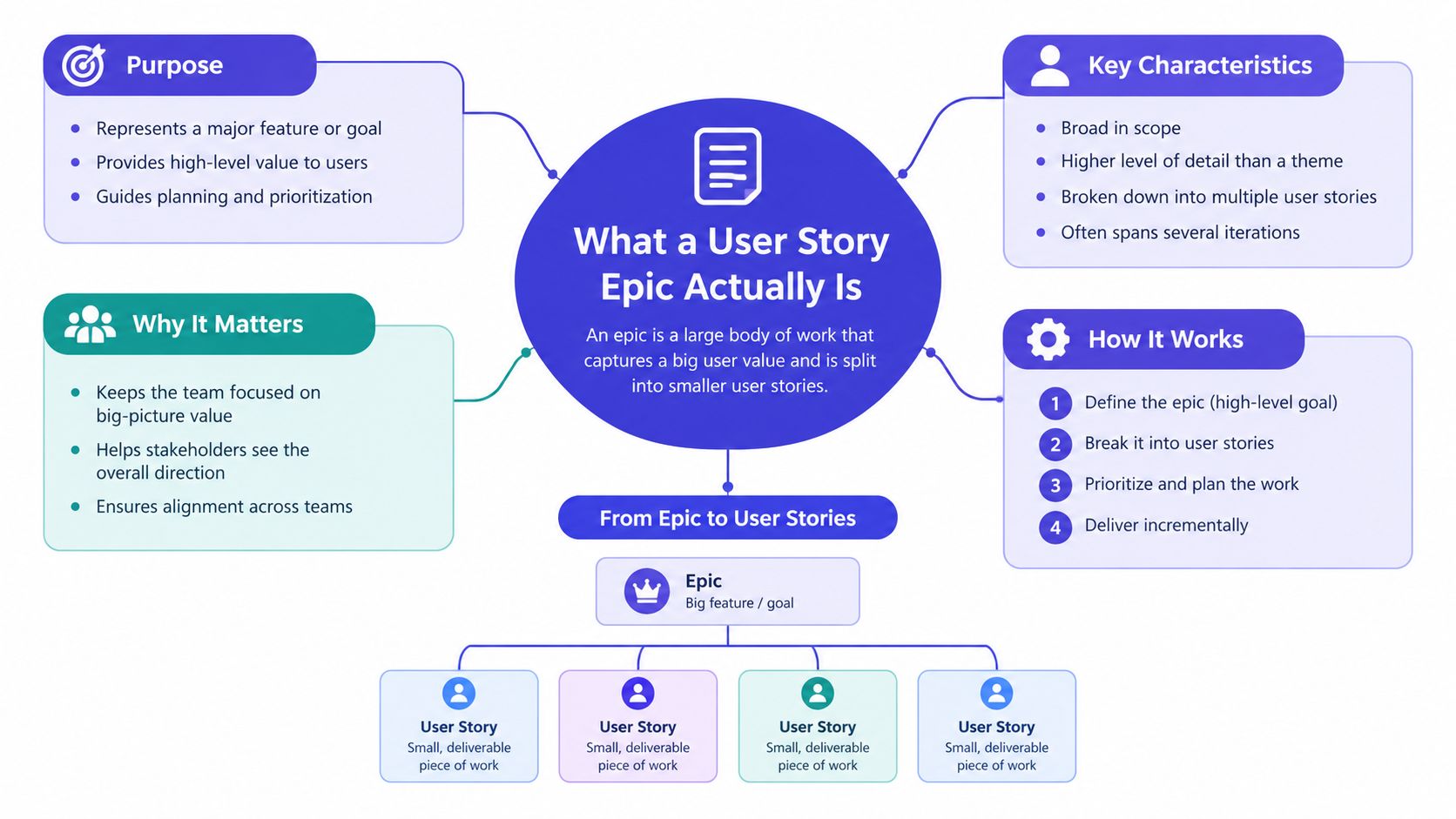
A user story epic is a planning container for work that is too broad to finish in one sprint. The epic captures the capability or outcome, while the stories beneath it break that work into smaller, testable slices of value. Agile Alliance defines an epic as a large user story that cannot be delivered in a single iteration and is commonly split into smaller stories.
The two jobs an epic must perform
An epic earns its place by doing two things well:
- Hold a clear outcome: “Reduce checkout friction for returning customers” gives the team a reason to make decisions. “Checkout improvements” is only a topic label.
- Create decomposable work: The parent item should split into stories that can be implemented, reviewed, and accepted without waiting for one giant final release.
The epic itself usually is not shippable. Customers experience the stories nested under it. A returning visitor selecting a payment method, a guest completing an order, and a customer seeing a useful payment error are all potential increments. The epic gives those increments a shared direction.
Practical rule: If you cannot explain the outcome in one sentence and identify the first independently valuable story, the epic is not ready for refinement.
Use an epic when work spans multiple iterations, involves more than one team, or needs a parent item for strategic tracking. It keeps the connection between a roadmap intention and the backlog items engineers pull into delivery. It also gives stakeholders a place to ask, “Are we moving toward the outcome?” without turning every story into a status report.
The hierarchy should stay simple. A strategic initiative may contain an epic, an epic may contain features or stories, and stories may contain implementation tasks. Small teams do not need every layer by default. The hierarchy exists to make coordination easier, not to make the backlog look mature.
Where User Stories and Epics Came From
A product team starts with a rough request: the checkout flow is too slow, support keeps hearing the same complaint, and engineering needs a way to break the work apart. That pressure is what made user stories useful in the first place.
User stories came out of Extreme Programming as a practical way to describe software from the user's point of view. Kent Beck introduced them on the Chrysler C3 project in Detroit in 1997, and the early wording was later summarized as customers defining scope with user stories, which were treated like use cases. The timeline is documented in the history of user stories.
The original appeal was simple. A team did not need a thick requirements document before starting a useful conversation. A short card could name the person, the need, and the reason it mattered. Product, design, engineering, and testing filled in the missing detail together instead of guessing from a document written long before delivery.
Ron Jeffries' Three Cs, Card, Conversation, and Confirmation, gave the practice a durable shape in 2001. The card captured the intent. The conversation exposed rules, trade-offs, and edge cases. The confirmation set the standard for done. That still holds up because the written story is a prompt for shared understanding, not a full specification.
Why epics appeared later
User stories work well for a small, finishable increment. They get awkward when a product team has to coordinate a broad capability across several iterations. Mike Cohn introduced the epic concept in 2004 as a large user story that could not be delivered in a single iteration, as described in the Agile Alliance's explanation of epics.
That addition solved a practical coordination problem. Teams could keep the user-centered framing of stories while grouping related work under a larger outcome. A story such as “As a returning customer, I can select a saved payment method” stays concrete. The epic, perhaps “Make checkout faster for returning customers,” gives it context and keeps the work from scattering across the backlog.
This is also where small teams should be selective. An epic adds coordination overhead, so it should earn its place. If a narrow problem can be handled by a few strong stories, skip the extra layer and let those stories stand on their own. When the work is broad enough to need shared direction, an epic helps the team keep the pieces aligned without pretending they are one shippable thing.
For readers who want the broader delivery model, this guide to software development with scrum gives useful background on how iterative planning and backlog work fit together.
The main lesson is practical, not historical. Work grew larger than a single team's immediate capacity, so teams needed a way to chunk it without losing the user's perspective. An epic is that chunking mechanism. Use it when it makes the work clearer. Skip it when it only adds ceremony.
Epic, Feature, and Story Compared
Consider a product team building a meal-kit subscription service. The business outcome is to grow recurring revenue from meal-kit subscribers, but that sentence is too broad for a sprint and too abstract for implementation.
The epic might be “Grow recurring revenue from meal-kit subscribers.” It captures the outcome and may include several capabilities, experiments, and operational concerns. A feature beneath it could be “Subscription checkout and billing.” That describes a shippable capability area. Individual stories then describe slices a user can exercise and the team can verify.
Examples include:
- As a returning visitor, I can select a weekly meal plan.
- As a subscriber, I can enter a payment method during checkout.
- As a subscriber, I can update my payment method.
- As a customer, I can see the next billing date before confirming my subscription.
These layers differ by scope, timeframe, ownership, and proof of completion. The exact labels vary across organizations, but the relationship should remain understandable.
Epic vs Feature vs Story at a Glance
| Layer | Scope | Timeframe | Owner | Definition of Done |
|---|---|---|---|---|
| Epic | Strategic outcome or broad body of related work | Multiple iterations or releases | Product leadership with participating teams | The outcome is delivered, measured, and reviewed |
| Feature | A coherent capability that supports the epic | A bounded delivery window, often across several stories | Product manager and delivery team | The capability works as a usable product slice |
| Story | A small, testable increment of user or business value | Fits within one iteration | Cross-functional delivery team | Acceptance criteria and the team's Definition of Done are met |
The distinction matters because teams often mistake a technical layer for a product layer. “Build the billing API” may be necessary, but it doesn't tell you what a customer can do. “As a subscriber, I can add a payment method so that I can complete checkout” gives the technical work a product purpose.
A story shouldn't be forced into a user-story template when another format is clearer. A security investigation, migration, or operational task may be better represented directly. The test is whether the item communicates value, scope, and completion well enough for the next decision.
A hierarchy is healthy when each level can be decomposed into the level below without losing the reason the work exists.
The labels are conventions, not laws. Some teams use initiative, epic, feature, story, and task. Others use only outcome and story. The structure is doing its job when people can trace a sprint item back to a meaningful objective and can explain what will be demonstrably different when it's complete.
When to Create an Epic and When to Skip It
Small product teams often create epics too early. Someone adds a parent item because the tool supports it, then routes every vaguely related ticket beneath it. Months later, the epic has become a parking lot. Nobody knows which stories are essential, which are optional, or whether the original outcome still matters.
That's the failure mode to avoid. An epic is a coordination tax. The team pays it through extra hierarchy, status maintenance, refinement conversations, and reporting. The tax is worthwhile only when it buys clarity that strong stories alone can't provide.
Create an epic when:
- Several teams need a shared parent: Product, platform, design, and data work may need one outcome to coordinate around.
- The work spans multiple iterations: Without a parent, the strategic reason can disappear as individual stories enter and leave the backlog.
- A stakeholder needs outcome-level tracking: A sponsor may need to follow one initiative rather than inspect every implementation ticket.
- Dependencies need sequencing: The epic can expose which capabilities must arrive before others and which can proceed independently.
- The scope is too large for one story: The team needs a container before it can discover all the slices.
Skip the epic when one squad can deliver the outcome within one sprint, when the stories already form a coherent sequence, or when no team outside the squad depends on the work. Skip it too when the proposed epic is merely a theme such as “Improve UX” or “Technical debt.”
The parking-lot test
Ask what would happen if you deleted the parent item. If the child stories still have clear users, outcomes, acceptance criteria, and ordering, the epic may not be buying anything. If deleting it would make ownership, dependencies, or strategic intent unclear, keep it.
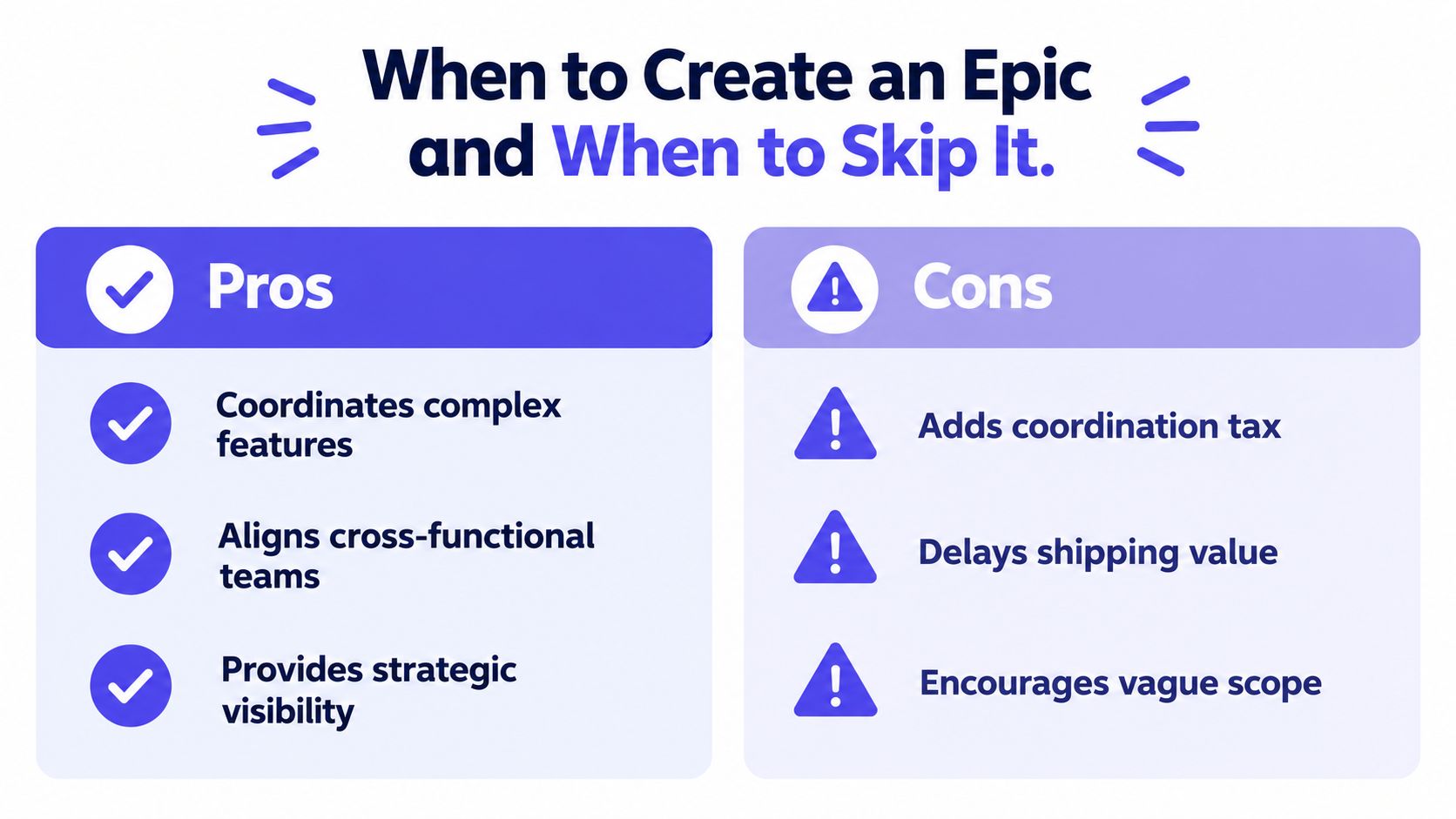
The “epic for everything” reflex creates a subtle delivery problem. Teams start treating the epic as the work and the stories as administrative children. Progress becomes “the epic is 60% complete,” even though no one can say what users can do now that they couldn't do before.
For a small startup, the default should be the opposite. Start with a strong story or a small set of stories. Add an epic when coordination becomes a real problem, not when the backlog tool suggests a hierarchy.
How to Split an Epic Into Stories That Ship
Start with the user journey, not the architecture diagram. A team that splits “Team billing” into database, API, frontend, and QA tickets may produce a tidy technical plan with no independently usable increment. A team that splits by user action can usually find smaller slices that demonstrate real progress.
For a team billing epic, the following techniques turn a broad idea into a workable backlog.
Split by user action
Identify what the person must do. “As a team admin, I can view the current plan” is different from “As a team admin, I can change the plan.” Viewing, selecting, confirming, and downloading each represent distinct interactions that can be discussed and tested.
This approach keeps the story attached to a user goal rather than to the internal component being built. The team can still create tasks for the API, interface, and tests beneath the story.
Separate the happy path from exceptions
Build the golden flow first. For billing, that might mean an admin selects a plan, confirms the change, and sees the new plan reflected in the account.
Validation, failed payment, unavailable plan, permission denial, and empty billing history can become separate stories when they require meaningful behavior and review. Don't use this technique to postpone essential safety or compliance behavior. Use it to make the primary flow visible while ensuring the edge cases remain explicit.
Split by data and entity
A billing flow may behave differently for an individual account, a team account, and an account with a pending invoice. The form may look similar, but the rules, defaults, permissions, and data relationships can differ.
Name the data variation when it changes acceptance criteria. “Display the current plan for an active team account” is more useful than “Build billing details,” because the team can ask what should happen for suspended, trial, or incomplete accounts.
Split by persona
An admin changing a plan and a member viewing billing information are not the same story. They may share a screen, but they have different permissions, motivations, and failure modes.
Keep those flows separate. A story that starts with “As a user” often hides several personas and creates disagreement during acceptance testing.
Split by capability
Some capabilities deserve their own product slice, especially when they can be reviewed independently. Examples include a permission check, an invoice download, an analytics event that confirms a billing action, or a reusable payment-status component.
Use capability splits carefully. “Create endpoint” alone is usually a task, not a valuable story. It becomes a story when the capability supports a meaningful behavior that someone can verify.
A useful team exercise is to write a handful of stories for the team billing epic, then ask whether each can be demoed independently. If every story requires all the others to be complete, the split probably follows technical layers rather than user value. The guidance in this practical guide to creating user stories is useful when the team needs to clarify the user, job, happy path, and failure conditions.
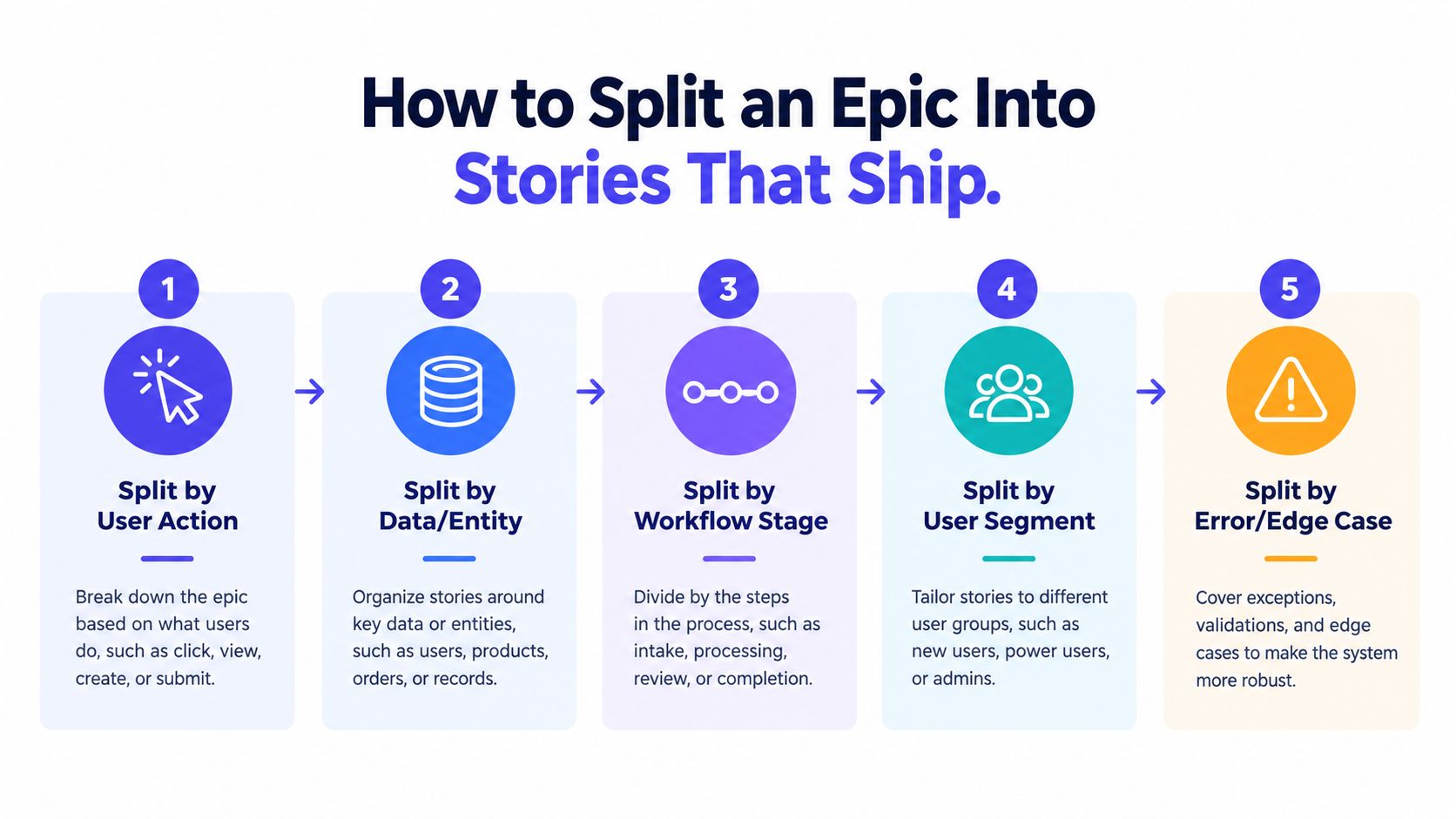
The best split is the one that lets the team finish, demonstrate, and learn from a slice without pretending the entire epic is complete. Stories don't need equal technical effort. They need clear boundaries and an honest path to acceptance.
Acceptance Criteria and Sizing for Epic Work
Splitting an epic adds structure, yet stories remain unclear when acceptance criteria stay implicit or estimates rely on instinct. Write criteria another person can test, using Given, When, Then where it makes the behavior easier to discuss:
- Given a team admin with an active subscription
- When the admin selects a different plan and confirms the change
- Then the account shows the new plan and the next billing state
Include the negative path where it affects the outcome. Define what happens when the admin lacks permission, payment fails, or billing data cannot load. A story with only the happy path can appear ready while important behavior remains undefined.
Use INVEST as a diagnostic
The INVEST checklist helps expose weaknesses in a split. It is a discussion tool, not a ceremonial quality badge.
| Criterion | Question to Ask | Red Flag |
|---|---|---|
| Independent | Can the team deliver this without waiting on an unrelated story? | The item is permanently blocked by another child ticket |
| Negotiable | Can the team discuss the solution and trade-offs? | The ticket dictates every implementation detail |
| Valuable | Does someone receive a clear benefit or risk reduction? | The item is only an internal activity with no stated purpose |
| Estimable | Does the team understand enough to assess the work? | The scope contains unknown rules, systems, or dependencies |
| Small | Can the team finish it within one iteration? | The story contains several workflows or personas |
| Testable | Can someone determine whether it's complete? | The acceptance language uses vague adjectives such as “intuitive” or “user-friendly” |
A story that fails INVEST often shows that the epic was divided poorly. “Improve billing” gives the team too little to estimate or accept. Split it by action, persona, data variation, or outcome until each boundary can support a concrete conversation.
Size stories, not the parent
Estimate stories with story points or another relative method, using reference stories the team already understands. Anchor the discussion to a small, familiar story and a noticeably larger one, then compare new work with those examples. The aim is shared calibration, not false precision.
Avoid estimating the epic in hours. Its contents can be discovered, removed, or reordered, so a precise parent estimate creates confidence without improving the forecast. For a small team, this is also a coordination tax: maintain the parent estimate only when it helps explain scope or make a planning decision.
The epic needs its own Definition of Done. “All child tickets closed” records administration rather than an outcome. A stronger definition can require the capability to ship, its agreed signal to be measured, and the team to review whether it addressed the original problem.
An epic may also be the wrong unit for a small change. If a strong story has a clear user, bounded behavior, testable criteria, and no meaningful coordination benefit from a parent, let it stand alone. The hierarchy should clarify delivery, not force every change into another container.
Teams refining estimation habits can use this guide to story point estimation alongside the INVEST check. Keep the practice lightweight. If sizing takes longer than understanding the story, the team is solving the wrong problem.
Mapping Epics in Jira, Notion, and PRDs
The same hierarchy looks different depending on where the team works. The danger isn't choosing the wrong tool. It's allowing status, narrative, and execution details to drift across several tools without a clear source of truth.
Jira
Jira commonly represents the hierarchy through issue types such as Epic, Story, and Sub-task. In larger configurations, initiatives may sit above epics through parent relationships or higher-level planning features. Teams should confirm how their Jira project models those relationships because terminology and available fields vary by configuration.
The common failure is an orphaned parent. A story may exist in a sprint, while the epic has no reliable relationship to it because the team used the wrong parent field, created a label instead of a hierarchy link, or confused an epic's display name with the field used to associate child issues. Review the actual relationship in the board and issue details, not just the title shown in a filter.
The Jira integration guide can help teams think through how planning context and execution records should connect.
Notion
Notion can model the hierarchy with related databases. An Epics database can relate to Features, and a Stories database can relate to Features or directly to Epics. Rollups can summarize related story status, while formulas can present a completion view.
The risk is nesting too much. A page inside a page inside another page may feel organized, but it becomes difficult to filter, report, or update consistently. Use relations for structure and pages for narrative. Don't make the team hunt through nested documents to find the current acceptance criteria.
PRDs
A PRD should hold the product narrative, problem, users, constraints, decisions, and outcome definition. The linked backlog should hold executable stories and their evolving acceptance criteria.
Copying the entire PRD into an epic field creates stale duplication. When the narrative changes, someone must update two places, and the team eventually trusts neither. Link the epic to the PRD and keep each artifact focused.
| Layer | Jira issue types | Notion database relations | PRD document |
|---|---|---|---|
| Epic | Epic, optionally linked to a higher-level initiative | Epic record related to features and stories | Outcome, problem, scope boundary, and success definition |
| Feature | Feature issue or grouped stories, depending on configuration | Feature record related to stories | Capability narrative and key product decisions |
| Story | Story issue linked to its parent | Story record with status, owner, and acceptance criteria | Backlog reference, not a copied specification |
One practical rule: Pick one source of truth for status and one source of truth for narrative.
The tool should make the relationship visible enough that a developer can find the reason behind a story and a stakeholder can find the current delivery state without asking for a manual translation.
Refinement Checklist and Closing Recap
Use these questions in the next backlog refinement session. Each should have a clear yes or no answer:
- Does the epic have one measurable outcome? If it contains several unrelated objectives, split the initiative or remove the parent.
- Can the team name the first valuable story? If not, the epic is still an aspiration.
- Does every child story pass INVEST? A failure usually points to a poor split or unresolved discovery.
- Are the acceptance criteria testable? Include the expected behavior and the important negative path.
- Can each story fit within one iteration? If not, split by action, persona, workflow stage, data variation, or edge case.
- Does the sizing approach use shared references? Keep relative sizing consistent and avoid pretending the epic has a fixed hour estimate.
- Does the epic Definition of Done point to the outcome? Closing the last ticket isn't enough if nobody checks whether the capability worked.
- Is the epic only a theme label? Delete it if it adds no coordination, sequencing, or reporting value.
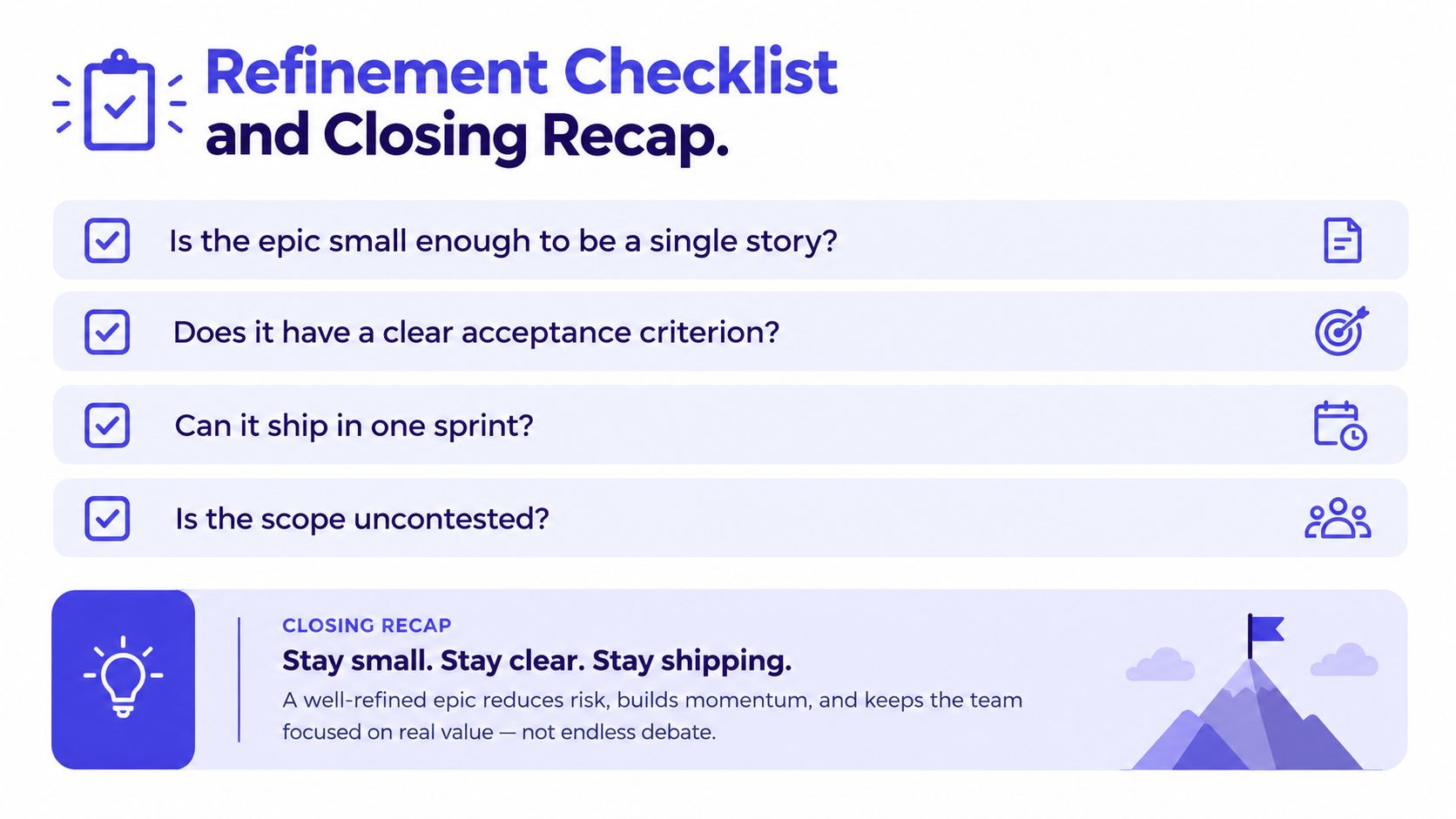
A user story epic is a coordination tool, not a deliverable. It connects a strategic outcome to smaller stories that can ship and be tested, but it shouldn't become a compulsory wrapper around every backlog item.
Small teams should treat epics as opt-in. Pay the coordination tax when work spans multiple iterations, crosses team boundaries, or needs outcome-level visibility. Otherwise, write strong stories, keep the hierarchy lean, and let the team finish valuable work without another layer of administration.
Take one real backlog item into refinement this week and apply the checklist. If the parent doesn't clarify the outcome or make coordination easier, remove it and strengthen the stories instead.
SpecStory, Inc. offers a shared workspace where product conversations, decisions, designs, and open questions become traceable planning context for PRDs and implementation work. Visit SpecStory, Inc. to explore a workflow for turning story discussions into executable context without losing the reasoning behind the backlog.
Newsletter
Get new posts in your inbox
Bring your team together to build better products. Fresh takes on remote collaboration and AI-driven development.