


Cost per meeting equals the number of attendees multiplied by the length in hours multiplied by the loaded hourly rate, so six people in a one-hour meeting at a $60 loaded rate costs $360, and the same meeting held once a week runs to $18,720 over a year. Annualising is what turns a number nobody argues with into a number somebody acts on.
You know the meeting. It sits on the calendar every Wednesday at 10, blocked as 30 minutes, and it has never once finished before 10:50. Nine people are on the invite, two of them stay muted the whole time, and last week's action items are still open in a doc nobody has read. Nobody has asked what it costs, because the calendar shows time and time feels free until you price it.
A meeting cost calculator prices it. Not to shame anyone, and not to cancel everything. It converts a recurring calendar event into a figure you can hold next to the value of what comes out of it, so the argument about whether the meeting earns its slot moves from vibes to arithmetic. Then, if you build it properly, it adds the two costs most tools skip: the deep work the meeting interrupts, and the decisions it fails to make.
Table of Contents
- The Meeting Cost Formula and Annual Totals at a Glance
- How to Gather Inputs for an Accurate Estimate
- Seniority Mix and Overhead Multipliers Shift the Total
- Flow Cost Alongside Payroll Cost
- Decision Latency Behind Every Meeting
- Worked Examples for Three Common Meeting Types
- Decide Which Meetings to Cut, Keep or Fix
The Meeting Cost Formula and Annual Totals at a Glance
The one-line formula hides a step. You don't multiply one team average by headcount. You build a row per attendee or per role, multiply that row's loaded rate by the hours the person spends, then sum the rows. When everyone costs about the same, the shortcut is honest: $60 an hour loaded, one hour, six people, $360 for the single meeting.
The shortcut stops working as soon as seniority mixes in the room. A staff engineer at a senior loaded rate and a designer at a junior one spend the same hour at wildly different prices, and a team average splits the difference in a way that hides which meetings are eating the budget. Use bands per role rather than real salaries. It keeps pay private and rarely changes the decision.
Then there's frequency, which is where a shrug becomes a decision. The same $360 meeting, priced at four common cadences:
| Frequency | Occurrences per year | Cost per meeting | Annual total |
|---|---|---|---|
| Once per week | 52 | $360 | $18,720 |
| Every two weeks | 26 | $360 | $9,360 |
| Monthly | 12 | $360 | $4,320 |
| Every workday | 250 | $360 | $90,000 |
Look at the first row and the last row. Same people, same length, same rate. One is the price of a decent laptop. The other is a hire.
In 2024, Reclaim AI estimated the average annual cost of meetings at $29,129 per employee, based on a survey of more than 1,300 professionals, in its smart meetings report. That average is the reason to annualise everything. A weekly half hour you'd never defend line by line in a budget meeting is exactly the kind of line item a payroll total makes visible.
Run this check today: list your three most frequent recurring meetings, multiply attendees by actual hours by loaded rate, then by 52. If the total surprises you, the meeting has been invisible, not cheap.
How to Gather Inputs for an Accurate Estimate
The arithmetic is easy. Inputs are where estimates fall apart. A meeting cost calculator is a labor-cost model: it multiplies duration, attendee count and each participant's loaded compensation to reach the value of the time consumed, which is the framing Microsoft's 2023 Work Trend Index uses when it reports that employees spent 57% of work time communicating through meetings, email and chat, against 43% creating documents, spreadsheets and presentations. The same analysis found the heaviest meeting users spent 7.5 hours a week in meetings. Time is the raw material. Count it properly.
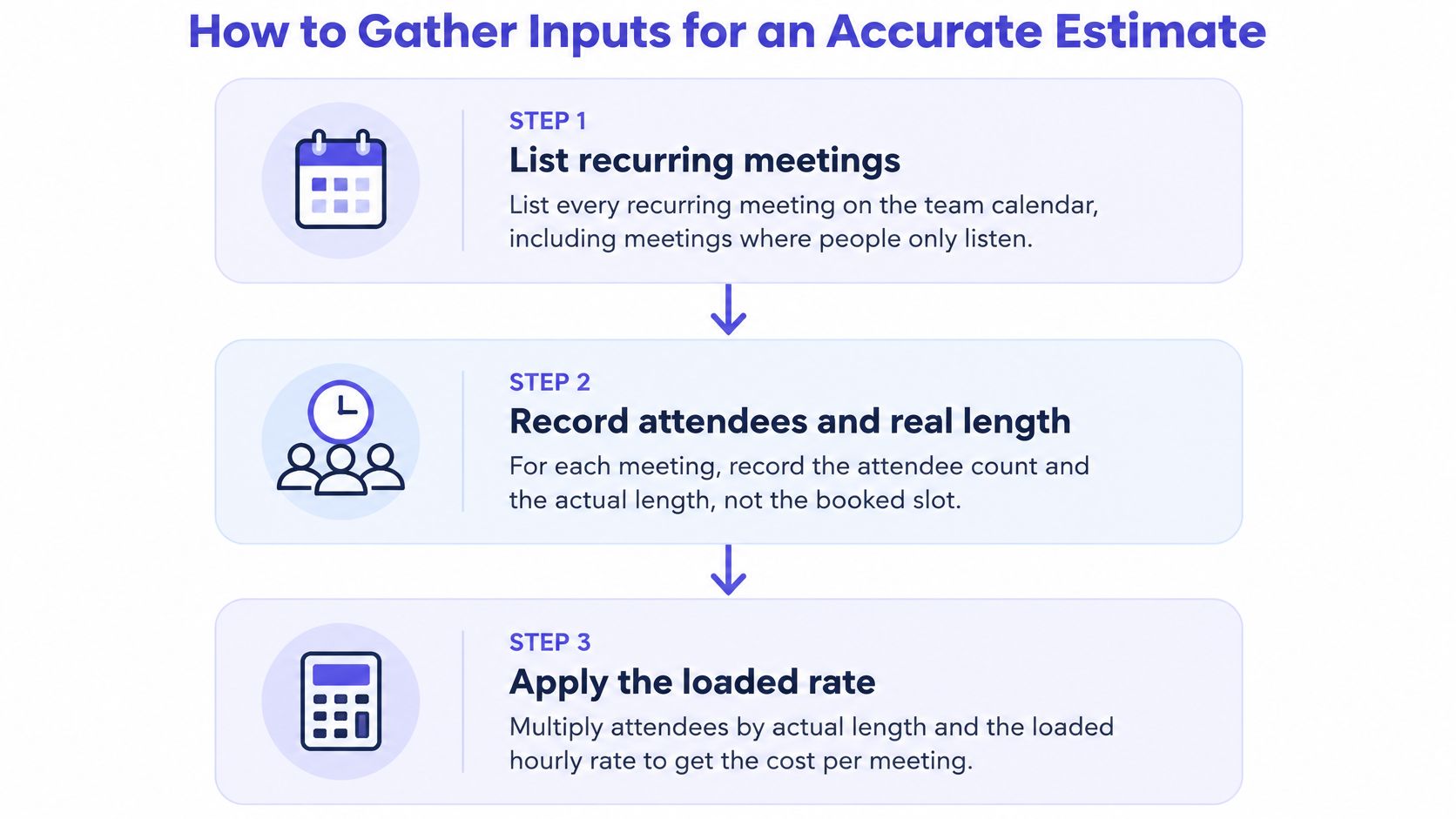
Here's the input list I'd hand to anyone building their first sheet.
- List every recurring meeting on the team calendar, including the ones where people only listen. Listening is paid attendance. The estimate covers meetings across your team, not just the ones you personally sit in.
- Record attendees and the actual length. If your 30-minute sync reliably runs 50 minutes, enter 50. A calendar export gives you the booked slot, so ask two attendees what happens.
- Build a loaded hourly rate. Annual salary divided by about 2,080 working hours gives the wage rate. Multiply by the benefits and overhead factor your finance team uses, because salary alone understates what a person costs.
- Assign rates per role. One average for the whole company makes an engineering review look identical to an all-hands, and they aren't.
- Sum across the team, not your own calendar. A team-level number is the only one that survives a conversation about cutting anything.
Why attendee hours are the unit that matters
A one-hour meeting with ten people consumes ten labour-hours before preparation, follow-up or interruption costs exist. That's the reason the calculator multiplies attendees and hours rather than counting events. A room of ten at a $60 loaded rate multiplies that rate by ten, and you'd feel it if it arrived as an invoice.
When you can't get clean numbers
Most small teams can't pull calendar data and salary bands in the same afternoon. Use labelled defaults and replace them later. In 2024, 59% of enterprise employees spent at least five hours a week in meetings, against 32% of small and medium-sized-business employees, according to Calendly's State of Meetings report, and 78% of workers said they were expected to attend too many meetings, according to Fellow's State of Meetings report citing Atlassian research. Five hours per person per week is therefore a defensible starting assumption.
If finance can't give you an overhead multiplier, divide base salary by 2,080 and write "overhead excluded" in the note. A stated limitation beats an invented percentage.
Reproducibility test: hand your sheet to a colleague who wasn't in the room. If they can't rebuild your total from the inputs written down, the inputs aren't documented, they're remembered.
Seniority Mix and Overhead Multipliers Shift the Total
The number in the room is rarely the number that matters. A widely cited Bain & Company analysis found that meetings consumed about 15% of an organization's collective time, that participants judged roughly half of them unnecessary, and that one weekly standing meeting of mid-level managers was estimated at $15 million a year in lost productivity once attendee time and the preparation and follow-up meetings it triggered were counted, as summarized in this collection of meeting cost research. The gap between the room and the total is the whole lesson.
Build the overhead stack line by line with the same six-person example at a $60 loaded rate.
- Direct attendance: six people, one hour, $360.
- Organizer preparation: 30 minutes at the organizer's rate, $30.
- Follow-up: a 30-minute recap with three attendees, $90.
The meeting now reads $480, a third more than the room cost. Same meeting, different story.
Label every line with where it came from. Direct time comes from calendar data. Preparation comes from the organizer's own estimate of what they do. Follow-up comes from a stated habit, not a guess about how often people tidy up afterwards. Where a multiplier has no source, set it to none and say so in the note. An honest zero is more useful than an invented 20%.
Seniority is the second lever. Fill the same hour with directors instead of juniors and the direct cost doubles or triples before overhead is added, which is why a short leadership meeting can outprice a long team session.
Rule that saves arguments: report the direct cost and the overhead as two separate lines. Anyone who disagrees with an assumption can change it without throwing out the whole calculation.
Flow Cost Alongside Payroll Cost
Payroll math answers "what did this hour cost". It doesn't answer "what did this hour cost in work that never happened". That second question is where most calculators stop short, and where a 2025 mixed-methods study of software-engineering teams found evidence: 61.8% of respondents experienced at least moderate disruption to work flow, and 76.4% reported lower productivity on high-meeting days, with unclear purpose and excessive duration as the leading frustrations, per the ESEM 2026 study on meetings in software teams.

So treat the calculator as two models, not one. Attendance cost is paid time and you can price it from a rate card. Flow cost is lost focus, and it depends on who gets interrupted and what the interruption lands in the middle of. A 30-minute meeting is cheap to a support lead answering tickets and expensive to an engineer holding a complex model in their head.
Don't apply a generic recovery penalty to every participant. That's the shortcut that makes flow estimates easy to dismiss. Instead flag the meetings that break concentration-heavy work, weight engineering and design roles differently, and report a range with the assumption stated rather than a precise dollar figure.
| Cost type | What it measures | How to estimate | How to report |
|---|---|---|---|
| Attendance cost | Paid time of every participant | Attendees × length × loaded rate | One figure with the rate stated |
| Flow cost | Lost focus and fragmented deep-work blocks | Affected concentration roles, meeting timing and blocks interrupted | A range with a confidence level |
| Combined view | Both costs together | Sum only when both are sourced | Two numbers, never one blended score |
Two meetings, priced identically. A 30-minute status call at 11:00 sits between two coding blocks and costs a full afternoon of fragmented attention. A similar 30-minute call at 15:30 resolves a dependency that's blocking three people. Cut the first, keep the second. Same price, opposite verdict.
If you want to understand the mechanism behind the first meeting, the way switching tasks drains output is worth reading about in this guide to what context switching does to a team. Then watch the difference between price and cost in the video below.
Decision Latency Behind Every Meeting
The cheapest meeting on your calendar can be the most expensive one you run. A 60-minute session that ends in ambiguity spawns two follow-ups, delays a decision by a week, and leaves five people waiting. A 60-minute session that closes a question for good pays for itself before lunch. Cost per hour says nothing about either, because latency lives outside the room. The full ESEM study on decision and execution latency makes the point plainly: the cheapest meeting may still be costly if it delays execution, while an expensive meeting can have a positive return when it collapses uncertainty and produces traceable work.
What to measure instead of just hours:
- Cost per resolved question, approved decision, shipped change or avoided rework, rather than cost per meeting.
- Time from the meeting to the first agreed action reaching implementation, because a decision that ships in three days is cheaper than one that ships in three weeks.
- Recurring meetings whose outputs keep getting reopened, since a reopened decision means the last meeting didn't decide anything.
Three fields turn any calculator into a decision tool. Decision made (yes or no). Owner named (a person, not a team). Days to first action (the number that exposes drift). Add them to a sheet and expensive meetings stop looking alike.
Practice that pays for itself: every open question leaves the room with an owner and a deadline before the meeting ends. That's the rule our Feature Kickoff template follows, and it's also why the template asks for the brief to go out at least 48 hours ahead.
For teams also worrying about how the decision lands on the calendar afterwards, these smarter schedule optimization strategies cover where to place the follow-up so it doesn't recreate the problem. And if decisions keep reopening, the gap is usually in the process rather than the people, which this guide to a collaborative decision-making process addresses directly.
Worked Examples for Three Common Meeting Types
Three meetings, the same calculator, three different verdicts. The arithmetic is below so you can check it against your own rates.

The weekly team standup
Six people, 30 minutes, $50 loaded rate. One meeting costs $150, and at 52 occurrences that's $7,800 a year. Cheap per instance, large across a year. Add the latency fields: if the standup produces two blocked items unblocked and a named owner each time, it earns its keep. If it produces a recital of what everyone already wrote in the tracker, the count is 52 and the decision count is zero.
Quarterly planning
Twelve people, three hours, an average $75 loaded rate. Each session costs $2,700, and four sessions a year come to $10,800. This is the expensive meeting that is usually worth it, because planning resolves dependencies that would otherwise cost weeks. The test isn't price, it's output. Ask how many decisions came out of the last planning session and how many of them shipped.
The weekly customer call
Three people, 45 minutes, a blended $90 rate including an account lead and an engineer. Each call costs $202.50, or $10,530 a year. Worth it if each call ends with a documented next step and a named owner on your side. Wasteful if the notes take longer to write than the call took to run, which is the failure mode nobody prices.
Set all three side by side and the question answers itself: which one would you cut first, and can you say what you'd lose? That sentence is the entire point of putting a number on the calendar.
Decide Which Meetings to Cut, Keep or Fix
Cut a meeting when its annual attendance cost is high and it produces no decision and no owner. Fix it when the decisions matter but the length, the attendee list or the preparation is wrong. Keep it when a resolved dependency or avoided rework clearly justifies the price.
The five steps:
- Pull four weeks of calendar data for the whole team.
- Enter attendees, real length and per-role loaded rates for every recurring meeting.
- Sort by annual cost so the three most expensive standing meetings are visible.
- Add decision made, owner named and days to first action to the top ten.
- Mark each one cut, keep or fix, and give every fix an owner and a date.
You can run that in a spreadsheet, or in our own estimator, which starts from ten team meeting hours a week, about 43 hours a month, at $217 per month for the example team, and then lets you swap in your real numbers. Stoa prices at $5 per meeting hour with no per-seat charge, and guests attend free. Setup takes one step: create a Space, invite a teammate, and run the next meeting in it, with no configuration required. New users start with $50 in credit and can invite as many people as they want. For the discipline behind that final step, this guide to meeting best practices covers the agenda and follow-up habits that keep a fixed meeting worth fixing.
Before the next weekly meeting on your calendar starts, price it. Ten seconds of arithmetic gives you a choice: cut, keep or fix.
SpecStory, Inc. builds Stoa, a meeting room workspace where the conversation, the decisions and the drafted spec land in the same place, so the cost of a meeting and what it produced can be reviewed together. Pricing runs at $5 per meeting hour with no per-seat charge and free guest access, which means the attendee cost you calculated above can sit next to the tool cost instead of in a separate conversation. Start with $50 in credit at SpecStory, Inc. and price the next meeting on your calendar before you open it.
Newsletter
Get new posts in your inbox
Bring your team together to build better products. Fresh takes on remote collaboration and AI-driven development.