


Your team agreed on a pricing change on Monday. By Thursday, someone is explaining it again in chat, someone else is building the old version, and nobody can find the note that settled it. That gap between deciding and shipping is where small teams lose time, and it's the problem team productivity software should solve.
Table of Contents
- What Team Productivity Software Covers
- Core Capabilities and the Problems They Solve
- Selection Criteria That Separate Useful Tools From Busywork
- What Team Productivity Software Costs Per Month
- Metrics That Show Whether Software Helps Shipping
- How to Roll Out Team Productivity Software in Two Weeks
- Decide Whether an Integrated Meeting-to-Code Workspace Fits Your Team
What Team Productivity Software Covers
Say your Monday call ends with a clear decision. By Thursday, an engineer asks why the price changed, a designer can't find the final copy, and you repeat the same explanation. The work didn't stall because people were slow. It stalled because the context lived in three heads and a fading chat thread.
Think of team productivity software as a shared kitchen counter. The recipe, the timer, and the shopping list sit in one visible place instead of in separate memories. In product terms, it's the shared layer where your team plans work, talks, keeps documents, links code to tasks, and records decisions so they stay visible after the meeting ends.
That layer is already normal for software teams. In JetBrains' 2023 Developer Ecosystem survey, 60% of respondents used a team collaboration, task-management, project-management, or workflow-management tool, and 27% reported adopting a tool in that category during the previous 12 months, up from 16% in 2022. Teams aren't settling on one app. They're still replacing and expanding how they coordinate.
The Categories at a Glance
| Category | Common examples | What it holds | When a small team needs it |
|---|---|---|---|
| Task and project tracking | Jira, Asana, Trello, Basecamp | Tasks, owners, due dates, priorities | As soon as more than one person owns work |
| Team communication | Instant messaging and video calling | Conversations, quick updates, calls | Always; 85% of developers in the JetBrains 2023 survey used these |
| Shared documents | Confluence, Google Docs, Microsoft 365 | Specs, notes, wikis, decision docs | When specs are written before code; 25% to 28% used these tools in the survey |
| Source-code collaboration | Git hosting and code review | Code, pull requests, review comments | Any team that ships code; 76% used these tools |
| Meeting-to-decision capture | Meeting workspaces such as Stoa | Decisions, open questions, specs, transcripts | When decisions get lost between meetings and the first commit |
If you're weighing the tracking layer specifically, you can compare project management tools for Mac to see how desktop options differ before you add another browser tab.
Find where decisions currently get lost. That gap is the category to fill first, not the longest feature list.
Core Capabilities and the Problems They Solve
Bad handoffs are expensive at any scale. In Atlassian's State of Teams report, ineffective collaboration was estimated to cost Fortune 500 companies 25 billion work hours annually in 2024. For a small team, the same waste shows up as repeated explanations. Think of it as a relay race. The baton is context, and every dropped handoff costs time.
Shared task state fixes the question of who owns what. Give each piece of work one owner and one status. When the pricing change has a named owner, nobody asks in chat whether it's started.
Durable decisions fix the meeting that evaporates. Log what was decided, by whom, and when, in one sentence. On Thursday, your engineer reads the log instead of restarting Monday's debate.
Keeping Context Moving
Asynchronous updates fix waiting for a call. Write status once where everyone can read it, including teammates in other time zones. For a broader look at that layer, our guide to team communication tools and async habits covers how teams reduce live check-ins without losing alignment.
Searchable documents fix the spec nobody can find. Link specs and notes to the task they describe, so the pricing rationale sits next to the pricing ticket, not in a personal drive folder.
Links from discussion to code fix the broken chain from talk to shipment. Connect each decision to its ticket, design, and first commit. Then anyone can trace why the shipped change looks the way it does.
Apply one test in every demo. After the meeting ends, does each capability still work without someone staying late to write notes? If it doesn't, you haven't bought a capability. You've bought homework.
Selection Criteria That Separate Useful Tools From Busywork
Feature counts mislead small teams. Six criteria predict whether a tool will still be used in three months.
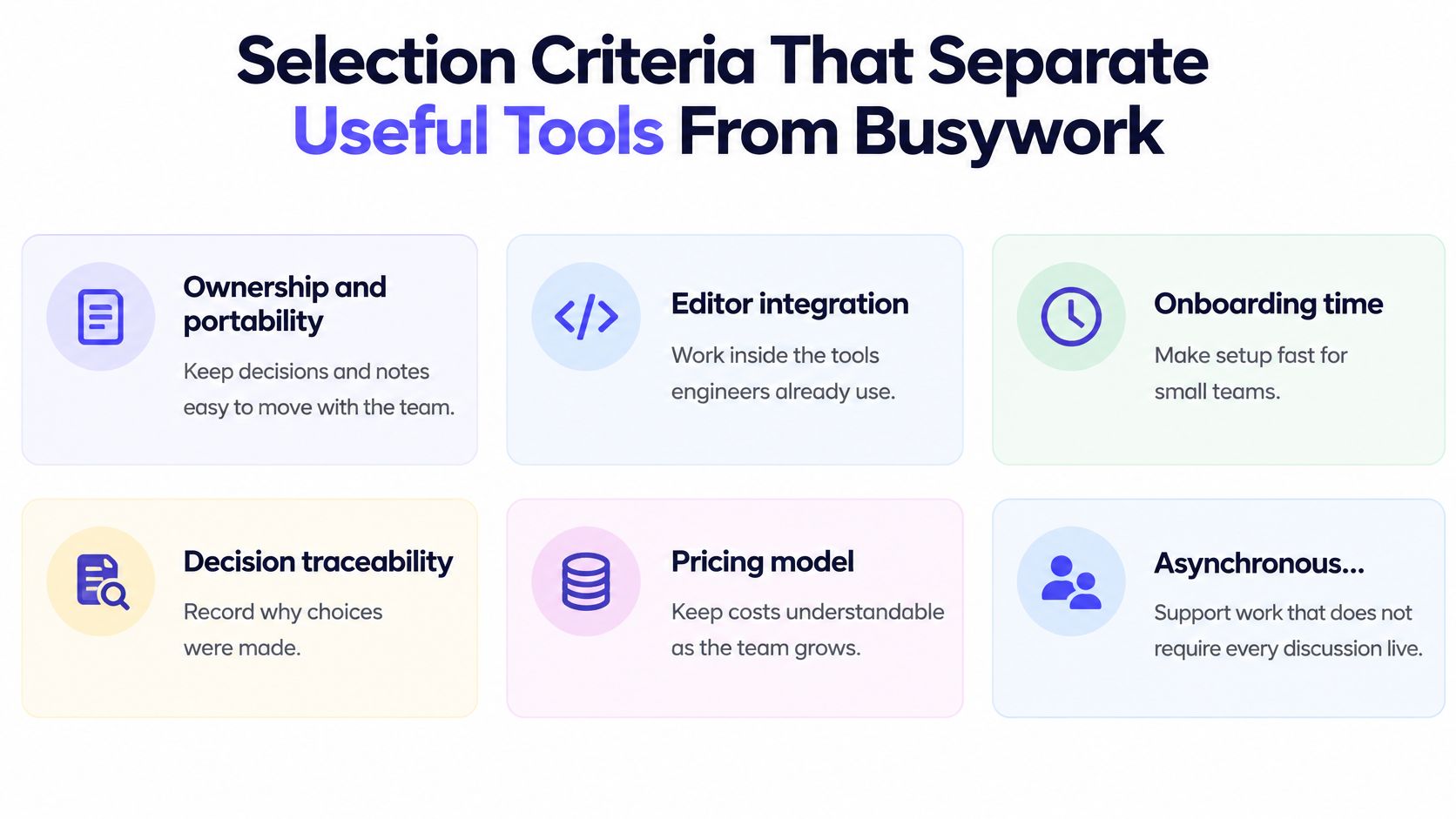
Ownership and portability matter most at seed stage, when you'll likely change tools. If decisions live in plain, exportable files, they outlast the tool that captured them. Editor integration matters next. If engineers must leave Cursor, VS Code, or their coding agent to find context, you've added a destination instead of removing one.
| Criterion | What to check | Red flag | Why it matters |
|---|---|---|---|
| Ownership and portability | Can you export plain files or Markdown? | Data only inside a proprietary database | Limits lock-in when the team changes tools |
| Editor integration | Does context open in Cursor, VS Code or a coding agent? | Engineers must visit a separate app to read context | Keeps context where engineers already work |
| Onboarding time | Can a new hire use it on day one? | Admin setup or training required before first use | Matters most for teams that hire quickly |
| Decision traceability | Does each decision link to its source conversation? | Decisions exist only in chat threads | Makes it possible to audit why work was built |
| Pricing model | How the bill scales with people or hours | Cost rises with every seat, including quiet members | Keeps the budget predictable as the team grows |
| Asynchronous capture | Are decisions captured without manual notes? | Someone must write summaries after each meeting | Manual upkeep stops within weeks |
A Three Tool Test You Can Run This Week
- Pick three tools from different categories: Don't compare three versions of the same idea.
- Run the same real meeting through each: Use actual decisions, not demo data.
- Return a week later: Count how many decisions and open questions you can still find in under a minute.
A structured product management software comparison helps you score those results side by side.
Practical rule: Drop any tool that needs a manual update after every meeting. That work will stop within a month, and the tool will quietly become another archive nobody trusts.
What Team Productivity Software Costs Per Month
Price models differ more than price levels, and the model decides whether your bill stays predictable. A cheap seat price can become expensive when every contractor, advisor, and quiet stakeholder needs an account.
| Pricing model | How it bills | Example | Watch for |
|---|---|---|---|
| Per seat per month | A fee for every user | Task and chat tools billed per active user | The bill grows with every new hire, including inactive accounts |
| Per meeting hour | A fee for each hour of meetings held | Stoa: $5 per meeting hour, no seats, no tiers; estimate of 10 team hours per week (about 43 per month) comes to $217 per month | The estimate counts all team meetings, not only your own |
| Free tier with starting credit | Free to start, paid after credit or limits | Stoa: $50 credit for new users; free guest access; SpecStory Cloud has a free tier | Check what happens when the credit or free limit ends |
| Bundled per-team pricing | One fee covers the whole team | A suite covering chat, docs, and tasks under one team fee | Confirm which features and integrations are included |
Modeling Your Own Bill
Count recurring meeting hours across the whole team for a typical week. Multiply by the rate, then add a buffer for a busy month. The estimator example above uses 10 team meeting hours per week, about 43 hours per month, for an estimated team cost of $217 per month, and it counts all meetings across your team, not just the ones you attend.
New users can start free with $50 in credit and invite as many people as they want, which makes that first month easy to model against real usage. If you're sanity checking how seat based suites scale, the DataLunix guide to Freshworks pricing shows how tier features change the true per seat cost.
Ask every vendor one question before you sign. What happens to the bill when headcount doubles? If the answer is vague, your budget isn't predictable yet.
Metrics That Show Whether Software Helps Shipping
More activity isn't proof of better shipping. That distinction matters before you judge any tool.

In a 2025 analysis summarized in Cerbos's article on the productivity paradox of AI coding assistants, teams with high AI adoption handled 9% more tasks and produced 47% more pull requests per day, yet that pattern can indicate more parallel work and context switching. The same summary notes a randomized study where AI-assisted experienced open-source developers were 19% slower, and 66% of surveyed developers said their biggest AI frustration was output that was "almost right".
Treat productivity as coordination-to-commit velocity, the speed from a decision to a shipped, validated change. These five metrics track that path.
| Metric | How to measure it | Baseline to record | Warning sign |
|---|---|---|---|
| Decision-to-first-commit time | Days from a logged decision to its first commit | Four weeks before rollout | Commit count rises while this time stays flat or grows |
| Rework rate | Share of pull requests with major review changes | Last eight weeks | Rising after faster output or AI drafts |
| Unresolved question age | Days each open question stays unanswered | Current backlog | Questions older than two weeks with no owner |
| Repeated questions | Same question asked in two or more threads in a week | Weekly count | Not falling after four weeks of use |
| Uninterrupted focus hours | Focus blocks of at least 90 minutes per engineer per day | Calendar audit | Fewer than two hours per day across the team |
The short walkthrough below shows how a team reviews those signals together instead of arguing from impressions.
Record baselines for four weeks before you adopt anything. Judge the change against your own history, not an industry average that came from a different team size, codebase, and meeting load.
How to Roll Out Team Productivity Software in Two Weeks
Don't change every meeting at once. Run a small pilot you can measure, using steps modeled in our workflow streamlining guide for small teams.
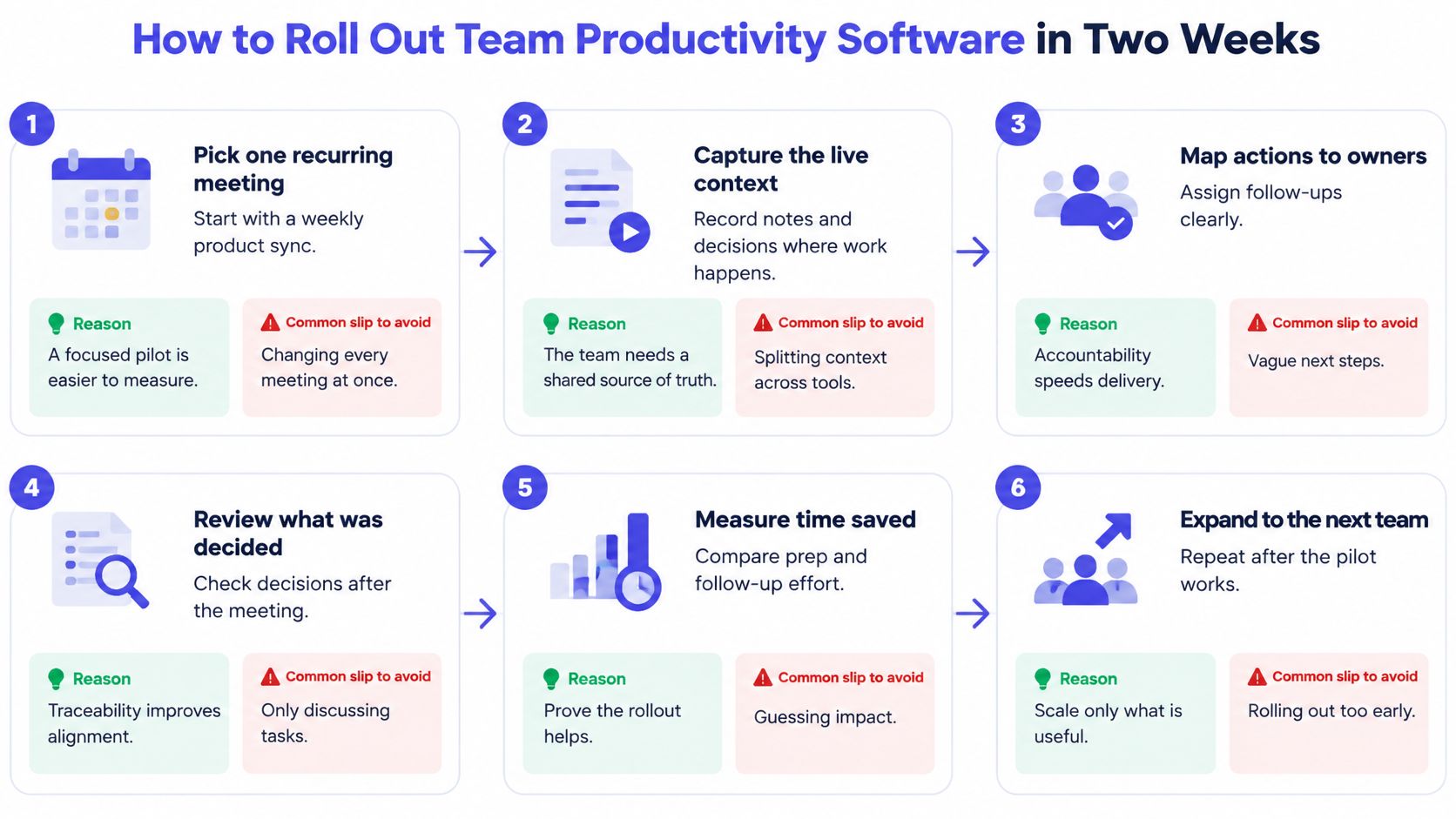
- Pick one recurring meeting: Choose your weekly product sync. The Product Leadership Sync template is designed for a meeting of 60 minutes held weekly or biweekly, which fits that cadence. Avoid the slip of picking a meeting nobody attends consistently, because you'll have nothing stable to measure.
- Create one shared space and run the meeting there: Create a Space, invite a teammate, and run the next meeting in it, with no setup or config required. Don't discuss the same meeting in chat afterward, or you'll split the context you just captured.
- Log every decision with an owner and date: Keep each entry to one sentence. The slip is logging only when someone remembers, which recreates the Thursday re-explanation problem.
- Give every open question an owner and revisit date: Unowned questions age and get lost. A named owner turns a loose end into a trackable item.
- Link work to its decision when work starts: Attach the spec, ticket, or first commit to the decision it came from. Linking only after review is too late, because reviewers need the why while they're reviewing.
- Review at the end of week two: Check which decisions reached a commit and which stalled. Then decide to keep, adjust, or drop the tool based on that evidence.
Keep Expectations Honest
AI help can speed up a bounded task without speeding up delivery. In a controlled experiment with software developers, access to an AI pair programmer reduced the time required to implement an HTTP server in JavaScript by 55.8%, with the treatment group averaging 71.17 minutes versus 160.89 minutes for the control group and a p-value of 0.0017. That measures one programming task, not end-to-end product delivery.
Judge your rollout on your own cycle time, first-commit latency, and rework. Success after two weeks is simple. Every meeting decision is logged with an owner and date, and you can name which decisions reached a commit.
Decide Whether an Integrated Meeting-to-Code Workspace Fits Your Team
Start with a portability question. How can your team make shared context portable, traceable, and useful inside existing editors without creating another place engineers must maintain?
Tool sprawl makes that question urgent. In Stack Overflow's 2025 survey summary on the productivity paradox, 35% of developers juggle six to ten tools daily, and only 17% of AI-agent users said agents improved team collaboration, despite 69% reporting personal productivity gains. Individual speed isn't the same as shared understanding.
Centralized Versus Local-First
- Centralized cloud workspaces: Strong on discoverability and onboarding, weaker on portability if your history can't leave the system.
- Local-first, file based workspaces: Strong on auditability and low lock-in, and they let engineers open context where they already code.
- The deciding test: Can you connect a discussion to the actual code and design change it produced, months later, without archaeology?
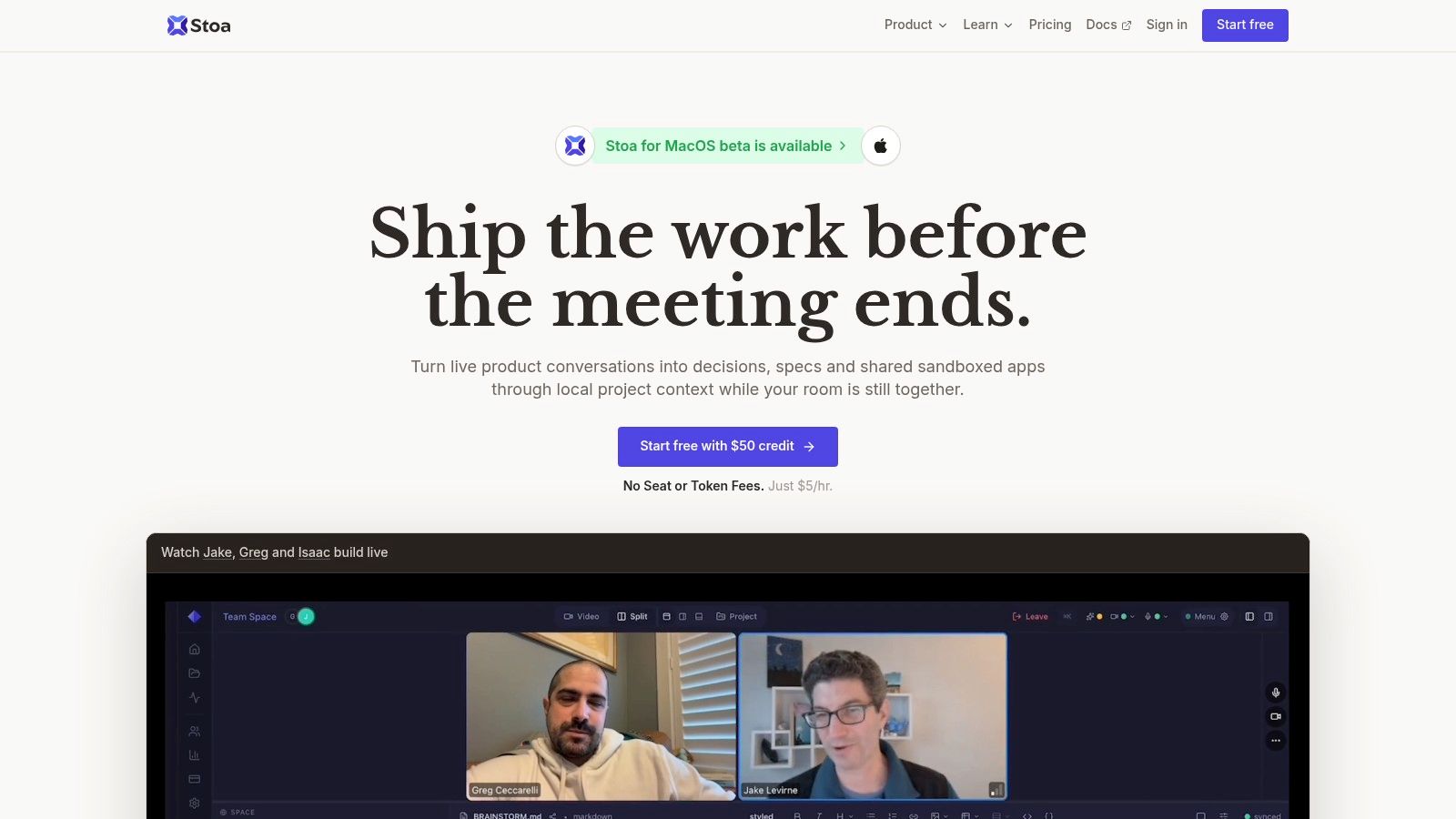
Stoa is one example of the second approach. Its AI listens to the meeting conversation and automatically extracts decisions, drafts specs, generates user stories, and flags open questions. Sessions are saved as git-friendly Markdown, so they can be committed to a repo for team visibility. Context can be synced to your desktop with the stoa CLI and opened in Claude Code, Codex, VS Code, or any other tool, with no MCP required.
Adopt this kind of workspace if you already lose decisions between meetings and commits, and if your files must stay portable. Hold off if you already have a working decision log that engineers use and no lock-in concern. Either way, run one recurring meeting in the space and track decision-to-first-commit time, rework, repeated questions, unresolved question age, and focus hours for four weeks before you expand.
If your team keeps re-explaining Monday's decisions on Thursday, try running your next product sync in Stoa, where decisions, specs, and open questions are captured live and saved as portable files your engineers can open in their own editors. You can start free, invite the whole team, and see whether decisions reach a first commit faster by visiting SpecStory, Inc. today.
Newsletter
Get new posts in your inbox
Bring your team together to build better products. Fresh takes on remote collaboration and AI-driven development.