


A Tuesday planning meeting ends with a decision everyone in the room supports. By Thursday, three people are scrolling a transcript, two chat threads, and a Figma comment to work out what was agreed, and the engineer who needs to start building is still waiting.
That gap between agreement and the first commit is where product work leaks the most time. AI agents promise to close it, but they don't all attack the same part of it. Some draft documents, some synthesize interviews, and a smaller number connect a decision made in a room to the coding tools engineers already use.
For each, I flag the point where the output needs human judgment or stops and a second system has to take over. If you want a wider view of how agentic systems fit into a product organization before choosing a tool, the devPulse agentic AI services overview is a reasonable starting point.
Table of Contents
- 1. SpecStory, Inc.
- 2. Productboard Spark
- 3. Squad AI
- 4. Feature1
- 5. Idam AI
- 6. Specky
- 7. flō
- 8. Grove
- 9. airfocus
- 10. Product Pal
- How the ten options compare on focus, pricing signals, fit, and main limitation
- Choosing an AI Agent Without Losing the Decision Trail
1. SpecStory, Inc.
Stoa, built by SpecStory, Inc., sits at the collaboration and live-decision stage of the PM workflow, with an unusual reach into execution. Teams meet in a shared room where the AI captures decisions, drafts specifications, generates user stories, and flags open questions as the conversation happens. That context can then produce Markdown PRDs and working code inside collaborative sandboxes.
The result is a living plan created during the meeting rather than a write-up reconstructed afterward.
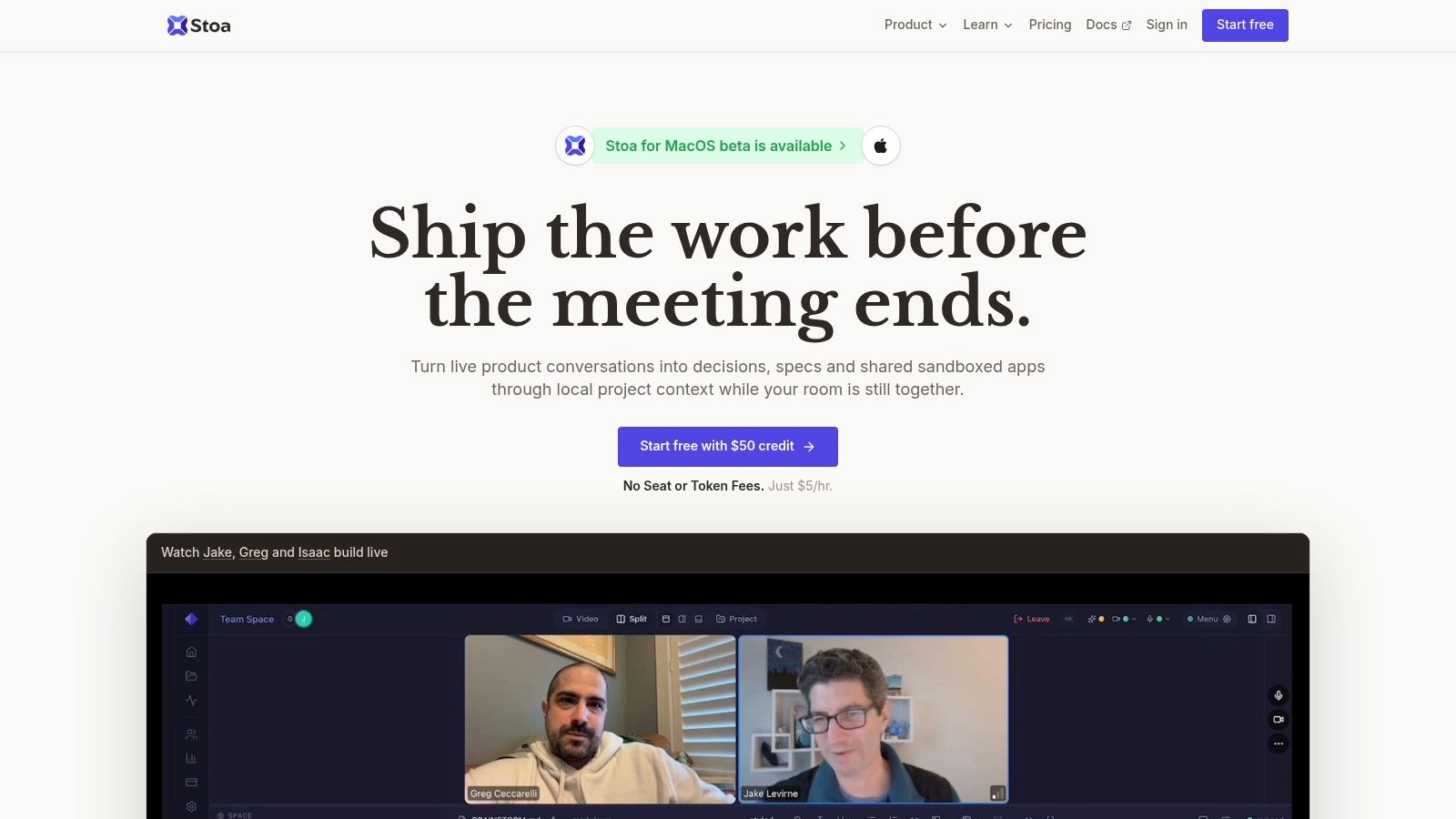
A transcript records what people said. Stoa goes further because its agent environment is a cloud sandbox shared with the room, so the artifact built from the discussion can be a working prototype. Session context connects to tools including Cursor and Figma, and outputs remain traceable to the conversation that produced them.
That traceability matters during handoff. An engineer can inspect the decision behind a requirement instead of treating the generated PRD as an unexplained instruction. The gap between a drafted spec and a shipped change does not disappear, but the first commit starts with considerably more context.
Where it needs a human
Capture is the strong half; judgment remains with the team. Prioritization, customer interpretation, and the decision to commit cannot be delegated to the room. Microsoft research on PM delegation involving 885 product managers found PMs extending generative AI into prototyping, scripting, data analysis, and agent creation, and recommended staged delegation that accounts for both worker values and model limitations.
Autonomy is the wrong metric here. Auditability and reversibility matter more. If an agent drafts a weak requirement or builds the wrong prototype, the team needs to see which conversation, evidence, and decision produced it before changing course.
Practical rule: before an agent's output reaches a customer or a roadmap commitment, you should be able to point from the artifact back to the conversation, the evidence, and the person who owns the call.
Practical details
- Pricing: pay-as-you-go at $5 per meeting hour, with no seat, tier, or token fees, free guest access, and a $50 starting credit.
- Cost at scale: because pricing is based on meeting hours rather than seats, map your recurring rituals and likely ad hoc sessions before standardizing. A team with several standing weekly meetings will use the product very differently from one reserving it for discovery and planning.
- Portability: decisions, transcripts, and artifacts save as plain project files through the CLI, so you keep them in your editor of choice.
- Feedback loop: you can share a localhost app so reviewers leave voice memos directly on the page.
Judge Stoa on a real session with your own team. The useful test is whether the prototype, PRD, and decision trail are accurate enough for engineers to start building without reconstructing the meeting afterward.
2. Productboard Spark
Productboard Spark is the agent to consider when the team already lives in Productboard. It reads the feedback, customer, and market context stored in the platform, then works from discovery through specification and post-launch analysis rather than starting every prompt from a blank page.
Where it fits: research synthesis and requirements drafting, especially for a team sitting on a large backlog of feedback nobody has clustered.
What works in practice: opportunities come back with citations, so you can check a claim against the underlying feedback instead of trusting a summary. Specifications inherit product context, which cuts the re-explaining you do at the start of every draft.
Where it stops: the output is a proposal. Someone still decides which opportunity is worth pursuing and whether the spec matches the strategy.
The reason this matters is coordination, not model quality. In a 2025 survey of 379 product professionals, 96% said they use AI consistently, nearly half described it as embedded in their workflows, and the same group named governance, context, and integration as the major challenges (Productboard's AI in product management report). A platform that already holds your feedback and roadmap data reduces the context problem. It doesn't solve the governance one.
Spark's AI usage is credit-based, so heavy use may require a paid plan or additional credits. For teams still working out whether an AI layer is worth it at all, this guide to AI for product managers covers the workflow questions to settle first.
3. Squad AI
Squad takes a different route. It builds a product knowledge base around your goals and company context, aggregates customer feedback, internal feedback, and analytics, then pushes that material through opportunity prioritization into PRDs and tasks for Linear or Cursor.
The appeal is the path, not any single step. Most tools in this category hand you a document generator. Squad hands you a sequence: signals in, opportunities ranked, solution brief, PRD, task handoff. For a founder or a two-person product team, that structure is often worth more than a better writer.
Adoption isn't the bottleneck any more. A 2025 General Assembly survey of 117 product managers across the United States, United Kingdom, Canada, and Singapore found that 78% already use AI agents for tasks such as automating product-development steps, streamlining workflows, or accelerating decisions, and 31% reported designing custom agents, specialized language models, or domain-adapted GPTs (General Assembly product management survey). The same survey found only 39% had received job-specific AI training.
Where the handoff needs a check
Squad's prioritization output is a recommendation built from the data you fed it. If your feedback sources skew toward your loudest customers, the ranking inherits that skew and looks authoritative while doing so. Check the input mix before you trust the order.
- Free entry plan: enough to evaluate whether the workflow matches how your team makes decisions.
- Credit metering: usage runs through AI credits, so model your monthly volume before standardizing.
- Integrations: confirm that Linear, Cursor, and your analytics sources behave the way the demo suggests.
The workflow design is the differentiator. If you're still deciding how agents should divide work across a small team, this guide to AI agent workspaces covers the ownership questions.
4. Feature1
Feature1 sits at the handoff, which is where most spec-to-ship failures happen. It links strategy, roadmap initiatives, features, and acceptance criteria, reads a GitHub repository in read-only mode for context, and shares those criteria with coding agents such as Claude Code, Codex, or Cursor through MCP.
Read-only repository access is the interesting design decision. It lets the tool see what the codebase does, so acceptance criteria get written against the current system rather than an imagined one, and it keeps the tool out of a position where it can change code.
Why the handoff deserves its own tool comes down to execution speed. A 2025 study combining three field experiments at Microsoft, Accenture, and a Fortune 100 company randomly gave 4,867 software developers access to an AI coding assistant and found that those using the tool completed 26.08% more tasks (MIT working paper on AI coding assistants). When implementation accelerates, ambiguous requirements become the constraint.
The faster your engineers ship, the more expensive a vague acceptance criterion becomes.
The trade-off: Feature1 is not a coding agent and not an issue tracker. It's a layer between intent and implementation, and a team with a disciplined spec process may be paying for structure it already has. The proof of concept is tied to shipping two features, which is a real commitment rather than a trial click.
5. Idam AI
Idam AI ships a workspace of specialist agents rather than one general assistant: research analysis, PRDs, competitor intelligence, user stories, metrics, personas. Shared context and memory run across those workflows, so you don't retype the same background into every task.
Specialists versus a generalist is a genuine decision. A generalist assistant is faster to start and easier to keep consistent. A set of specialists can produce more structured output per task, at the cost of setup time and more places for context to drift.
The productivity case for PM-facing agents is measurable, with caveats. A 2024 McKinsey study that recruited 40 product managers across the United States, Canada, Europe, and Latin America reported a 40% improvement in product-manager productivity, a 5% acceleration in product time to market, and a 100% improvement in employee experience (McKinsey on generative AI and product time to market). Read that as an early field study, not a guarantee. The gains depend on workflow quality, the system, and the product context.
Where it stops: multiple specialist agents need more workflow definition than a single assistant. Decide which agent owns which artifact, and what happens when two of them disagree. The free trial is the right place to test output quality and integration depth with Jira, Notion, and Linear, since independent user-reputation evidence for this tool isn't readily available.
6. Specky
Specky goes after research rather than documentation. Its research agent conducts structured interviews with real or synthetic users, transcribes them, clusters the findings, and turns them into insights and opportunities connected to roadmap work through what it calls a Product Graph.
The synthetic-user capability is the part to handle with care. Synthetic interviews are useful for pressure-testing a hypothesis, rehearsing an interview script, or finding the questions you forgot to ask. They are not customer evidence. A roadmap built on simulated agreement will feel well-researched and be wrong in the same way a focus group of your own colleagues is wrong.
How I'd use it
Run real interviews through the transcription and clustering, and keep synthetic sessions for pre-work. Then check the clustering by hand on the first two studies. Clustering is where research agents flatten disagreement into a tidy theme, and the disagreement is usually the insight.
- Paid from the start: evaluation begins with a paid subscription, so budget for it before you trial.
- Tier spread: plans run from solo PMs to larger product organizations.
- Integration fit: check how findings land in your existing systems before you build a habit around them.
The research stage is worth automating because it's the stage teams skip when they're busy. Automating synthesis without protecting the quality of the input just makes skipping it faster.
7. flō
flō covers research, discovery, PRD creation, and task generation, and advertises 13 agents plus a local RAG knowledge base built from your own product documents. It exports to Notion, Jira, Linear, and Markdown on paid plans.
The local knowledge base is the design choice to understand. Grounding output in your documents reduces generic answers, and keeping that index local gives you a different privacy posture from a cloud workspace. It also caps output quality at the quality of the documents you feed it. Upload three stale PRDs and you'll get fluent answers built on three stale PRDs.
An agent count is a marketing number. Traceability is the operational one.
What to check before you commit: the advertised agent count tells you nothing about output quality. Test the research and PRD agents on a feature you already shipped and know intimately, then read the output for the errors you'd expect a new hire to make. Confirm data handling, export behavior, and integration details against your security requirements before any sensitive material goes in.
The Pro option is cheap compared with most team platforms, which makes it a reasonable second tool for a PM who wants document-grounded drafting without a platform migration. It's less obviously a fit for a team that needs a shared, permissioned workspace.
8. Grove
Grove is built for the startup path from idea to shipped change. It helps teams challenge an idea, scope the work, write requirements and designs, then check whether what shipped matches what was planned. It reads GitHub repositories and pull requests in read-only mode and hands off to coding agents such as Claude Code, Codex, or Cursor through a CLI.
The check-the-shipped-work step is the unusual one. Most planning tools stop at the ticket. Grove reads the pull request and compares it against the outcome the team committed to, which is the only way to find out that a feature was delivered exactly as specified and solved nothing.
The cost of that: GitHub access is required, and the tool does nothing without it. That's fine for a developer-first team and a hard blocker for one with an outsourced codebase or a monorepo it can't expose.
Planning layers earn their place when the plan is checked against reality, not when it's written faster.
Product decisions stay with your team. Grove is not an autonomous PM, and treating any tool in this list as one is how teams end up with a roadmap nobody remembers agreeing to. The question worth asking is whether a separate planning layer between your docs and your coding agents justifies the extra surface, or whether your ticket flow already does enough.
9. airfocus
airfocus is an established product-management platform that has added AI and MCP access to product context. In practice you can ask questions across feedback, roadmaps, objectives, and priorities inside the tool, or expose structured product information to external assistants such as Claude, ChatGPT, and Microsoft Copilot.
The MCP route is the more interesting half. Instead of forcing every question into one vendor's assistant, you let whichever assistant your team already uses query your product data. That's a meaningfully different bet from building a single built-in agent.
Enterprise intent is running ahead of current readiness. In 2025, 96% of surveyed enterprise IT leaders said their organizations planned to expand AI-agent use during the following 12 months, according to Cloudera's survey of nearly 1,500 leaders across 14 countries. A plan to expand is not a working deployment.
Where it stops: this is a product platform with agentic extensions, not a dedicated agent for PM tasks. Answers are only as good as the connected data, so a roadmap field nobody maintains produces confident nonsense. Confirm plan-level access and pricing for the AI and MCP features before you build a workflow on them.
If feedback volume is your bottleneck rather than roadmap analysis, this guide to feature request management covers the intake side.
10. Product Pal
Product Pal describes its assistant, Pal, as an AI product assistant and product-intelligence platform. The stated focus is competitor monitoring, help with product-team tasks, and strategic insight, delivered through a mobile-first dashboard and a demo-based onboarding path.
Competitor monitoring is the reason to look at it. Most tools here are built around your own artifacts: your PRDs, your feedback, your specs. A tool that watches what competitors ship answers a different question, and for a seed-stage team positioning against three better-funded rivals, that question comes up weekly.
What I'd test in the demo: ask it to track two named competitors for a month and check whether the alerts tell you something you didn't already know. Competitive monitoring tools fail by generating noise, and noise gets muted within a fortnight.
The honest caveats: public feature and integration details are thinner here than for several other options on this list, and pricing wasn't clearly listed on the page reviewed. Task-completion and strategic-insight claims should be run against your real workflows in the demo rather than accepted from a marketing page. Mobile access is useful for a founder between meetings, but it isn't a reason on its own to add another system.
How the ten options compare on focus, pricing signals, fit, and main limitation
Read the pricing column as a maturity signal, not just a cost line. Tools with a published price or a metered credit model are telling you exactly how they expect to be used. Tools behind a demo or a sales conversation are asking for more evaluation time before you know what a year of usage costs.
| Item | Primary Focus | Pricing Signal | Best For | Key Limitation |
|---|---|---|---|---|
| SpecStory, Inc. | Turns meetings into decisions, specs, and code | $5 per meeting hour, no seats or tiers; free guest access; $50 starting credit | Teams moving from discussion to implementation | Usage-based hours mean meeting-heavy teams should model cost before adopting |
| Productboard Spark | Product-context AI for discovery, specs, and analysis | Credit-based; paid plan or extra credits may be needed | Teams already using Productboard | Most valuable within Productboard; heavy use may cost more |
| Squad AI | Connects goals and customer signals to delivery work | Free entry plan; AI credits are metered | Founders and small teams seeking a structured workflow | Integrations and AI recommendations need validation |
| Feature1 | Links product strategy and requirements to coding agents | No public pricing page; expect a direct conversation with the team | Developer-first teams improving product-to-code handoff | Requires repository access; not a coding agent or issue tracker |
| Idam AI | Specialized agents for product-management tasks | Free trial available; ongoing cost depends on the plan you land on | PMs seeking shared context across common workflows | Workflow setup and integration depth need evaluation |
| Specky | Research synthesis connected to product planning | Paid subscription to start | Teams connecting user research to roadmap opportunities | Synthetic research is not a substitute for real customer evidence |
| flō | AI-supported research, PRDs, and task generation | Low-cost Pro tier positioned at the entry end of this list | Teams wanting document-grounded product workflows | Validate privacy, exports, and integrations before sharing sensitive materials |
| Grove | Startup product planning and engineering handoff | No public pricing page; plan terms come through the signup or sales path | Startups using coding agents and GitHub | Requires GitHub access; product decisions remain with the team |
| airfocus | Product-management platform with AI and MCP access | AI and MCP pricing depends on plan tier | Teams already using airfocus for roadmaps and prioritization | Value depends on connected data and plan-level feature access |
| Product Pal | Competitor monitoring and product intelligence | Demo-based onboarding; pricing is part of that conversation | Teams seeking competitor insights and strategic assistance | Public feature and integration details are limited |
Three patterns stand out when you scan the rows together.
First, pricing opacity clusters at the research and handoff ends of the workflow. The tools closest to live collaboration and the tools already attached to an existing platform tend to publish a number or a credit model. The tools selling a newer category, like strategy-to-code linking or startup-focused planning, more often route you through a demo. That is not automatically a red flag, but it does mean your evaluation has to include the procurement question early, not after the pilot.
Second, every key limitation in the rightmost column is a point where human judgment has to re-enter the process. Metered credits need someone watching consumption. Repository and GitHub access need someone deciding what the agent can see. Synthetic research needs someone checking it against real customer evidence before it shapes a roadmap. Plan-tier pricing needs someone confirming the features you need are in the tier you can afford. None of these tools removes the PM from the loop; they relocate where the PM's attention goes.
Third, fit beats feature count. A platform-native assistant like Productboard Spark or airfocus makes sense if you already live in that system and makes little sense if you do not. A meeting-centric tool only pays off if your team's real decisions happen in meetings. Match the row to the stage of your workflow where rework accumulates, and the table narrows itself down to two or three serious candidates quickly.
Choosing an AI Agent Without Losing the Decision Trail
Start with the stage that causes your team the most rework. If interviews pile up unread, look at research tools. If engineers keep asking what a requirement means, look at the handoff layer. Then test two or three options on one real piece of work rather than on a demo dataset.
Judge each option on three things: how well its output traces back to the source conversation, how cleanly it exports into the systems you already run, and how much human review the output still needs before anyone acts on it.
Keep the market context in view while you decide. Across 1,993 organizations in McKinsey's 2025 State of AI survey, 23% reported scaling an agentic AI system somewhere in the business and another 39% were experimenting with agents, while only 39% attributed any EBIT impact to AI (McKinsey State of AI coverage). Deployment is running ahead of demonstrated financial impact. That gap is the argument for instrumenting the full cycle instead of measuring task speed.
Track the metrics that show whether the workflow changed: cycle time from decision to tested prototype, time spent reconstructing context, rework caused by incomplete requirements, the share of decisions linked to source evidence, and how often engineering accepts agent-generated artifacts without a rewrite. Put explicit human checkpoints before roadmap commitments, external communications, code merges, and any change to production data.
Scale an agent only after it improves a baseline metric while staying auditable and recoverable.
Narrow, repeatable workflows beat autonomous do-everything systems. Meeting-to-PRD conversion, feedback synthesis, backlog triage, and prototype generation each have defined inputs, outputs, owners, and quality thresholds, which is exactly what makes them safe to delegate and easy to evaluate.
Stoa is one option in this group. Its AI listens to the meeting conversation, extracts decisions, drafts specs, generates user stories, and flags open questions, and the Product Discovery Meeting template can be opened in Stoa or downloaded to test the workflow on your next discovery session. Before you wire any agent into a live process, work through a documentation checklist for AI agents so inputs, owners, and failure modes are written down rather than assumed.
Stoa is a multiplayer AI workspace from SpecStory, Inc. where the meeting itself produces the decisions, specs, and working code your team would otherwise write up afterwards, with every artifact traceable back to the conversation that created it. If the gap between agreement and the first commit is where your planning cycles stall, that's the gap Stoa is built to close. Visit SpecStory, Inc. to see how it works and start with the $50 credit.
Newsletter
Get new posts in your inbox
Bring your team together to build better products. Fresh takes on remote collaboration and AI-driven development.