


Use git diff main...feature to see what the feature branch changed since it split from main, and git diff main feature to compare the branch tips directly. For a pull request review, start with git diff main...feature.
You're preparing to review a teammate's branch, but the file list includes unrelated configuration changes and code nobody mentioned. Before reading the patch or asking the author to clean it up, check what you're comparing. A valid Git command can still answer the wrong question.
Table of Contents
- Which Git Command Answers Your Branch Question
- Two Dots, Three Dots and Why the Diff Changes
- How to Compare Two Branches Step by Step
- Comparing Branches in a GUI or Editor
- Common Feature and Topic Branch Workflows
- Fixing Diffs That Look Wrong
Which Git Command Answers Your Branch Question
Say a feature branch produces an unexpectedly large diff, even though its author describes a small billing fix. That discrepancy might indicate unrelated work, but it can also mean you're comparing the wrong endpoints.
When someone asks for a Git diff between two branches, establish which question they mean: how the snapshots differ, what the topic branch changed, or which commits belong exclusively to either side.
Git commands for comparing two branches
| Command | What It Compares | Question It Answers |
|---|---|---|
git diff main feature | Tip of main against tip of feature | How do these snapshots differ? |
git diff main..feature | Same tip comparison, using two-dot syntax | How do these snapshots differ? |
git diff main...feature | Merge base against feature tip | What did feature change since divergence? |
git diff --stat main...feature | Merge-base comparison summarized per file | How large is the change? |
git diff --name-status main...feature | Changed paths with statuses such as A, M, D, or R | Which files need review? |
git log main..feature | Commits reachable from feature but not main | Which commits are unique to feature? |
git log feature..main | Commits reachable from main but not feature | What has main gained that feature lacks? |
git merge-base main feature | A best common ancestor commit | Where is the comparison base? |
git difftool main...feature | The content comparison in a visual tool | Can I review files side by side? |
The Git diff documentation explicitly treats git diff topic master and git diff topic..master as equivalent. Both compare complete trees, producing a patch that transforms the first snapshot into the second, rather than selecting commits authored on a particular branch.
Diff syntax and log syntax aren't interchangeable. The dots in git log main..feature select commits; the same notation in git diff main..feature selects endpoint trees.
Keep working-tree comparisons separate
git diff main, without another endpoint, compares main against tracked content in your working tree, including uncommitted edits. git diff --staged instead compares the index against the last commit.
For path-aware commands such as diff, log, and difftool, append -- services/billing to restrict inspection. git merge-base operates on commits and doesn't accept a path filter.
Review default: Use the merge-base comparison for a pull request. Use the endpoint comparison when you need the exact difference between deployed or candidate snapshots.
Two Dots, Three Dots and Why the Diff Changes
Consider this history:
A---B---C---M1  main
     \
      F1---F2   feature
The feature branch started at B. Its author added F1 and F2 while main advanced through C and M1.
Running git diff main..feature compares M1's tree with F2's tree. If the branches changed independent content, the patch removes main-only changes from C and M1 and adds feature-side changes from F1 and F2.
That doesn't mean the author deliberately deleted main's work. Those removals describe how to transform the current main snapshot into the current feature snapshot.
Inspect the actual comparison base
Run git diff main...feature instead, and Git compares B's tree against F2's tree. Main-only changes don't appear as reverse changes because main's current tip isn't the starting snapshot.
The Git documentation's comparison examples distinguish these endpoint and merge-base forms. Treating the endpoint form as a universal review command loses that distinction precisely when development continues on main.
You can inspect the selected ancestor directly:
git merge-base main feature
To make the comparison explicit in a shell:
git diff "$(git merge-base main feature)" feature
This is useful when debugging a review script or explaining an unexpected comparison to a teammate. In unusual histories with multiple best common ancestors, inspect the history rather than assuming there's a single obvious split point.
Argument order changes the question
git diff feature...main isn't the reverse patch of git diff main...feature. It compares the merge base against main, showing main-side changes since divergence.
Likewise, a three-dot diff isn't a commit-by-commit accounting of authorship. It shows the net content difference from the selected base, so a change introduced and subsequently reverted may leave no patch.
Choose the endpoints before choosing the viewer. A readable patch against the wrong base is still the wrong review.
Use three dots for topic review. Use a direct comparison when the question concerns the difference between states.
How to Compare Two Branches Step by Step
Remote-tracking refs can be stale, and fetching doesn't automatically update your local main branch. For a review of pushed work, compare origin/main with origin/feature after fetching.
The workflow starts with refresh and verification, not checkout:
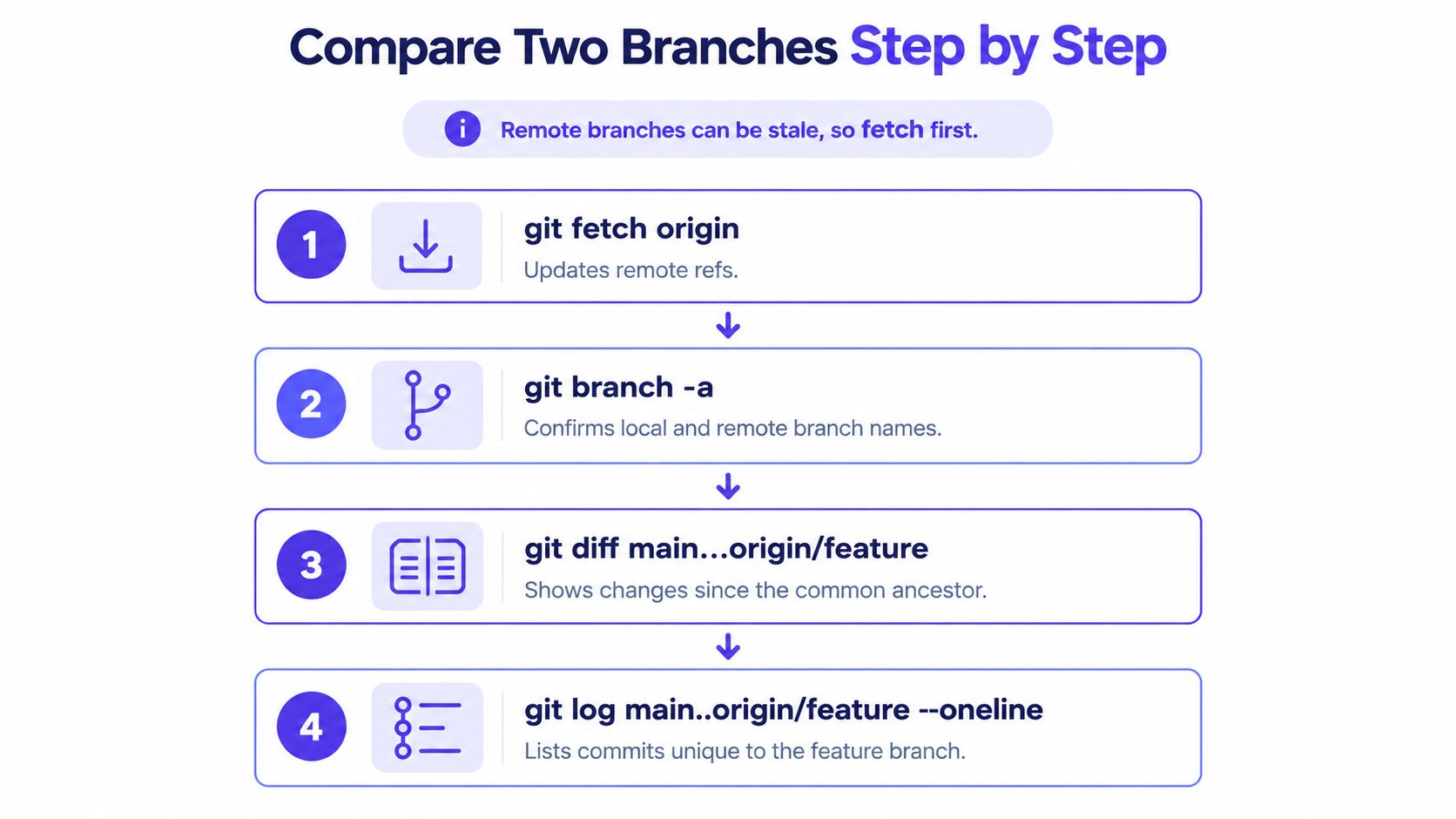
The infographic uses local main in its comparison examples. Use the remote-tracking refs below when you want the fetched repository state on both sides.
Refresh refs and establish scope
-
Fetch the remote state.
git fetch originThis updates remote-tracking refs without merging changes into your checked-out branch. You don't need to switch branches to compare explicitly named refs.
-
Confirm the branch names.
git branch -aLook for
remotes/origin/mainandremotes/origin/feature. Substitute the actual feature name throughout; a local branch with the same name may contain unpushed work. -
Read the scope before the patch.
git diff --stat origin/main...origin/featureLook for unexpected directories, generated files, dependency lockfiles, and unusually broad edits. Line totals describe patch size, not engineering difficulty or review risk.
-
Inspect operational changes.
git diff --name-status origin/main...origin/featureStatus letters distinguish additions, modifications, deletions, and detected renames. A deleted migration or renamed configuration file deserves attention even when the textual patch looks small.
GitHub's branch comparison documentation distinguishes direct commit comparisons from merge-base comparisons. Keeping the refs explicit makes that choice reproducible rather than dependent on whichever branch happens to be checked out.
Check history, then read content
-
List feature-only commits.
git log --oneline origin/main..origin/featureCompare commit subjects with the requested change. Unexpected subjects warrant investigation, but commit messages alone aren't evidence that the content is correct.
-
Read the patch with movement detection enabled.
git diff --find-renames --find-copies origin/main...origin/featureFollow the behavior change through callers, tests, and configuration. Rename and copy detection improve presentation, but they don't establish that moved code behaves identically.
-
Narrow the view when necessary.
git diff origin/main...origin/feature, services/billingThis is useful for dividing review ownership across services. Keep the repository-wide file list available so a narrow path filter doesn't hide a dependency change elsewhere.
For an automation-friendly list without status labels, use git diff --name-only origin/main...origin/feature. Don't parse the full patch just to discover which paths changed; for scripts that must handle unusual filenames, add -z and process null-delimited output.
A terminal walkthrough can help you connect the branch graph with the resulting patch:
Finish with a fixed validation sequence
Before approving, run these checks in order:
- Confirm the base:
git merge-base origin/main origin/feature. - Confirm file scope:
git diff --stat origin/main...origin/feature. - Confirm the commits:
git log --oneline origin/main..origin/feature. - Check whitespace errors:
git diff --check origin/main...origin/feature.
If the files and commits match the intended work, you're ready to review the implementation. That alignment doesn't prove correctness, test coverage, or mergeability.
If extra files appear, investigate the selected base, merged branches, and actual patch before prescribing a rebase. Main moving forward alone doesn't require rebasing for a valid three-dot review; merge or rebase when integration requirements or the branch history justify it.
A clean patch also doesn't prove clean history. Squashes and reverts can leave a straightforward final tree while requiring a more careful explanation of how the branch arrived there.
Comparing Branches in a GUI or Editor
A GUI can display the same endpoint or merge-base comparison as the terminal. The important choice is the comparison base, not whether you prefer colored terminal output or side-by-side panes.
GUI and editor options for branch comparison
| Tool | How to Start the Comparison | Best For |
|---|---|---|
Terminal with git difftool | Set diff.tool, then run git difftool -d main...feature | Side-by-side reading across changed files |
| IntelliJ IDEA | Open the Git menu, choose Compare with Branch, and select feature | Reviewing without leaving the IDE |
| GitLens in VS Code | Use the command palette to start a GitLens branch comparison | Quick checks while editing |
| GitKraken | Select branch tips in the commit graph and open the compare view | Understanding changes alongside branch history |
| GitHub compare page | Open the repository's Compare view with main...feature | Team review before opening a pull request |
Menu names can change between versions, and selecting branches doesn't guarantee a merge-base comparison. Check the displayed base and target, especially when an editor opens a direct tip comparison by default.
Configure a dedicated diff viewer
With Meld installed and available on your path, configure it as Git's diff tool:
git config --global diff.tool meld
git difftool -d main...feature
The directory view is convenient when you're following related edits across files. For a smaller comparison, omit -d to work through changed files individually.
Don't edit temporary comparison files expecting to update the branch. Treat the viewer as an inspection tool unless you deliberately configured an editing workflow.
For teams deciding where review belongs, this GUI versus command-line comparison helps separate interface preferences from workflow requirements. Up North Media also offers a way to find IDEs that improve developer productivity when integrated navigation and review are part of your editor selection.
Selection advice: Use GitHub for shared review discussions, your IDE for quick personal checks, and
git difftoolwhen large files benefit from sustained side-by-side reading.
A GUI's best contribution is reducing navigation effort. It shouldn't make the comparison semantics invisible.
Common Feature and Topic Branch Workflows
A branch name doesn't determine the right comparison. The decision depends on whether you're reviewing intent, validating a release state, or investigating history.
Keep the review brief alongside the code so the reviewer knows what the patch is supposed to accomplish:
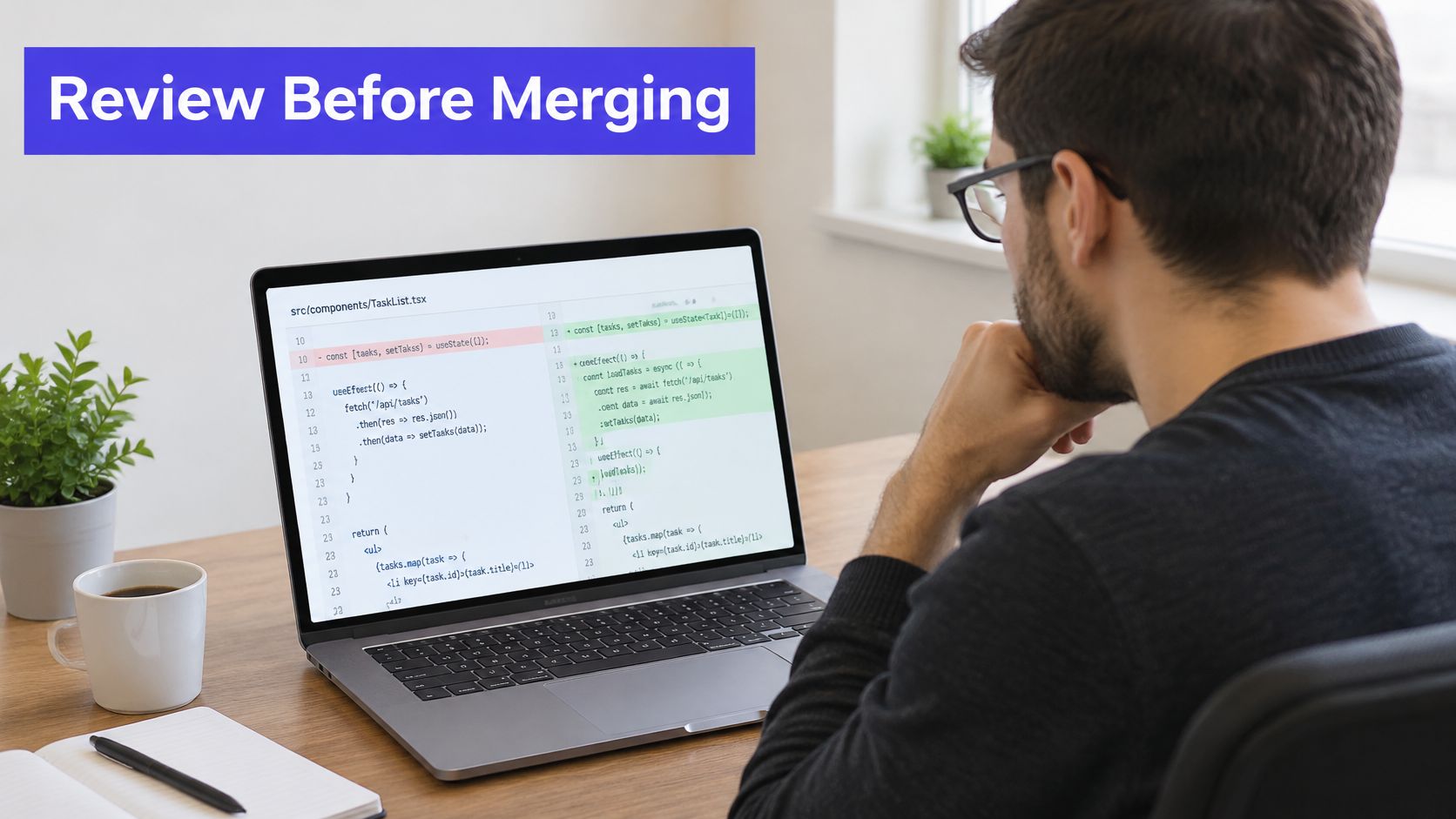
Match the command to the situation
-
Feature pull request: For
feature/billing-retry, rungit diff main...feature/billing-retryand inspect its feature-only commit list. If the branch absorbed another topic branch, decide whether that work belongs in the review instead of assuming every displayed change belongs to the billing task. -
Release candidate against production: Run
git diff production release/candidate. You're checking exactly what would differ between those states, including configuration and dependency changes, regardless of which branch originally introduced them. -
Long-running teammate branch: For
topic/export, inspectgit merge-base main topic/exportbefore reviewinggit diff main...topic/export. An old base can explain outdated assumptions in the implementation even when the feature patch itself is correctly scoped. -
Stacked topic branches: Use
git diff parent...topicwhen topic builds on parent. Target the parent branch in the pull request too; otherwise reviewers may receive prerequisite work along with the layer they're supposed to assess. -
Squash-merge verification: Compare
git diff main featureto inspect remaining tree differences, then examinegit log main..feature. Equivalent final content doesn't imply identical commit ancestry, and later main changes can still produce a legitimate endpoint diff.
Preserve the explanation behind the patch
A diff shows the result, not a complete account of ownership or intent. A revert can cancel a previous change, while a rename can make the same logic appear under a different path.
The Stack Overflow discussion on branch differences is useful for command alternatives, but a review process needs more than a full-patch command. Record the purpose, affected services, and expected behavior before handing over a large AI-generated change.
For distributed teams, collaborative code editing practices can help keep that explanation attached to implementation decisions. A reviewer should know why a file changed before deciding whether its edits are appropriate.
Fixing Diffs That Look Wrong
When a diff shows changes the author never made, check the comparison form first. A tip comparison can display base-side work as removals, but unrelated merged work or the wrong target branch can produce surprises too.
Symptoms, causes and fixes for branch diffs
| Symptom | Likely Cause | Fix |
|---|---|---|
| Diff shows changes you never made | Tip comparison includes differences from base-side work | Run git diff main...feature |
| Renamed file appears as delete plus add | Rename detection is disabled or similarity is insufficient | Run git diff -M main...feature; adjust the threshold if necessary |
| Binary file shows a binary-difference notice | Text output can't meaningfully display the content | Use git diff --stat main...feature or a binary-capable viewer |
| Branch isn't found or results look old | Missing or stale local refs | Run git fetch origin, then compare origin/feature |
| Huge diff contains whitespace changes | Indentation or line endings changed | Inspect with git diff -w main...feature, then run git diff --check main...feature |
| Empty output despite expected changes | Trees match, changes cancel out, or the selected base is wrong | Inspect git rev-parse main feature and git merge-base main feature |
| Moved code appears rewritten | Repeated lines produce confusing default matches | Try git diff --histogram main...feature or --patience |
Tune detection without hiding risk
According to Git's diff-options documentation, the default rename similarity threshold is 50%; use -M90% for stricter matching when false rename classifications are costly. Raising the threshold won't recover a heavily rewritten rename that already failed detection, so inspect the delete/add pair or deliberately lower the threshold instead.
Git's default Myers algorithm isn't a semantic code analyzer. --patience and --histogram can make moved or repetitive code easier to read, while --minimal spends additional computation seeking a smaller edit script.
Use -C when copy detection matters. Reserve --word-diff for prose or dense single-line content where token-level differences are more useful than ordinary hunks.
Whitespace suppression is a reading aid, not a cleanup operation. Don't approve Python indentation changes or whitespace-sensitive templates based only on a -w view.
These options change presentation, not commits. Once your team agrees on the checks that belong in every review, use command hooks for repeatable checks rather than relying on reviewers to remember every flag.
SpecStory, Inc. builds Stoa, a multiplayer AI workspace that captures product conversations, decisions, and implementation context alongside collaborative coding. When a branch diff explains what changed but not why, that traceable context can support a more informed review. Visit SpecStory, Inc. to explore the workspace for your team.
Newsletter
Get new posts in your inbox
Bring your team together to build better products. Fresh takes on remote collaboration and AI-driven development.